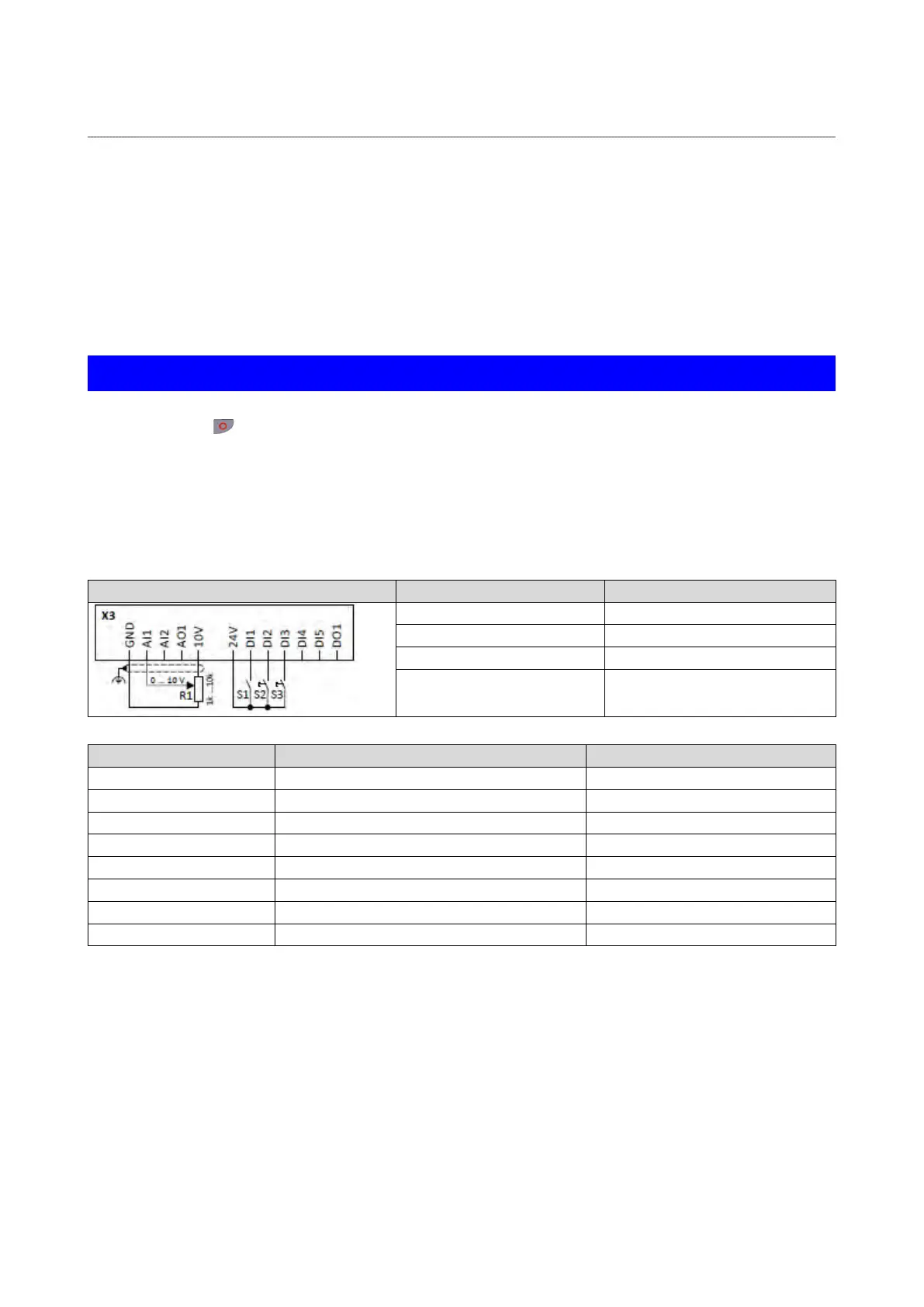
12.2.5. Example 5: Jog forward/Jog reverse
This example illustrates the functions "Jog forward (CW)" and "Jog reverse (CCW)" for Jog
operation.
• Switch S1 starts the motor in forward direction of rotation. Switch S1 in the initial
position stops the motor again.
• Button S2 starts the motor in forward direction of rotation with frequency preset 5.
• Button S3 starts the motor in backward direction of rotation with frequency preset 6.
• The motor rotates in jog operation as long as the respective button is pressed. If both
buttons are pressed at the same time, the motor is stopped.
NOTICE
The jog operation has a higher priority than the "Run" function, all other start commands
and the keypad key
.
If jog operation is active, the motor cannot be stopped with the previously mentioned
functions!
• The jog operation is stopped by cancelling the functions "Jog foward (CW)"/"Jog
reverse (CCW)".
• The jog operation can be interrupted with the "Activate quick stop" 0x2631:003
(P400.03)function.
Frequency setpoint selection
Button S2 Jog forward (CW)
0x2631:011 (P400.11)
Jog reverse (CCW)
Digital input 3 [13]
Frequency setpoint presets: Preset 5
15 Hz (is used for jog forward)
Frequency setpoint presets: Preset 6
10 Hz (is used for jog reverse)



 To Next Page