292 01-6203-01R3, CG Drives & Automation
10.7.1.2. Write access protection in the keypad
If a write access protection is active for the inverter, the keypad automatically displays a
log-in when changing to the parameterisation mode. You can either skip the log-in and
thus keep the access protection active or remove it temporarily by entering a valid PIN.
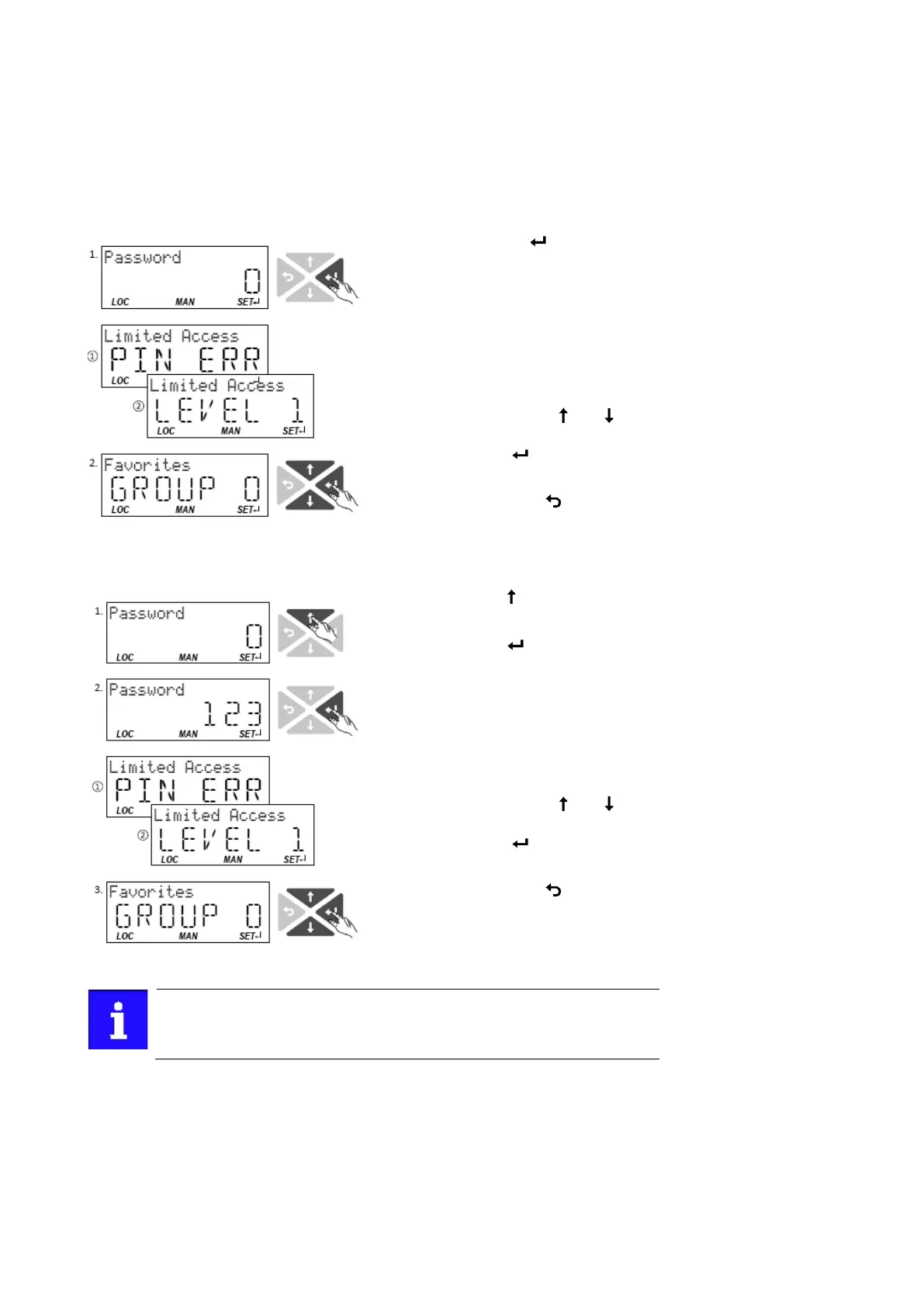
Option 1 skip log-in and keep access protection active
1. Use the key to skip the log-
in.
The configured access protection remains active and is
briefly displayed:
① PIN ERR: No write access
② LEVEL 1: Write access only to favorites You are now in
the group level.
2. You can now use the
navigation keys
and to
select the desired group and
with key
navigate one level
lower to the parameter level.
Note: By using the
key you can navigate one level upwards
again anytime
Option 2 remove access protection temporarily by entering a valid PIN
3. Use the key to enter the
defined PIN.
4. Use the key to accept the
changed setting.
If the access remains restricted, it is briefly displayed:
① PIN ERR: No write access
② LEVEL 1: Write access only to favorites
You are now in the group level.
5. You can now use the
navigation keys
and to
select the desired group and
with key
navigate one level
lower to the parameter level.
Note: By using the
key you can navigate one level upwards
again anytime.
After 10 invalid entries, the log-in function is inhibited. In order to remove
the log-in inhibit, the inverter must be switched off and on again.
The write access protection gets active again:
• Automatically 10 minutes after the last log-in or the last keypad entry.
• Automatically after the mains voltage is switched on again.



 To Next Page