476 01-6203-01R3, CG Drives & Automation
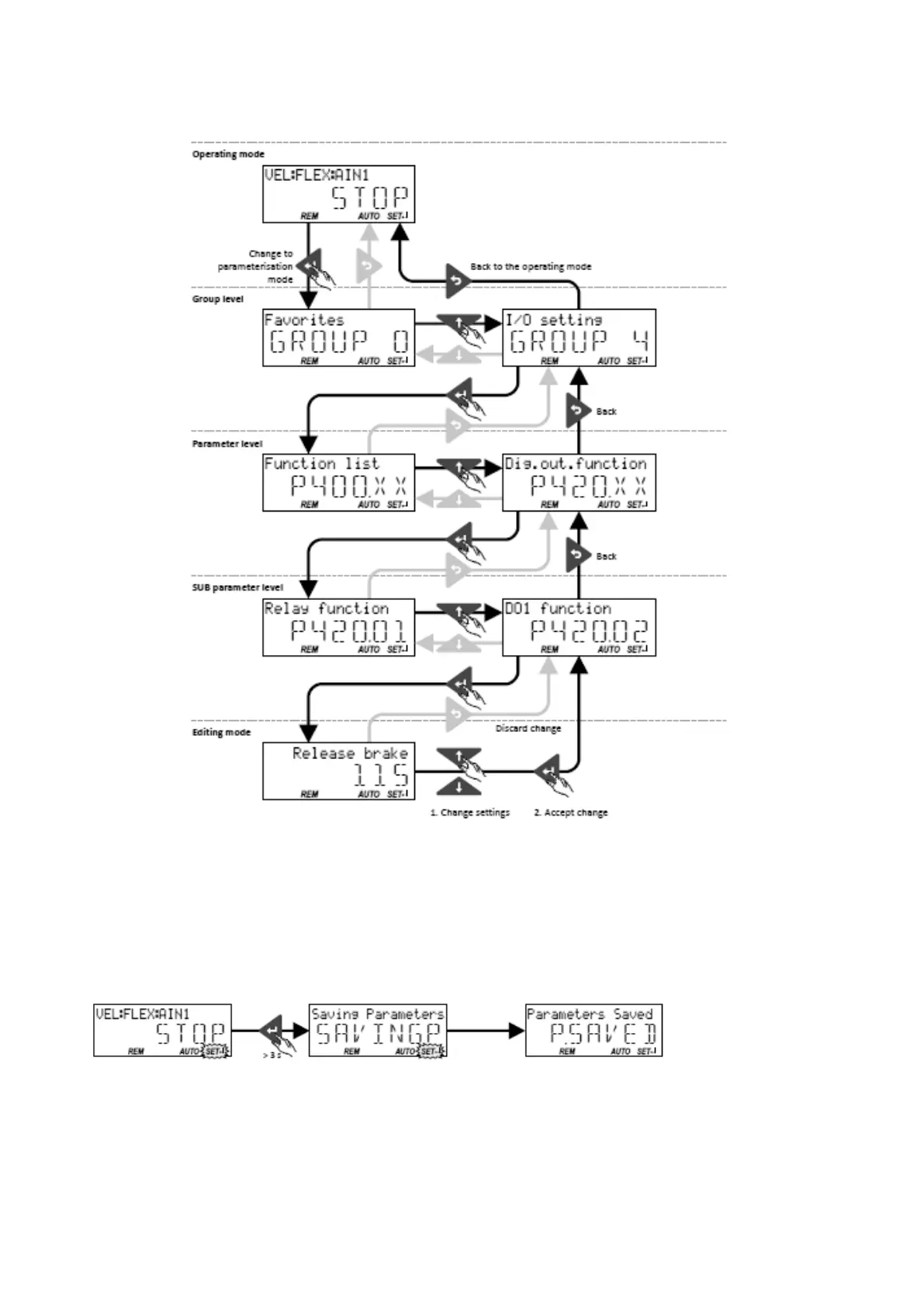
Changing inverter settings by means of the keypad (general operation)
14.1.2.3. Save parameter settings with keypad
If one parameter setting has been changed with the keypad but has not been saved in the
memory module with mains failure protection, the SET display is blinking.
In order to save parameter settings in the user memory of the memory module, press the
keypad enter key longer than 3 s.



 To Next Page