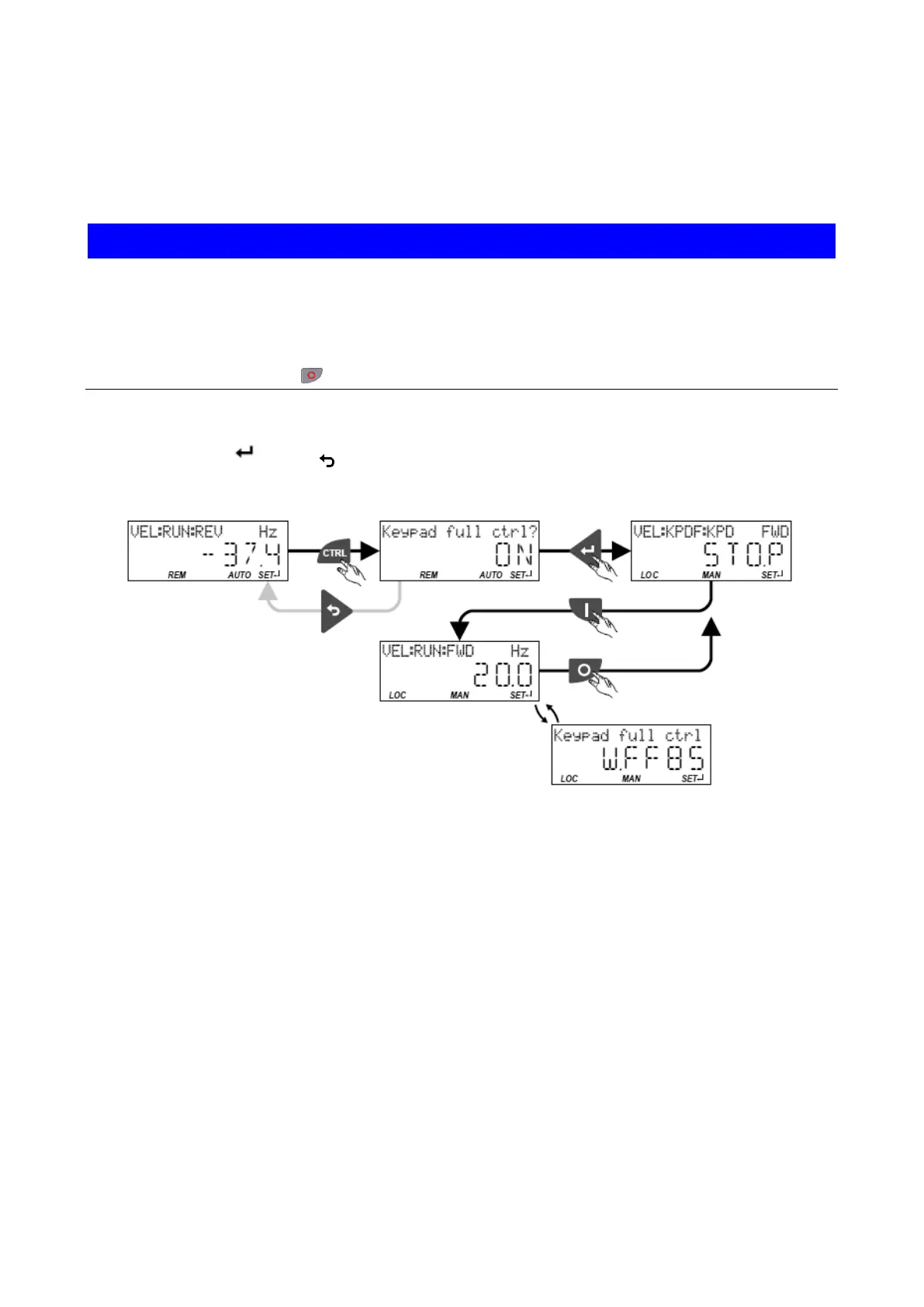
Keypad Full Control
Use the
CTRL keypad key to activate the "Keypad Full Control" control mode. Both the
control and the setpoint selection are then made via the keypad. This special control mode
can be, for instance, used during the commissioning phase if external control and setpoint
sources are not ready to use yet.
NOTICE
This note refers to a danger which, if not avoided, may result in damage to property.
If the "Keypad Full Control" control mode is active, the "Run" 0x2631:002 (P400.02)
function is internally set to TRUE.
In this case, the motor cannot be stopped via this function.
▶ For stopping the motor, use the
keypad key, deactivate the inverter enable or activate the "quick stop" function.
• After the
CTRLkey has been pressed, the activation of the control mode must be
confirmed with the
key. (The key serves to cancel the action.)
• When the control mode is changed over, the motor is first stopped and the "Forward"
direction of rotation is set. Then, the motor can be started and stopped via the keypad.
If the "Keypad Full Control" control mode is active,
• the keypad shows the "Keypad full ctrl" warning alternately with the status display.
• the set standard setpoint sources are ignored.
• a change-over to other setpoint sources is not possible.
• a change-over to network control is not possible.
• the following functions continue to be active:
• • 0x2631:001 (P400.01): Enable inverter
• 0x2631:003 (P400.03): Activate quick stop
• 0x2631:005 (P400.05): Activate DC braking
• 0x2631:010 (P400.10): Jog foward (CW)
• 0x2631:011 (P400.11): Jog reverse (CCW)
• 0x2631:013 (P400.13): Invert rotation
• 0x2631:043 (P400.43): Activate fault 1
• 0x2631:044 (P400.44): Activate fault 2



 To Next Page