DC Bias Setting
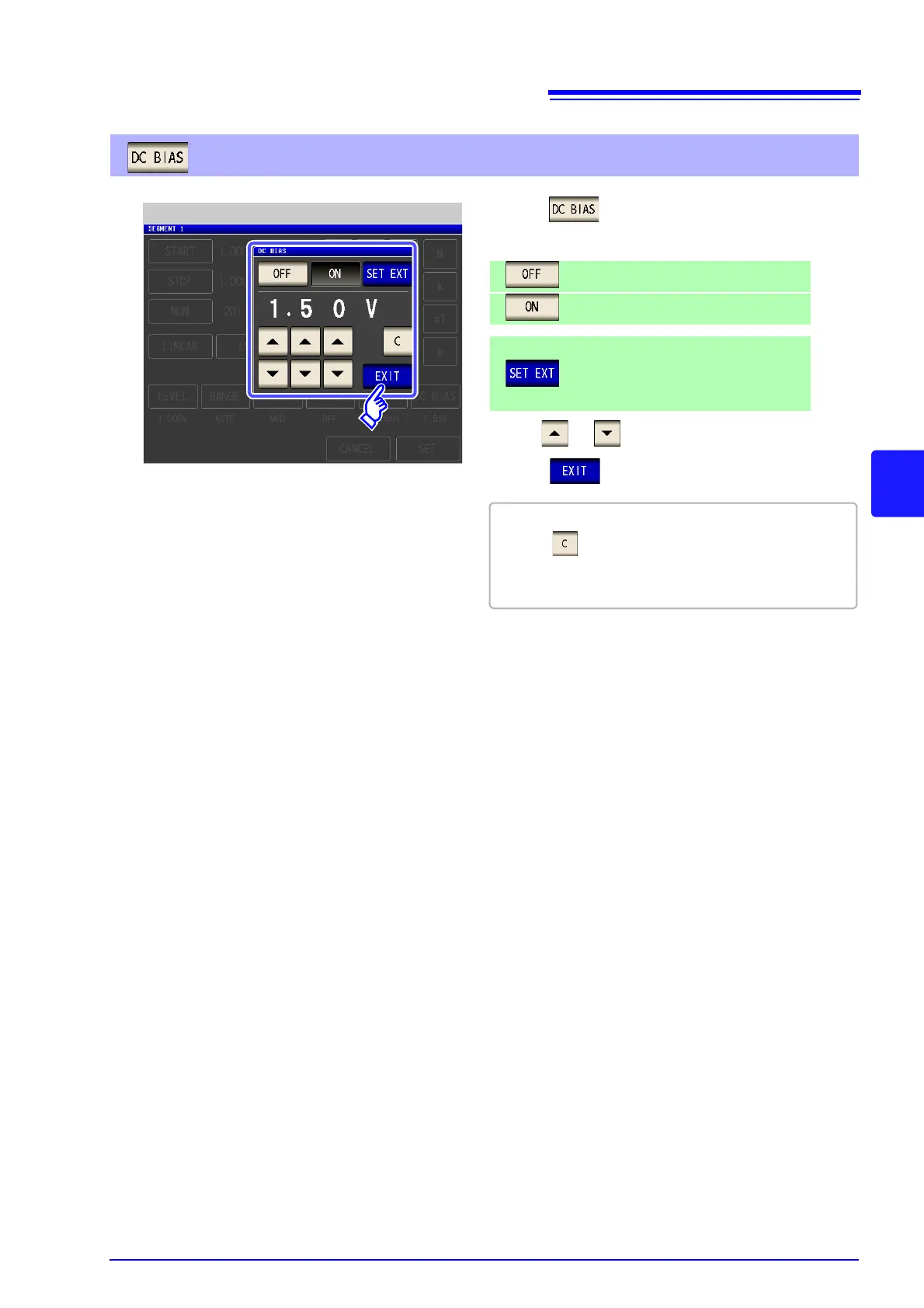
2. Select ON/ OFF for the DC bias.
Sets the DC bias to OFF.
Sets the DC bias to ON.
3. Use or to enter the DC bias value.
4. Press to close the setting screen.
• If you make a mistake during input:
press to cancel the input and start again.
• The setting for DC bias is common to all segments.
A different value cannot be set for each segment.
1. Press .
Press this button when using an external
DC bias unit.
The DC bias will be set to ON, and the bias
value will be set to 0.00 V.



 To Next Page