5.4 Segment Sweep
174
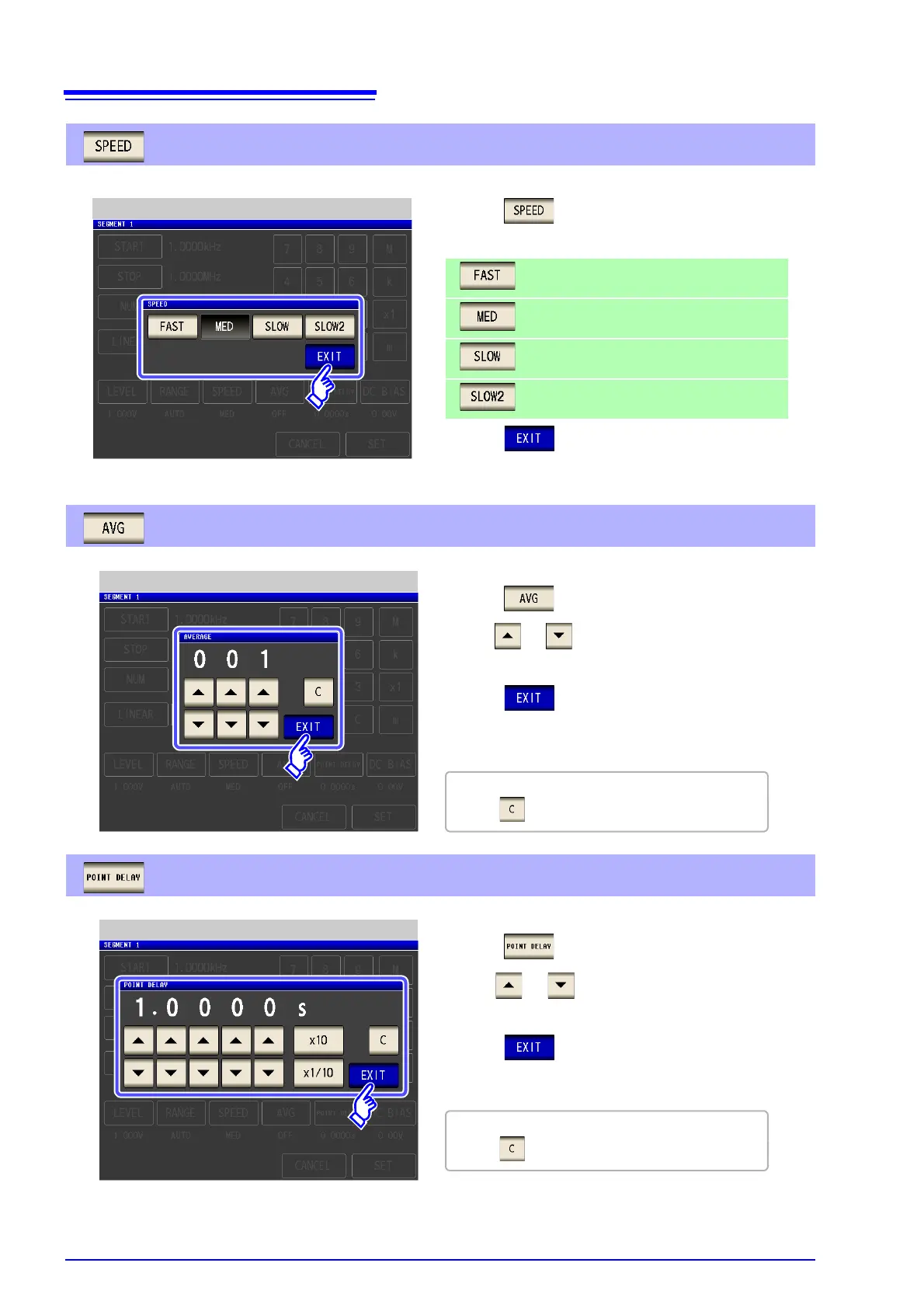
Setting the measurement speed.
2. Select the measurement speed.
3. Press to close the setting screen.
Measurement Speed Setting
High-speed measurement
Normal-speed measurement
Increases measurement accuracy.
Measurement accuracy is better than SLOW.
1. Press .
Setting the average.
Setting the trigger delay.
If you make a mistake during input:
press to cancel the input and start again.
Measurement Averaging Setting
2. Use or to enter the number of averaging times.
Settable range: 1 to 256 times
3. Press to close the setting screen.
See "5.3.5 Displaying as Average Values (Average set)"
(p. 165)
1. Press .
If you make a mistake during input:
press to cancel the input and start again.
Point Delay Setting
2. Use or to enter the delay time.
Settable range: 0 to 10000 s with resolution of 0.1 ms
3. Press to close the setting screen.
1. Press .



 To Next Page