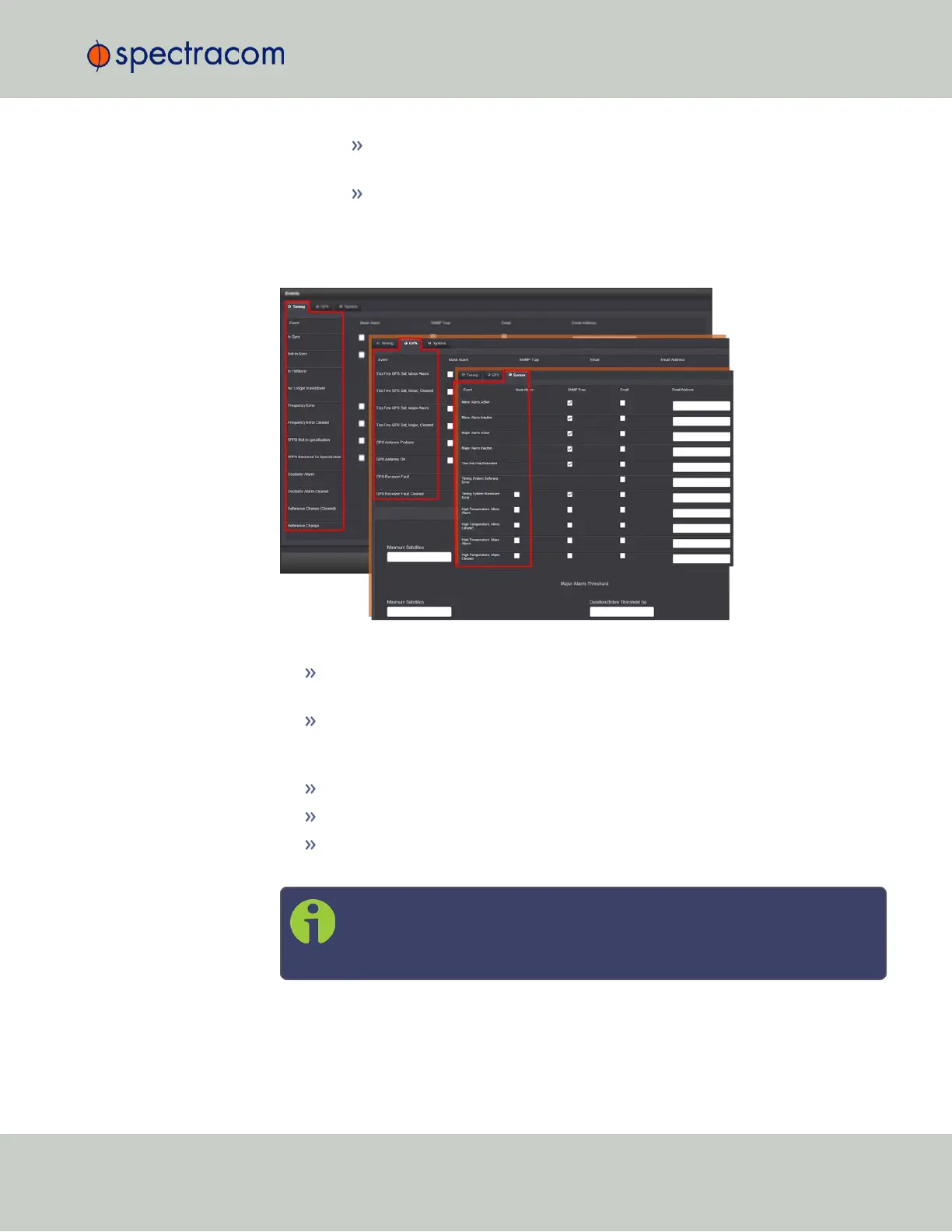
GPS: Events related to the GNSS receiver, including antenna cabling, track-
ing less than the minimum number of satellites and GNSS receiver faults.
Systems: Events related to the system operation, including minor and major
alarms being asserted, reboot, timing system errors and option cards.
2.
In the Events panel, choose the Timing, GPS or System tab. Configure your Notifications
(see below), and click Submit.
The columns under each tab are:
Event—This is the event that will trigger the notification. The events under each tab
will vary according to context.
Mask Alarm—Check here to enable an alarm mask. Enabling an alarm mask for a
given notification will prevent that notification from generating an alarm con-
dition. Other notifications for that event and logging of the event will still occur.
SNMP Trap—Check here to configure the event to trigger an SNMP Trap.
Email—Check here to configure the event to trigger an email notification.
Email Address— Enter the address to which the email should be sent when
triggered by the event.
Note: Each event can be configured with the desired email address that is
specific to just that one event only. Note that only one email address can
be specified in each Email Address field.
4.2 Notifications
CHAPTER 4 • SecureSync User Reference Guide Rev. 26
241



 To Next Page