Phase Error Magnitude: See 1PPS Phase Error
Frequency Error: See 10_MHz_Frequency_Error
Scaled DAC Value: See DAC Step
Oscillator Temperature, which has an effect on oscillator accuracy, and therefore can be
used to interpret oscillator performance. See also "Temperature Management" on
page297, "The Oscillator Status Panel" on page288.
You can zoom in on any of the graphs by grabbing the handles at either end and pulling them
inwards. The graph will focus in on the time interval you choose in real time.
Clicking on the Delete icon in the top-right hand corner will erase all current oscillator log data.
Clicking on the Download arrow icon will download the latest oscillator log data as a .csv
file.
4.5.1.8 Monitoring the Status of Option Cards
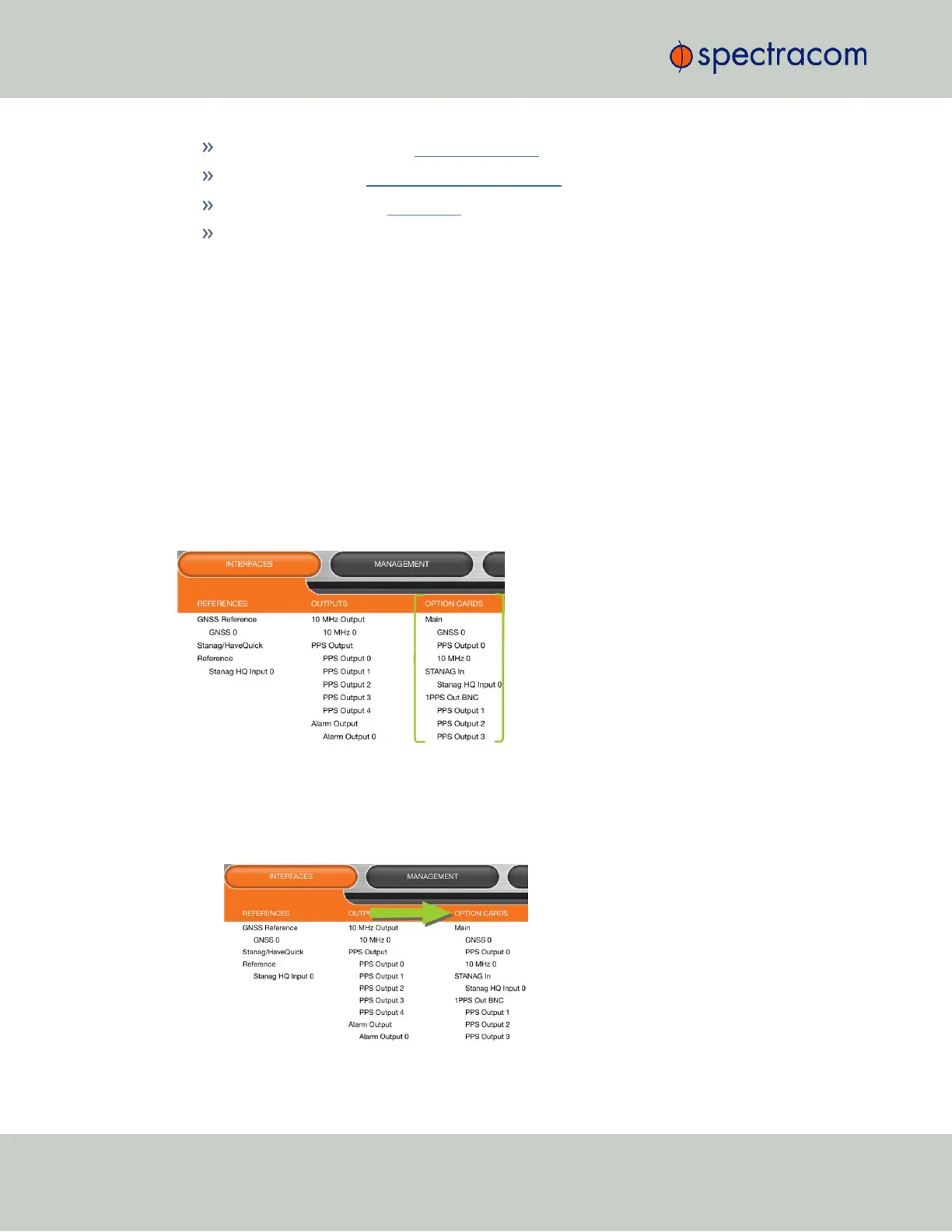
SecureSync’s installed option cards can be monitored in real time through the INTERFACES >
OPTION CARDS drop-down menu. The menu will populate dynamically, depending on which
option cards are installed.
Monitoring ALL Option Cards
To monitor all option cards, or a specific option card installed in your SecureSync:
1.
Navigate to INTERFACES, and click on OPTION CARDS:
290
CHAPTER 4 • SecureSync User Reference Guide Rev. 26
4.5 Quality Management



 To Next Page