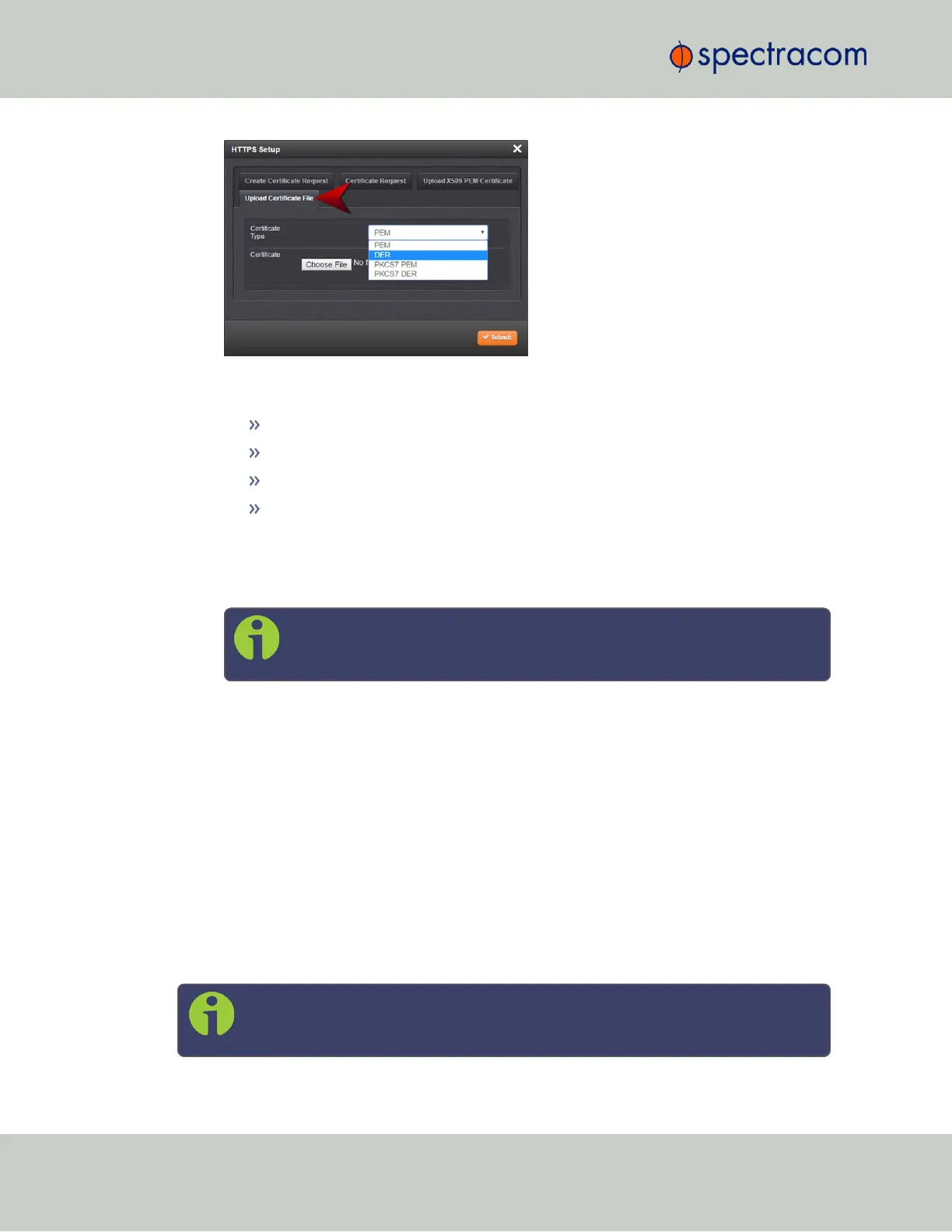
4.
Choose the Certificate Type for the HTTPS Certificate supplied by the Certificate Author-
ity from the Certification Type drop-down menu:
PEM
DER
PKCS #7 PEM
PKCS #7 DER
5.
Click the Browse… button and locate the Public Keys File provided by the Certificate
Authority in its location where you stored it in step 1.
6.
Click Submit.
Note: SecureSync will automatically format the Certificate into the X.509
PEM format.
Certificate Chain
It is possible to upload a X.509PEM Certificate Chain file. Note that there should be no char-
acter between the Certificate texts.
2.13.7 SSH
The SSH, or Secure Shell, protocol is a cryptographic network protocol, allowing secure
remote login by establishing a secure channel between an SSH client and an SSH server. SSH
uses host keys to uniquely identify each SSH server. Host keys are used for server authentication
and identification. A secure unit permits users to create or delete RSA or DSA keys for the
SSH2 protocol.
Note: Only SSH2 is supported due to vulnerabilities in the SSH1 protocol.
76
CHAPTER 2 • SecureSync User Reference Guide Rev. 26
2.13 Configuring Network Settings



 To Next Page