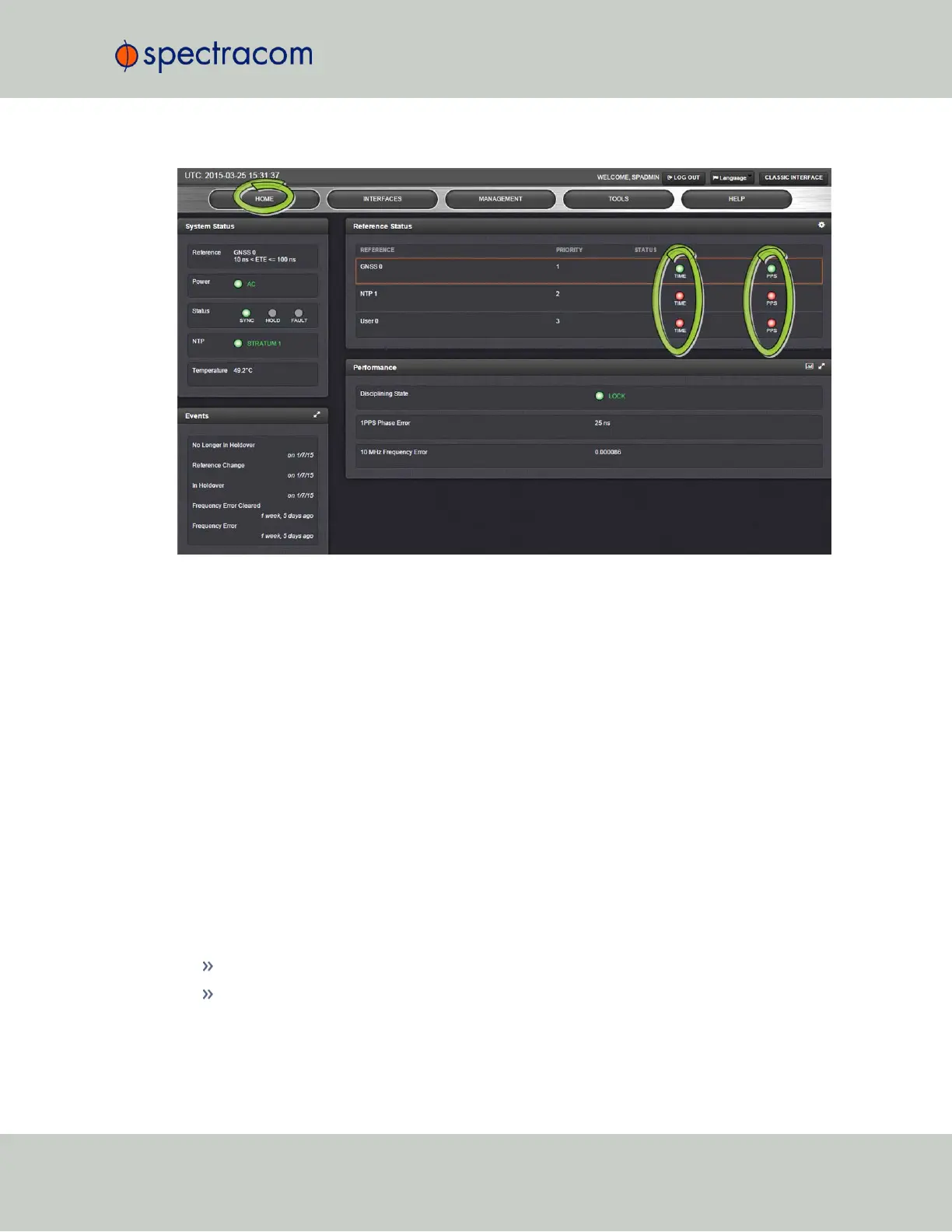
If an INPUT is not present, or not valid, and qualified, the 1PPS Validity and Time Validity fields
will be “Not Valid” (orange).
If an INPUT is present, and the signal is considered valid, and qualified, the two indicators will
then turn “Valid” (Green).
5.2.2 Option Card Field Installation Instructions
Typically, SecureSync units are shipped with custom-ordered option cards pre-installed at the
factory. In the event that an option card is purchased at a later time, you need to install it your-
self, following the instructions below.
5.2.2.1 Field Installation: Introduction
SecureSync time and frequency synchronization system offers customizability and expand-
ability via the addition of a range of modular option cards. Up to 6 option cards can be
accommodated to offer not only synchronization to a variety of input references, but also
numerous types of output signals, supporting an extensive number of traditional and con-
temporary timing protocols including:
digital and analog timing and frequency signals (1PPS, 1MHz/5MHz/10MHz)
timecodes (IRIG, STANAG, ASCII)
SecureSync User Reference Guide 351
APPENDIX



 To Next Page