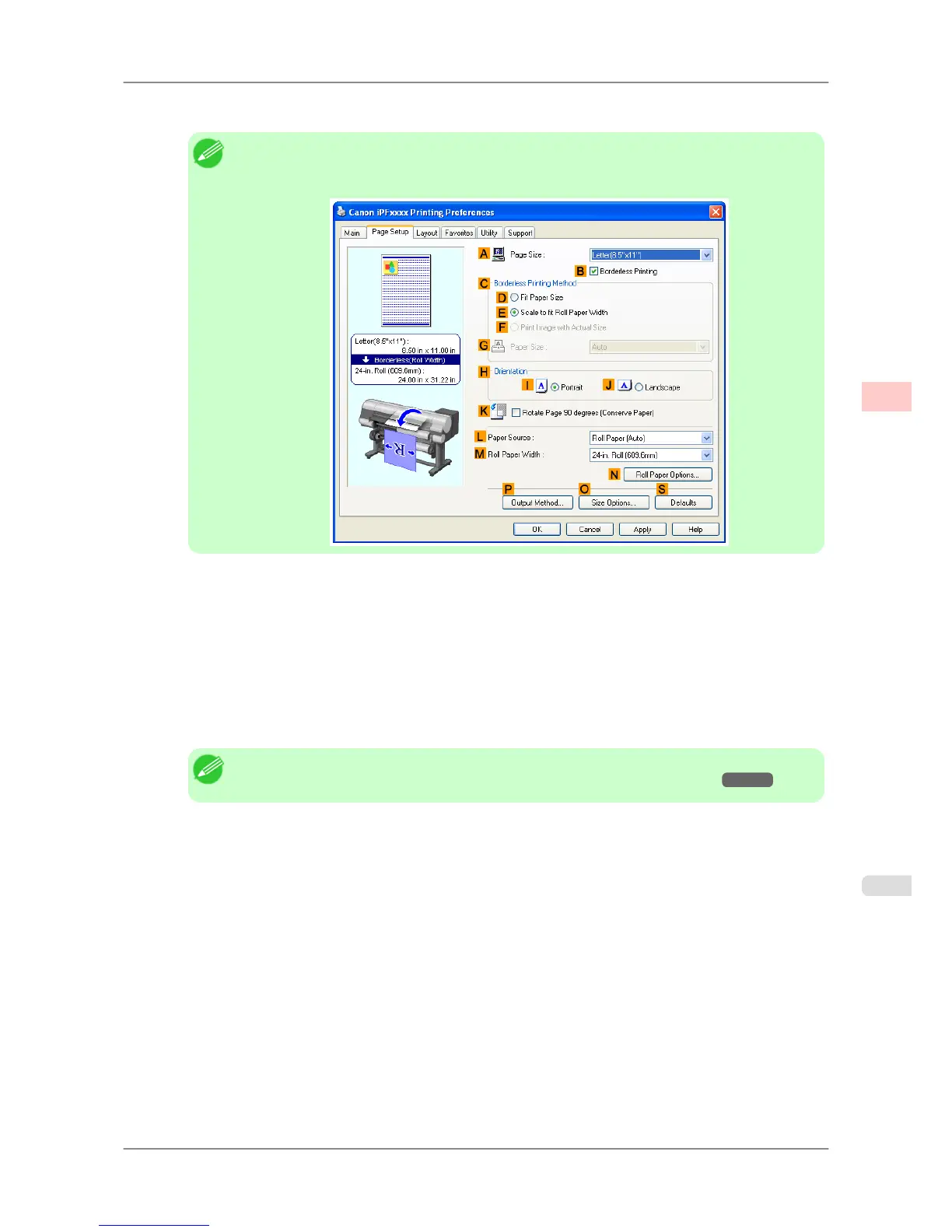
8. Select the CEnlarged/Reduced Printing check box.
Note
• If
the C Enlarged/Reduced Printing check box is not displayed on the Page Setup sheet, clear
the BBorderless Printing check box.
9. Select and click a roll paper in the LPaper Source list.
10. After you click EFit Roll Paper Width, the Information dialog box is displayed.
11. Select
the width of the loaded roll in the Roll Paper Width list. In this case, click 16-in. Roll (406.4mm), and
then click OK.
12. Confirm the print settings and print as desired.
Note
• For tips on confirming print settings, see "Confirming Print Settings (Windows) →P.196 "
Enhanced Printing Options
>
Printing banners or at other non-standard sizes
>
iPF825 Printing Vertical or Horizontal Banners (Large-Format Printing; Windows)
3
113














 To Next Page