Note
• You can input between 25 and 600.
• You can change the numbers by clicking either ▲ button or ▼ button.
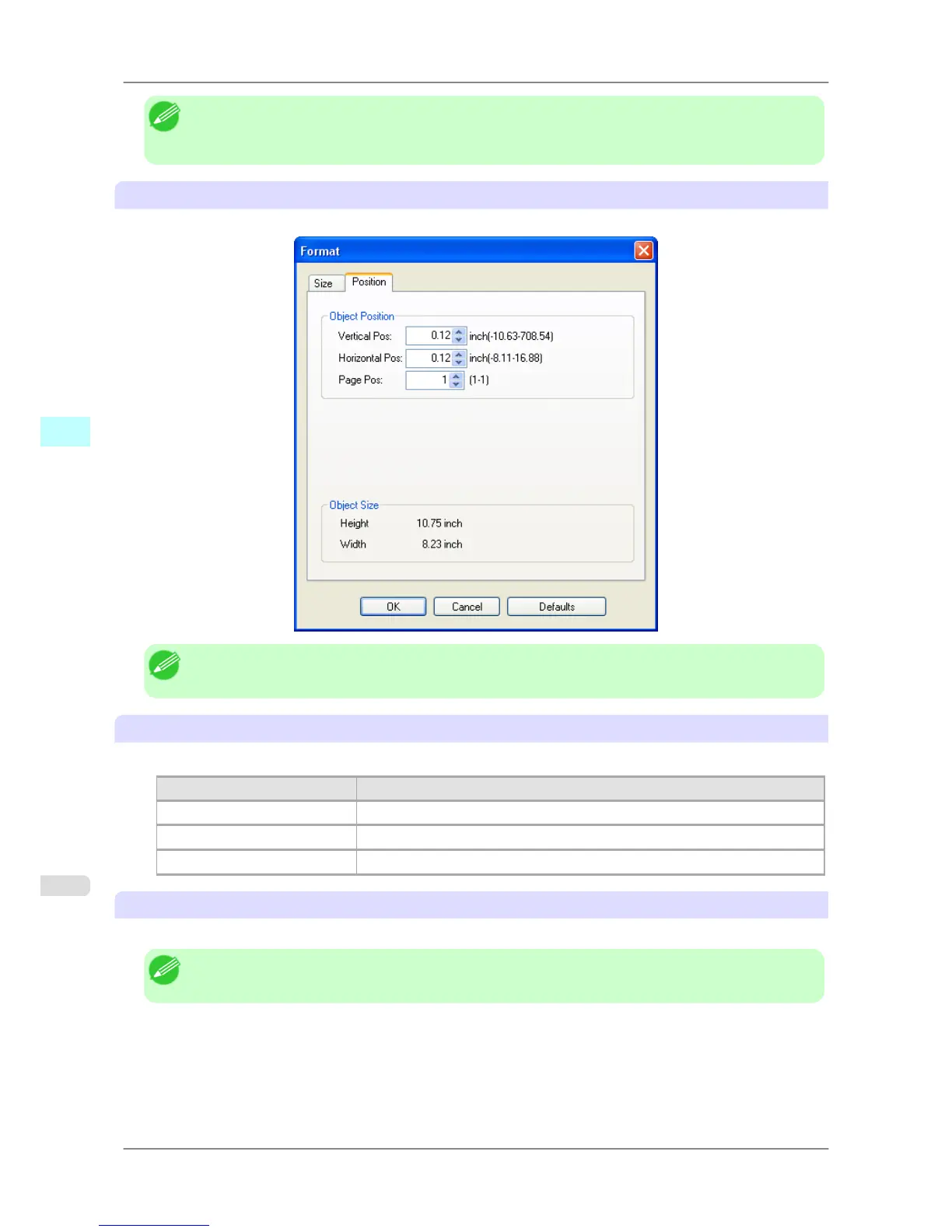
Position Sheet
You can rotate, enlarge, or reduce an object.
Note
• When the objects are not selected, you can not select Format.
Object Position
You can move the object position by changing the values.
Setting Details
Vertical Pos You can input the number of the vertical position in numerical characters.
Horizontal Pos You can input the number of the horizontal position in numerical characters.
Page Pos You can input the number of the page position in numerical characters.
Object Size
You can confirm the object size.
Note
• When several objects are selected, you cannot display Object Size.
Windows Software
>
Free Layout
>
Format Dialog Box iPF825
4
254














 To Next Page