Note
• The titles of dialog boxes may vary depending on the application, and sheets other than these six
sheets may be displayed.
Important
• If
you access the printer driver dialog box from the source application, changes you make to the settings
will only apply temporarily to that application. Because these are sizes you specify temporarily in the
printer driver, the sizes will not be available after you exit the application.
• You can also access the printer driver dialog box from the Windows system menu.
To use the settings continuously in all applications, open the printer driver from the system menu to
make the settings.
See "Accessing the Printer Driver Dialog Box from the Operating System Menu
→P.202 ".
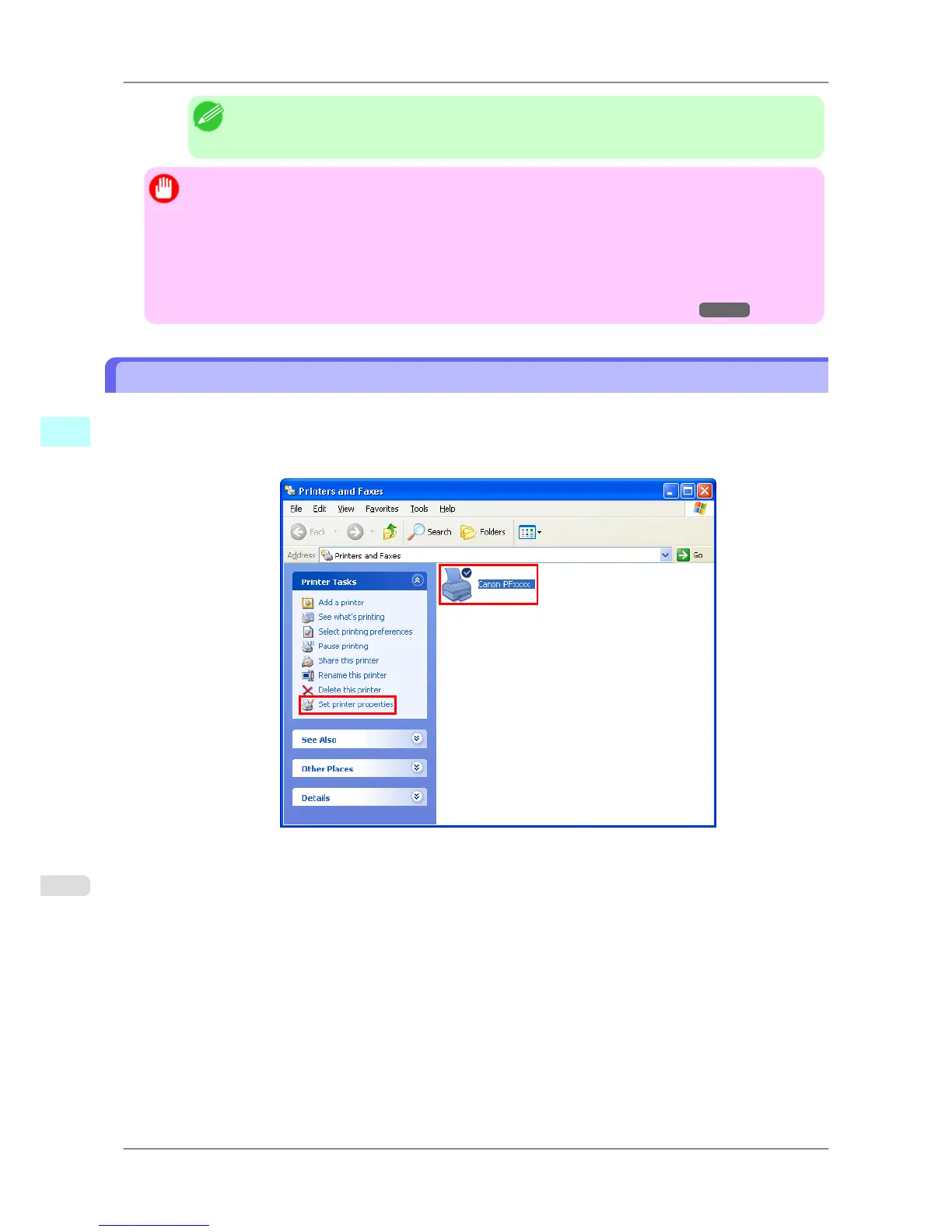
Accessing the Printer Driver Dialog Box from the Operating System Menu
1. Click start > Printers and Faxes (or Printers ).
2. Select the printer, and then display the printer properties dialog box.
Windows Software
>
Printer Driver
>
Accessing the Printer Driver Dialog Box from the Operating System Menu iPF825
4
202














 To Next Page