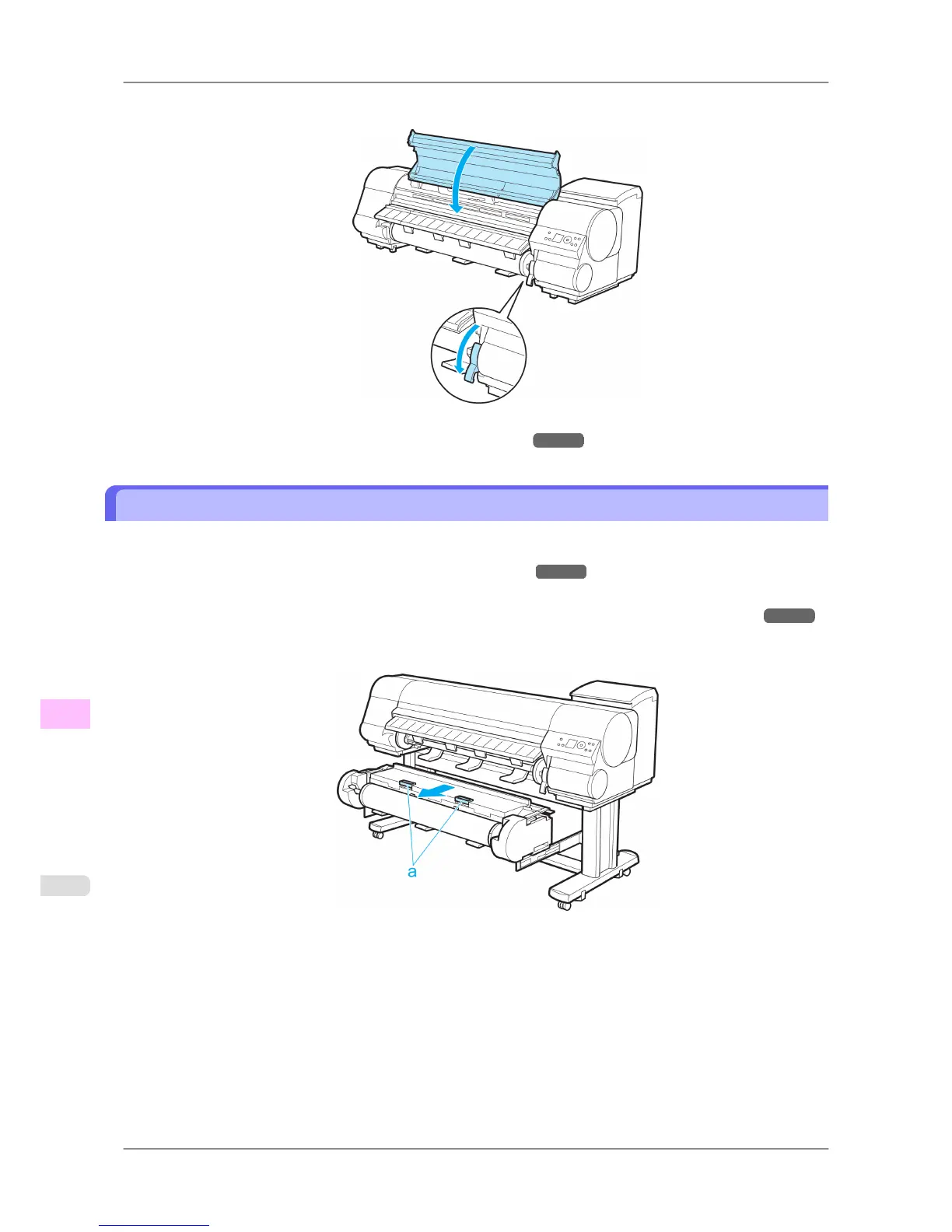
7. Lower the Release Lever and close the Top Cover.
8. Turn the printer on. (See "Turning the Printer On and Off.") →P.652
Troubleshooting When Paper Jams are not Found
If you cannot find a paper jam, search for the paper as follows.
1. Turn the printer off. (See "Turning the Printer On and Off.")
→P.652
2. Remove the Wheeled Output Stacker from the printer. (See "Using the Wheeled Output Stacker.") →P.623
3. Holding the Roll Unit Lever (a), pull out the Roll Unit.
Troubleshooting
>
Problems Regarding Paper
>
Troubleshooting When Paper Jams are not Found iPF825
12
792














 To Next Page