3. Click the OK button.
Merge Control Settings
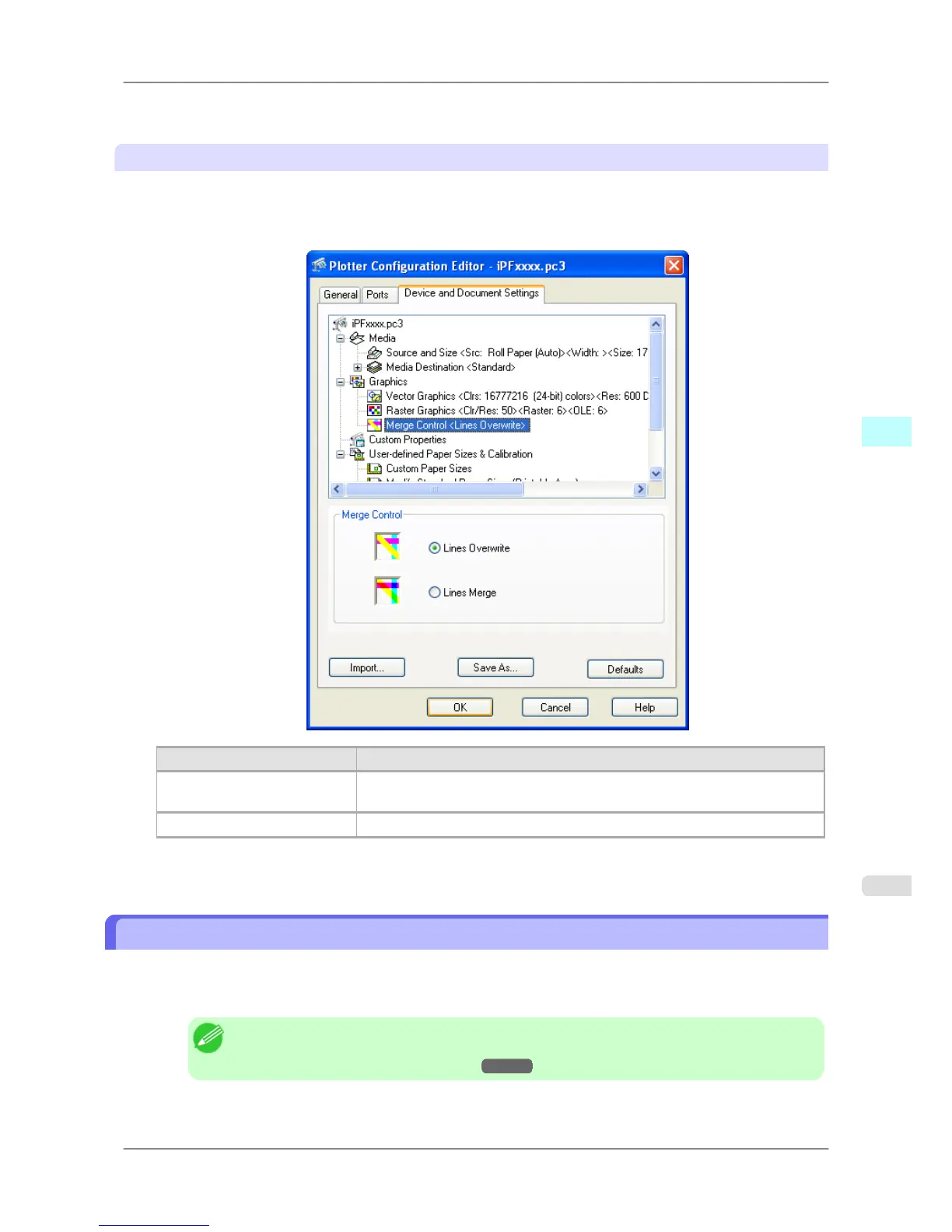
Use thse settings to merge intersecting lines.
1. Click the Merge Control below Graphics.
The Device and Document Settings sheet opens and switches to the Merge Control settings.
Setting Details
Lines Overwrite Where the lines intersect, the line that is printed last is visible, but the lines be-
low it are not visible.
Lines Merge Where the lines intersect, the line colors merge.
2. Click the OK button.
Opening the Custom Properties Dialog Box
Follow the procedure below to open the Custom Properties dialog box.
1. In the Plotter Configuration Editor dialog box, select and open the Device and Document Settings sheet.
Note
• For
more details about how to open the Plotter Configuration Editor dialog box, see "Opening
the Plotter Configuration Dialog Box."
→P.347 .
2. Click Custom Properties.
Windows Software
>
HDI Driver
>
iPF825 Opening the Custom Properties Dialog Box
4
355














 To Next Page