8. Enter Copies.
Note
• When Print in Draft mode is selected, printing is fast but the print quality is poor.
• Press
the Print Preview button to display the preview screen. You can check and make changes
to the layout in the preview screen.
• The maximum print length when printing with the registered settings is the lesser of 14.22 times
the roll paper width, or 18.0m.
9. Press Print to start printing.
Portrait Orientation / Landscape Orientation (PowerPoint)
Print to the edge of the roll width. You can print large exhibits and posters, or print the Landscape or Portrait Orienta-
tion Page Sizes made in the Large-Format Printing
Wizard.
Create Page Size in Portrait or Landscape Orientation.
Use the Large-Format Printing Wizard to create portrait page sizes for Potrait Orientation, and landscape page sizes
for Landscape Orientation.
1. Start Microsoft PowerPoint.
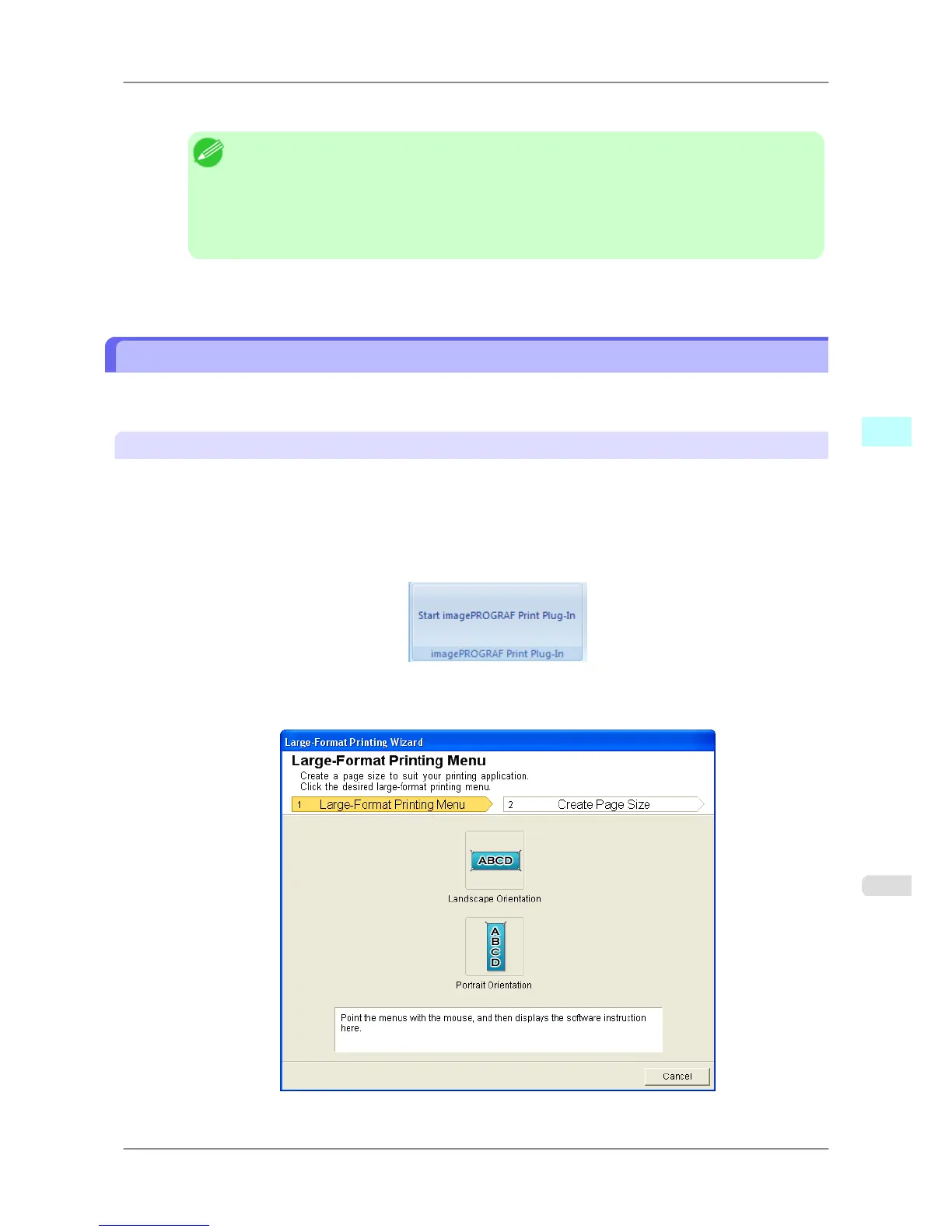
2. If Start imagePROGRAF Print Plug-In is displayed, click it.
3. Click Paper Settings from the imagePROGRAF Print Plug-In toolbar/ribbon.
The Large-Format Printing Wizard dialog box is displayed.
Windows Software
>
Print Plug-In for Office
>
iPF825 Portrait Orientation / Landscape Orientation (PowerPoint)
4
321














 To Next Page