Submenu operations
Access submenus by pressing the Information button on the Control Panel. You can check the following information
in submenus.
• Remaining Maintenance Cartridge capacity
• Ink levels
• Information on the loaded paper
• Printer information
• HP-GL/2 setting information
For a description of specific items displayed in submenus, see "Submenu Display." →P.690
Main Menu Operations
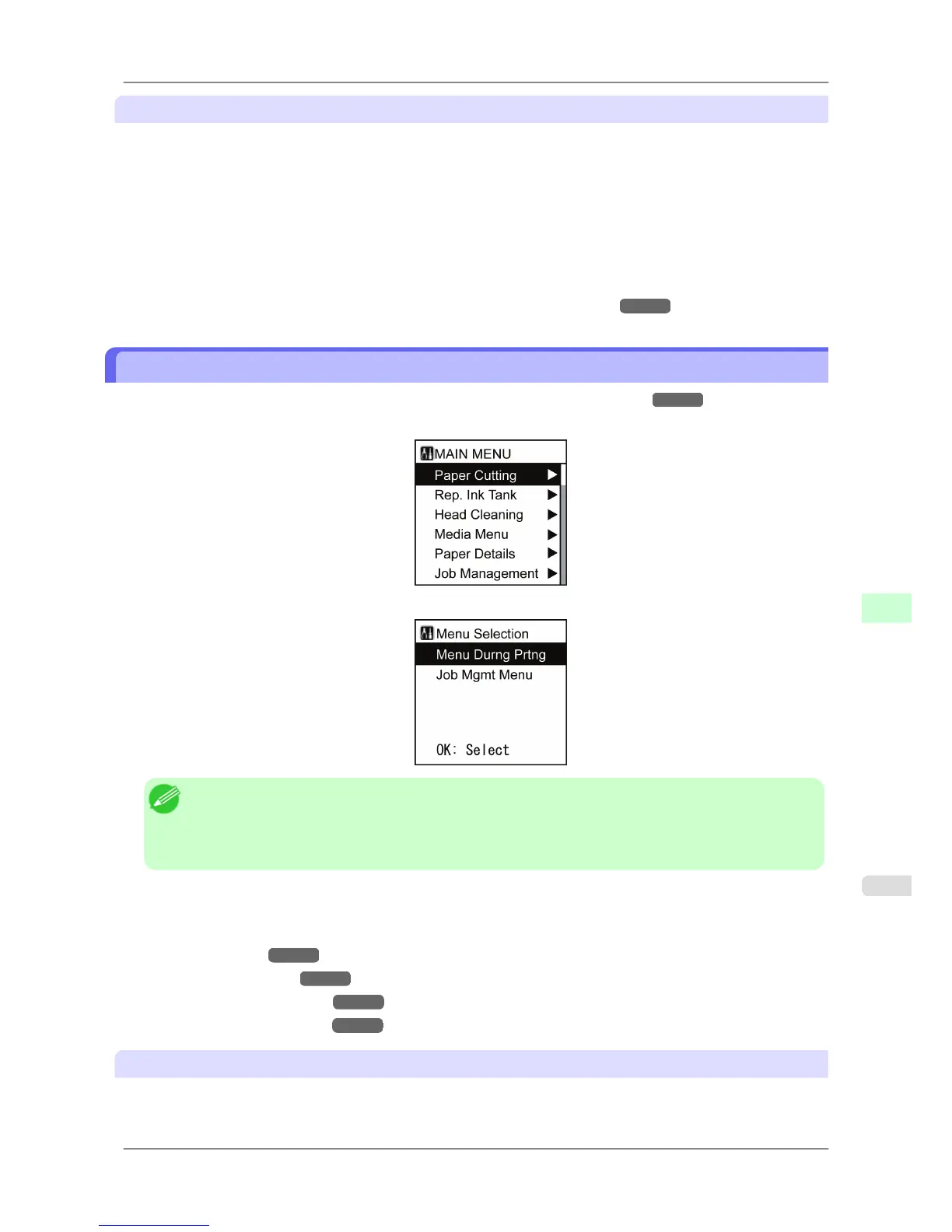
Press the Menu button to display the main menu. For details, see "Main Menu Settings." →P.679
• Main menu (displayed if you press the Menu button when printing is not in progress)
• Menu selection (if you press the Menu button when printing is in progress)
Note
• The main menu will not be displayed in the following case even if you press the Menu button.
• When an error message is displayed
You can switch to Menu mode after the problem is solved.
Simply press buttons on the Control Panel to access various function menus from the main menu and set or execute
menu items.
The following section describes menu operations and how they are presented in this User Manual.
• Accessing menus
→P.663
• Specifying menu items →P.664
• Specifying numerical values →P.665
• Executing menu commands →P.666
Accessing menus
Printer menus are grouped by function.
Printer Parts
>
Control Panel
>
iPF825 Main Menu Operations
9
663














 To Next Page