Setting Details
Driver Matching
Mode →P.502
Enables printing of optimal color tones using a driver specific color profile. You
should normally select this mode.
ICC Matching
Mode →P.503
Enables color matching using ICC profiles. Select this if you want to print by
specifying the input profile, printer profile, and matching method in detail. This
allows you to use ICC profiles for digital cameras and scanners, ICC profiles
created using the profile creation tool, etc.
ColorSync →P.504 Enables color matching by using the ColorSync function of Mac OS. Select this
if you want to perform soft proofing using ColorSync before printing.
No Correction No color matching is performed. Select this option when you want to perform
color matching in the software application.
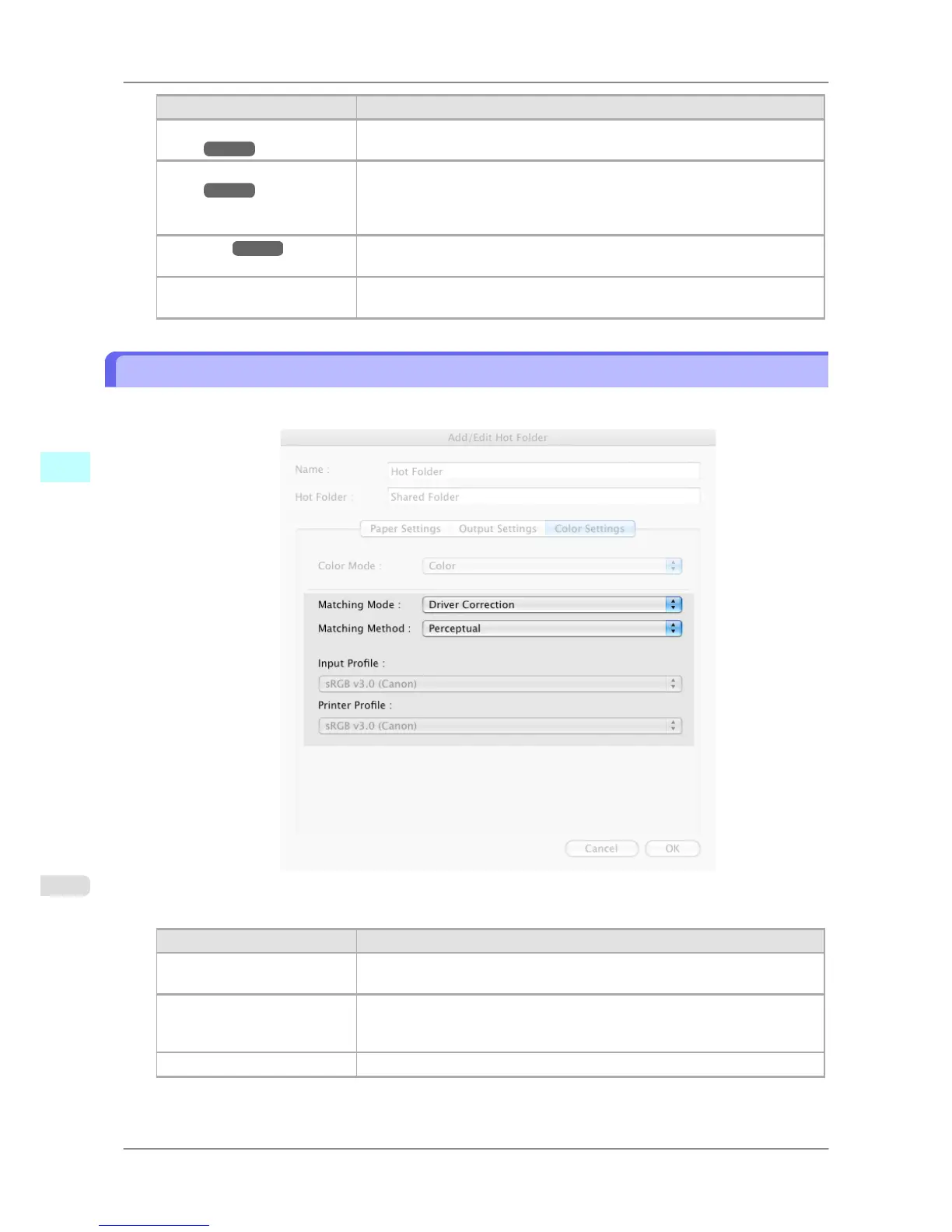
Driver Matching Mode
1. Under Matching Mode, select Driver Matching Mode.
2. Click Matching Method list, and then select a setting.
Setting Details
Auto Automatically selects the best color matching method for each Image, Graphics,
Text.
Perceptual Color-matching optimized for printing typical photos attractively. Smooth gra-
dation is a feature. This is also an easy-to-use mode when performing color ad-
justment using application software.
Saturation Color-matching optimized for printing posters, etc., vividly.
Mac OS X Software
>
Color imageRUNNER Enlargement Copy
>
Driver Matching Mode iPF825
5
502














 To Next Page