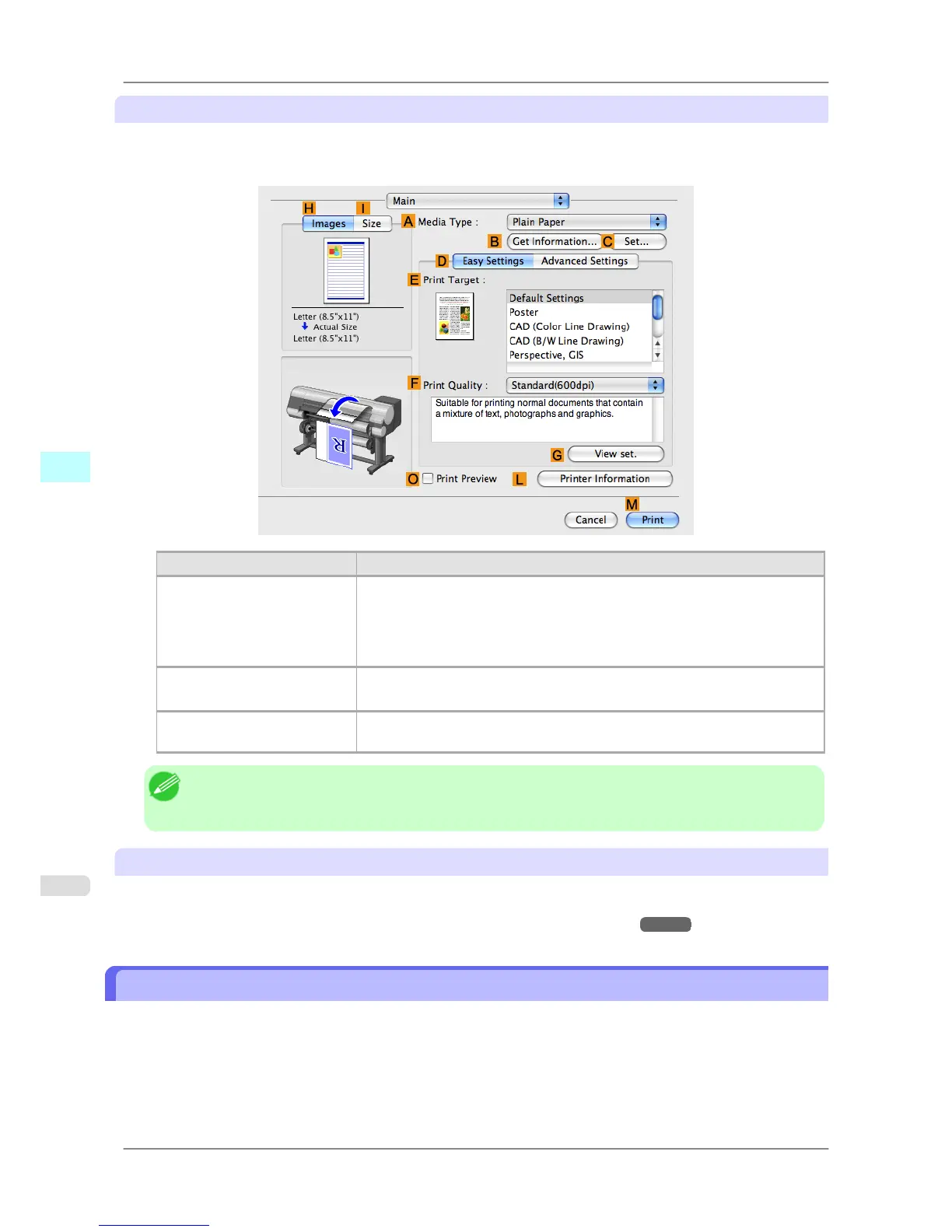
Checking a preview of the settings
A preview of the settings is displayed on the left side of the Main, Page Setup, Utility, and Additional Settings
panes.By checking images and numerical values in the preview, you can confirm current settings for the page size, ori-
entation, paper source, and so on.
Display Area Information Displayed
Pane displayed when the HIm-
ages tab is clicked
On top, illustrations indicate the page size of the original, the paper size, orien-
tation, layout, borderless printing selection, color mode, and other settings infor-
mation.
Under this, the page size, paper size, and method and percentage of enlargement
or reduction is displayed.
Pane displayed when the ISize
tab is clicked
Paper size details are indicated numerically.
Pane with printer and paper il-
lustrations
Illustrations indicate the paper source, orientation, borderless printing selection,
and other settings information.
Note
• To
confirm the Print Target specified in Easy Settings, click G View set. on the Main pane to display
the View settings dialog box.
Checking a print preview
You can check an image of the original just as it will be printed.
Confirming the image of print jobs beforehand helps prevent printing errors.
For details on print previews, see "Checking the Layout in a Preview Before Printing →P.173 "
Checking the Layout in a Preview Before Printing
This topic describes how to check the layout before printing using the Canon imagePROGRAF Preview function.
1. Choose Print in the application menu.
Mac OS X Software
>
Printer Driver
>
Checking the Layout in a Preview Before Printing iPF825
5
408














 To Next Page