Printer Driver
Printer Driver Settings .............................................................................................................................. 404
Specifying Paper in the Printer Driver ...................................................................................................... 405
Confirming Print Settings
.......................................................................................................................... 407
Checking the Layout in a Preview Before Printing ................................................................................... 408
Using Favorites ........................................................................................................................................ 410
Accessing the Printer Driver Dialog Box from Applications ...................................................................... 410
Main Pane ................................................................................................................................................ 411
Paper Information on Printer Dialog Box .............................................................................................. 414
Paper Detailed Settings Dialog Box ..................................................................................................... 415
View settings Dialog Box for the Printing Application ........................................................................... 416
Matching pane ....................................................................................................................................... 417
Color Settings Pane: Color ................................................................................................................... 419
Object Adjustment dialog box: Color ..................................................................................................... 420
Color Settings Pane: Monochrome ...................................................................................................... 421
Object Adjustment dialog box: Monochrome ........................................................................................ 422
Page Setup Pane ..................................................................................................................................... 423
Utility Pane ............................................................................................................................................... 425
Additional Settings Pane .......................................................................................................................... 426
Support Pane ........................................................................................................................................... 427
Printer Driver Settings
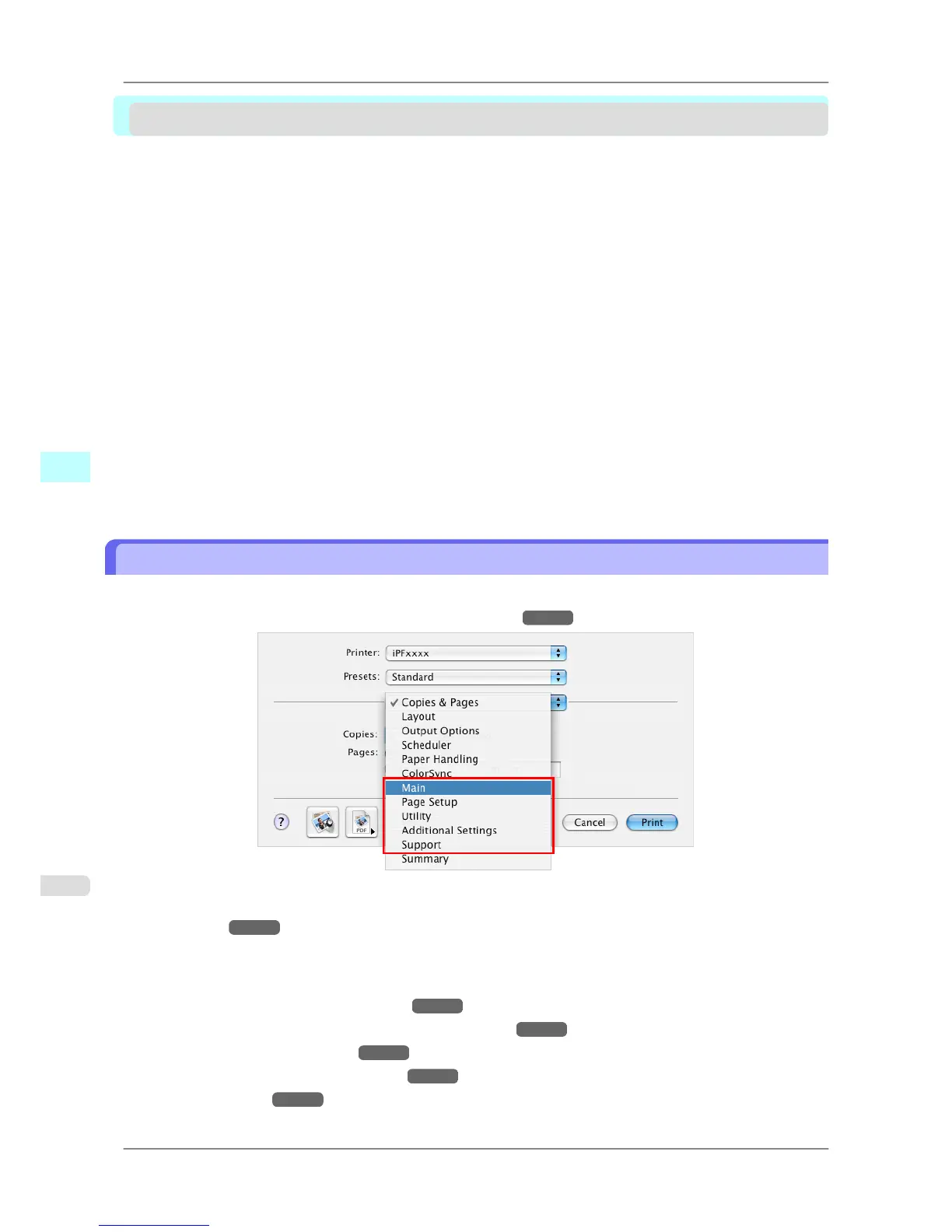
For instructions on accessing the Mac OS X printer driver, refer to the following topics.
• Accessing the Printer Driver Dialog Box from Applications →P.410
For information on the Mac OS X printer driver settings, refer to the following topics.
• Main Pane
→P.411
You
can specify the media type, color processing, print quality, print preview, and other settings. Choose Easy
Settings to specify basic print settings based on the printing application or Advanced Settings to complete more
detailed settings as desired.
• Paper Detailed Settings Dialog Box
→P.415
• View settings Dialog Box for the Printing Application →P.416
• Color Settings Pane: Color →P.419
• Color Settings Pane: Monochrome →P.421
• Page Setup Pane →P.423
Mac OS X Software
>
Printer Driver
>
Printer Driver Settings iPF825
5
404














 To Next Page