Clearing a Jammed Sheet
If a sheet jams, follow the steps below to remove it.
1. Turn the printer off. (See "Turning the Printer On and Off.")
→P.652
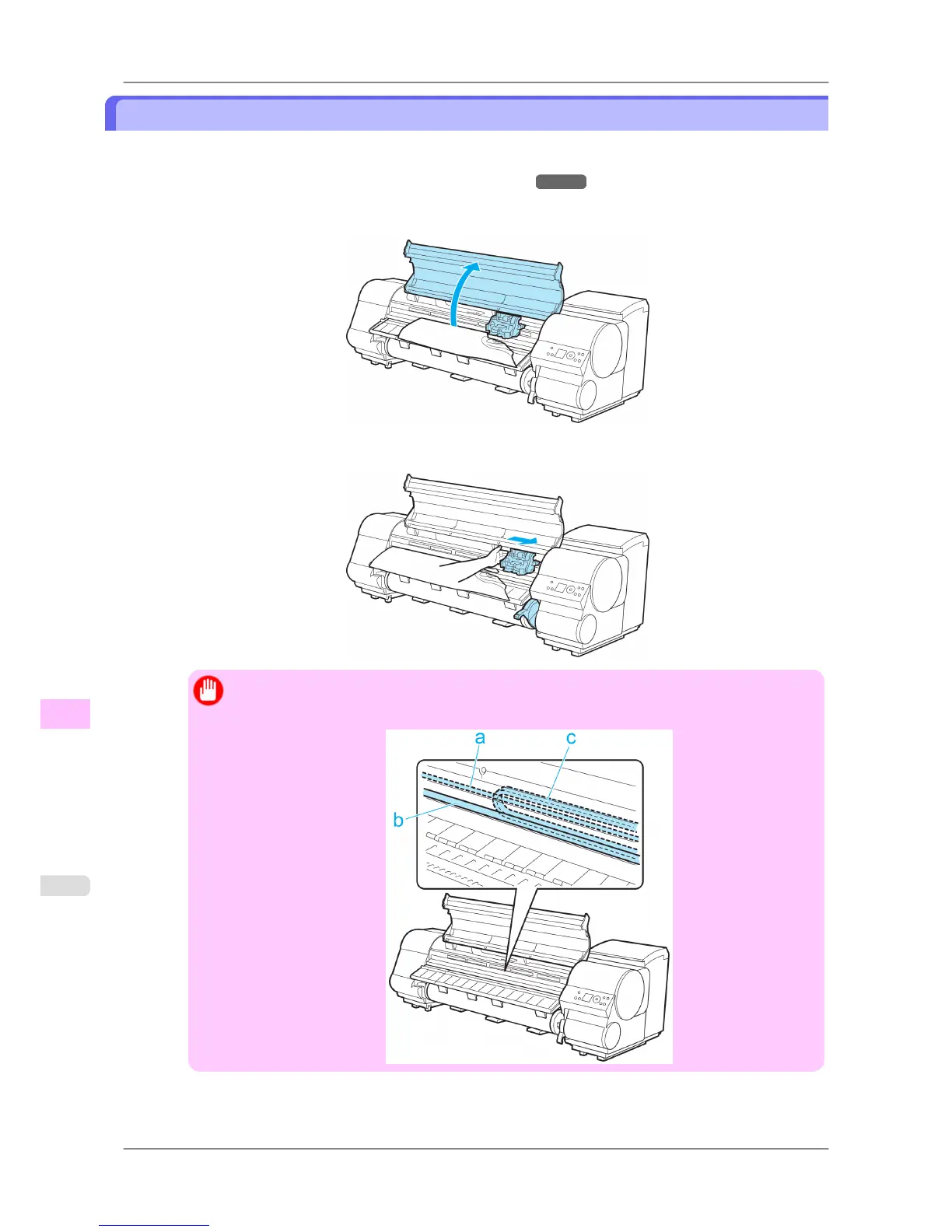
2. Open the Top Cover.
3. If the Carriage is out, move the Carriage out of the way, away from the paper.
Important
• Do
not touch the Linear Scale (a), Carriage Shaft (b), or Ink Tube Stabilizer (c). Touching these
parts may damage them.
Troubleshooting
>
Problems Regarding Paper
>
Clearing a Jammed Sheet iPF825
12
790














 To Next Page