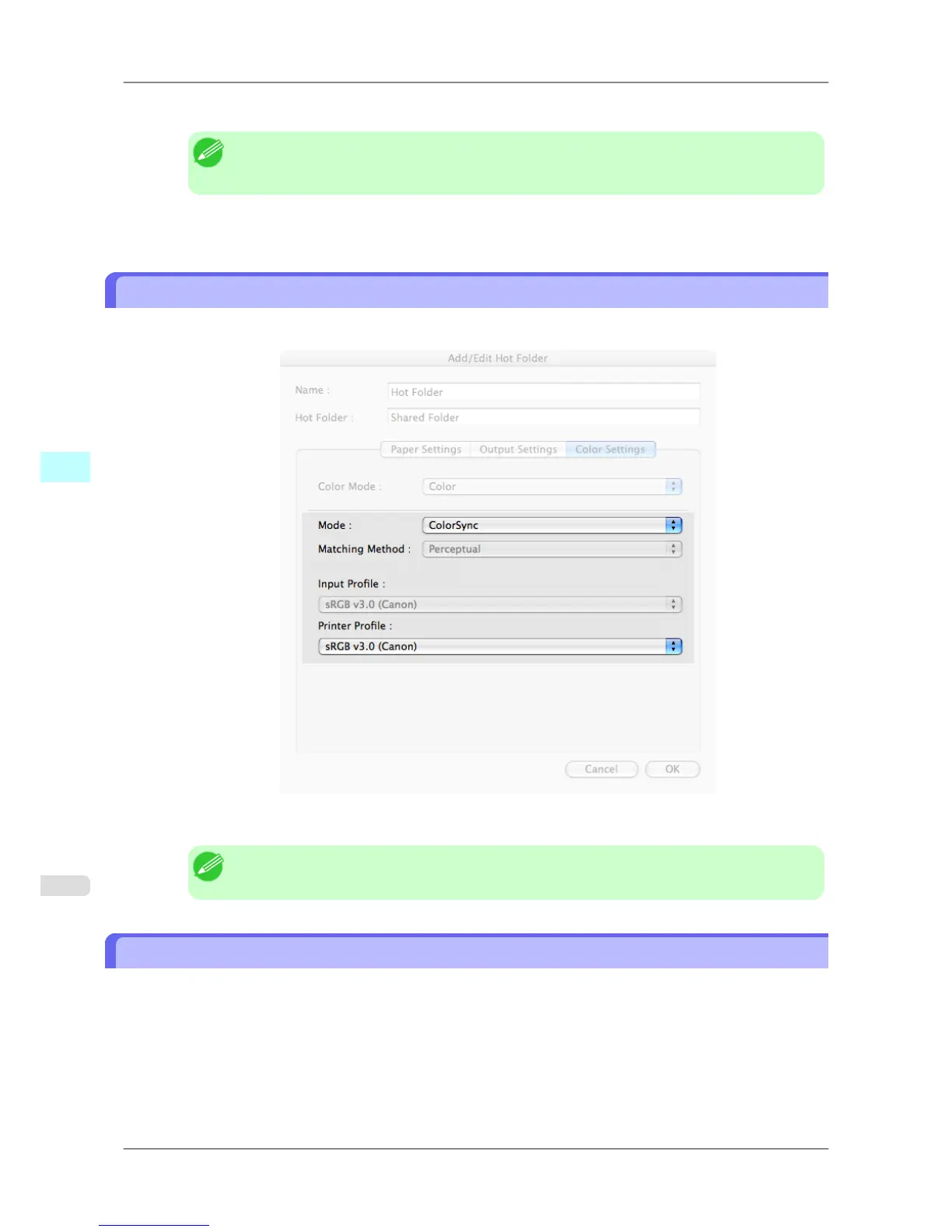
3. Click the Input Profile list, and then select an input profile.
Note
• To
match the color on the printing, select the input profile for Color imageRUNNER Enlarge-
ment Copy of the Color imageRUNNER type in use.
4. Click the Printer Profile list, and then select a printer profile.
ColorSync
1. Under Matching Mode, select ColorSync.
2. Click the Printer Profile list, and then select a printer profile.
Note
• Available when using Mac OS X 10.3.9-10.4.
Printing Enlargements of Scanned Originals from a Color imageRUNNER
Scanned originals from a Color imageRUNNER can be enlarged and printed automatically.
Originals you create by scanning with a Color imageRUNNER are transferred to a "hot folder" and printed automatical-
ly after enlargement according to printing conditions you specify for that folder.
This processing sequence is called the Color imageRUNNER Enlargement Copy function.
To use Color imageRUNNER Enlargement Copy, first complete these settings in the following order.
1. Register a hot folder on your computer.
Register
a hot folder on your computer for storing scanned originals from the Color imageRUNNER and complete
the settings for enlargement copy.
Mac OS X Software
>
Color imageRUNNER Enlargement Copy
>
ColorSync iPF825
5
504














 To Next Page