9. Click Match Page Size in the GPaper Size list.
10. Click FScaling and enter 50.
11. Click Cut Sheet in the LPaper Source list.
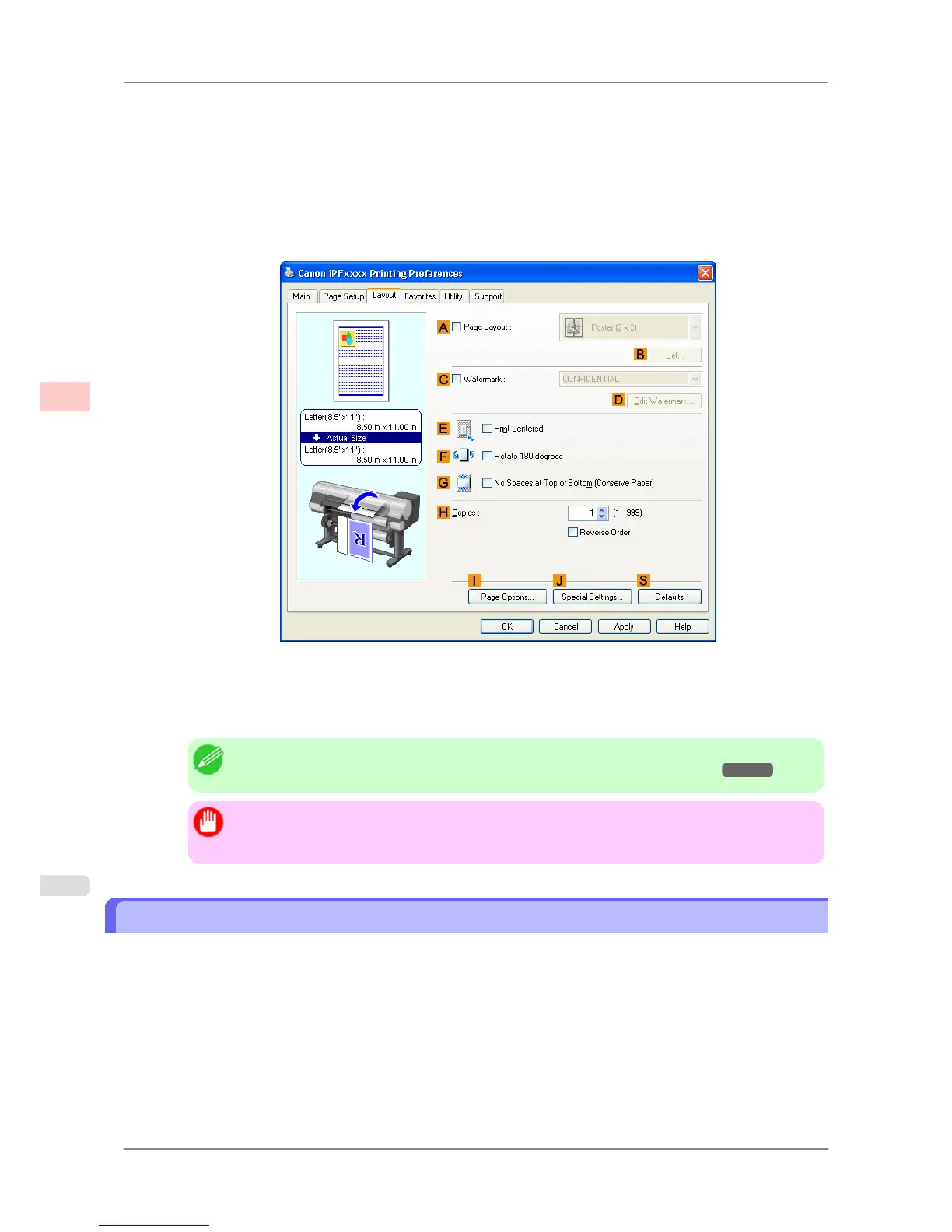
12. Click the Layout tab to display the Layout sheet.
13. Select the EPrint Centered check box.
14. Confirm the print settings and print as desired.
Note
• For tips on confirming print settings, see "Confirming Print Settings (Windows) →P.196 "
Important
• If
you have selected Cut Sheet as the paper source, follow the instructions on the printer control
panel to enter the paper size.
Printing Originals Centered on Sheets (Mac OS X)
This topic describes how to center originals for printing on sheets, based on the following example.
• Document: Any Type
• Page size: A4
• Paper: Sheets
• Paper type: Plain Paper
• Paper size: Non-standard
Enhanced Printing Options
>
Centering originals
>
Printing Originals Centered on Sheets (Mac OS X) iPF825
3
154














 To Next Page