Removing Sheets
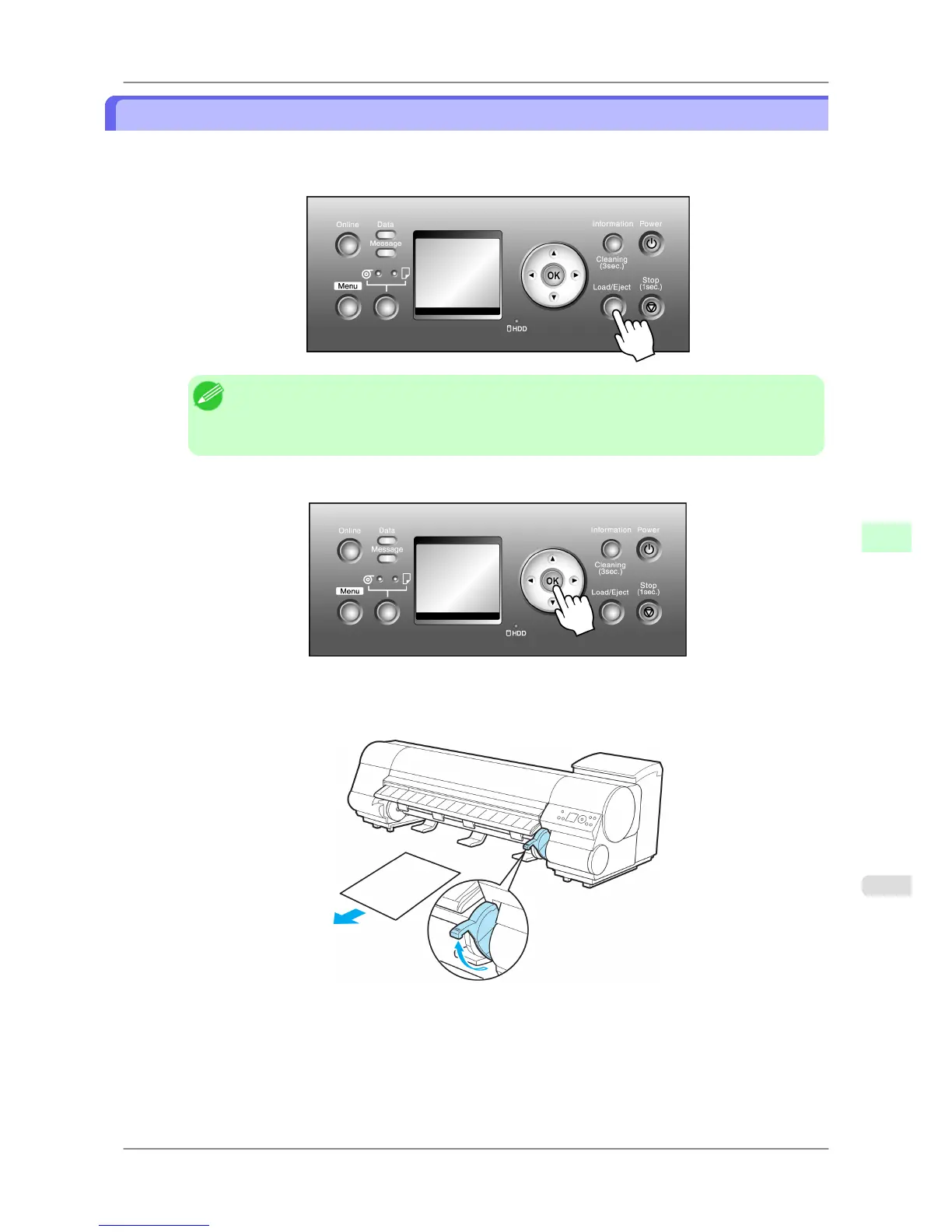
Remove sheets from the printer as follows.
1. Press the Load/Eject button.
Note
• Paper
cannot be ejected by using the Load/Eject button when print jobs are in progress or during
the ink drying period. Before ejecting paper, press the Stop button to cancel printing, print job
processing, or ink drying.
2. Press the OK button to eject the paper.
The paper is ejected from the front of the printer.
3. As you hold the sheet, lift the Release Lever and remove the sheet.
Handling Paper
>
Handling sheets
>
iPF825 Removing Sheets
7
621














 To Next Page