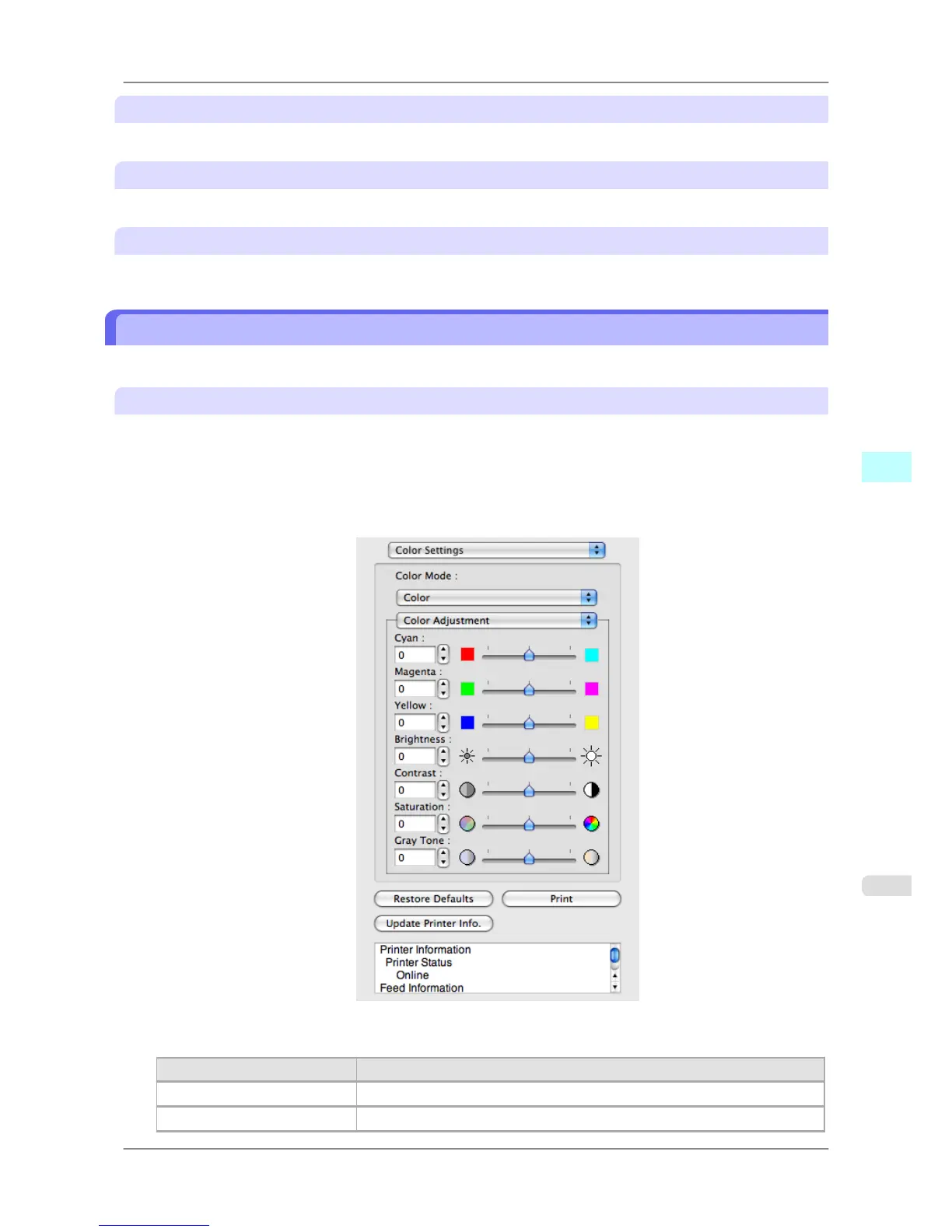
Restore Defaults Button
Click the button to reset to the setting when starting Preview.
Print Button
Click the button to begin printing.
Update Printer Info. Button
Click the button to acquire printer information.
Color Adjustment
You can set the color adjustment.
Adjusting Color
Normally colors should be adjusted in the software application, but if you see colors in the printout that do not match
colors on the screen, you can perform color adjustments.
1. Select Color on Color Mode in the Color Settings panel.
2. Select Color Adjustment.
3. Drag each slider to the left or right to adjust.
Setting Details
Cyan Adjusts the strength of colors to compensate the hues.
Magenta Adjusts the strength of colors to compensate the hues.
Mac OS X Software
>
Preview
>
iPF825 Color Adjustment
5
441














 To Next Page