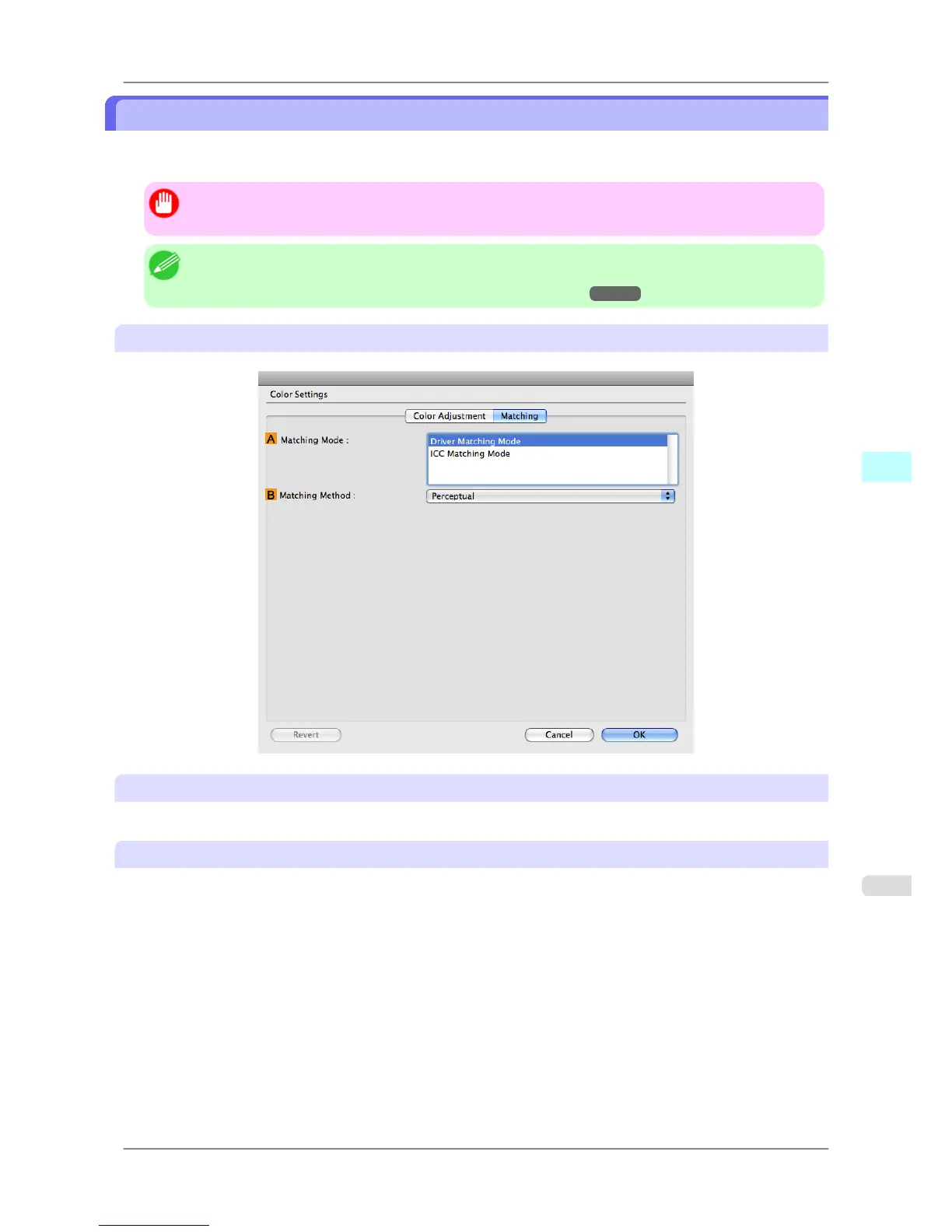
Matching pane
On the Matching pane, you can specify color matching to compensate for differences in the appearance of colors on
various devices.
Important
• If No color correction is selected under Color Mode, the Matching pane is not displayed.
Note
• To
display the Matching pane, on the Main pane click Color Settings in Color Mode in Advanced
Settings, and then click the Matching tab. (Refer to "Main Pane
→P.411 ")
Driver Matching Mode
A Matching Mode
Select the color matching mode to use, as desired.
B Matching Method
Select the color matching method that suits the document to be printed. Various BMatching Method options are
available depending on your selection in AMatching Mode.
Mac OS X Software
>
Printer Driver
>
iPF825 Matching pane
5
417














 To Next Page