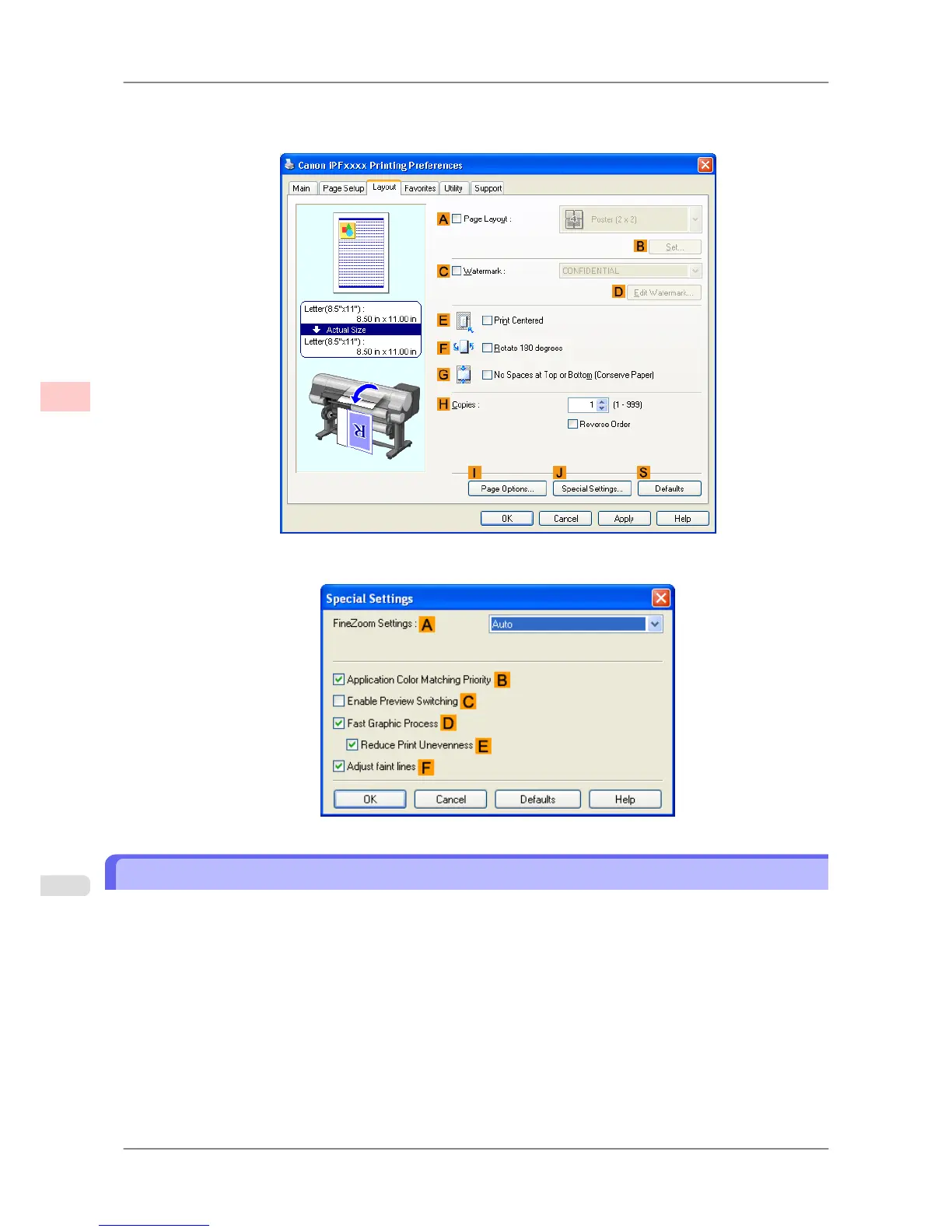
If printing is unsuccessful, you may be able to print after completing the following setting.
1. On the Layout sheet, click JSpecial Settings to display the Special Settings dialog box.
2. In the FineZoom Settings list, click Yes.
Printing Vertical or Horizontal Banners (Large-Format Printing; Mac OS X)
This topic describes how to print a banner about five times as long as the roll width based on the following example.
• Document: An original designed for a horizontal banner
• Page Size: Non-standard (100×500 mm [3.9×19.7 in])
• Paper: Roll
• Paper type: Plain Paper
• Roll paper width: 16 inches (406.4 mm)
Follow the steps below to print a banner in either horizontal or vertical format.
1. In the application, create an original in the format of a horizontal or vertical banner.
2. Register a Custom Page Sizes (Mac OS X 10.3.9-10.5)/ Custom Paper Sizes (Mac OS X 10.6).
Enhanced Printing Options
>
Printing banners or at other non-standard sizes
>
Printing Vertical or Horizontal Banners (Large-Format Printing; Mac OS X) iPF825
3
114














 To Next Page