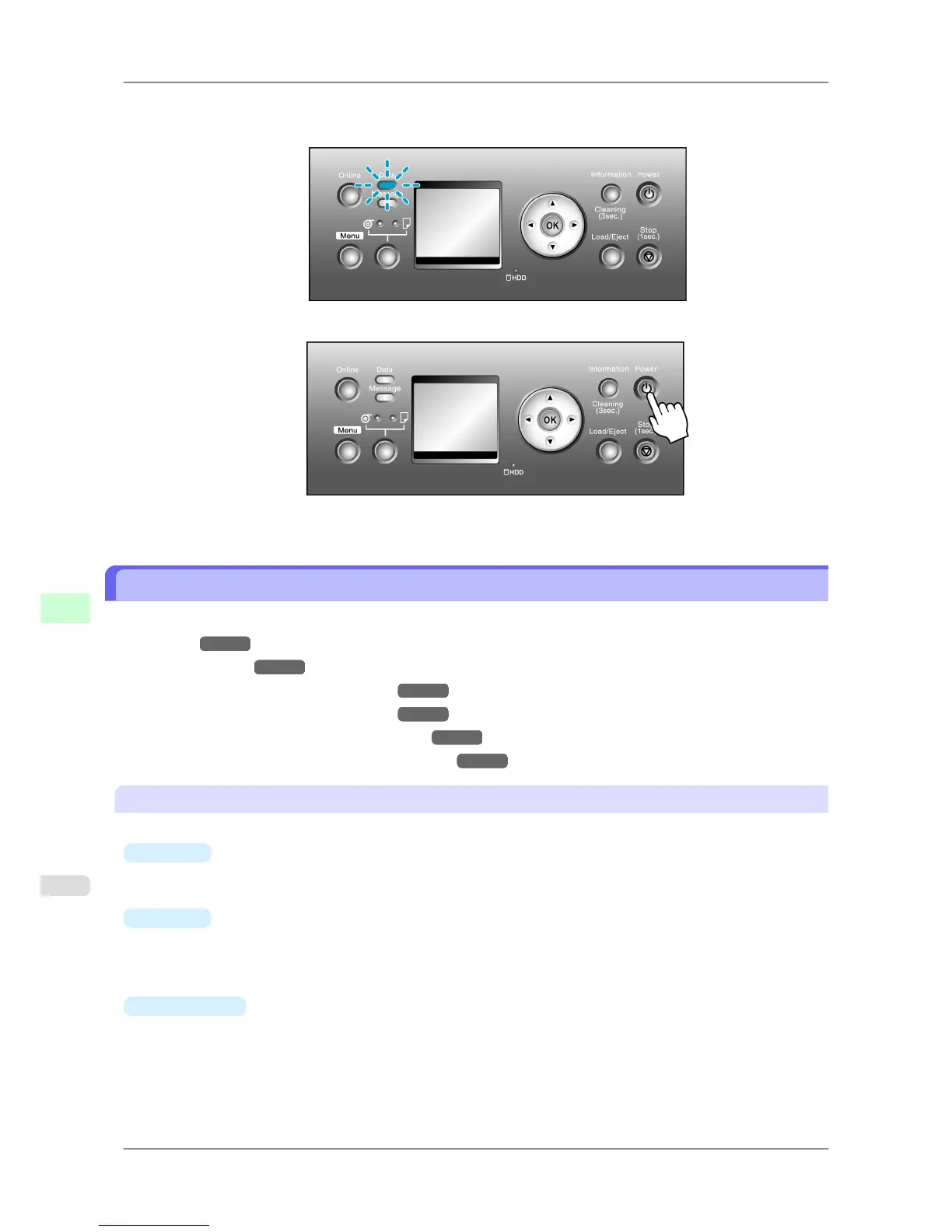
If the Data lamp is flashing, the printer is receiving a print job. Turn off the printer only after printing is finish-
ed.
2. Hold down the Power button for more than a second.
After "Shut Down.. Please Wait.." is shown on the Display Screen, the printer shuts off.
Printer Modes
Printer modes are classified as follows and described in this topic.
• Modes
→P.654
• Mode transition →P.656
• Online, and state of the Control Panel →P.657
• Offline, and state of the Control Panel →P.657
• Menu mode, and state of the Control Panel →P.659
• Submenu mode, and state of the Control Panel →P.659
Modes
The printer has five modes as follows:
•
Online
The printer is ready to receive jobs sent from the computer. Jobs sent from the computer are processed immediate-
ly. If jobs are received in other modes, they are printed the next time the printer goes online.
•
Offline
Any jobs sent from the computer are held without being printed.
While the printer is offline, you can feed or cut roll paper manually.
The printer goes offline automatically if jobs cannot be processed, such as if errors occur.
•
Menu mode
Menus are displayed on the printer, and you can select, set, or execute menu items. Any jobs sent from the comput-
er are held without being printed.
Printer Parts
>
Control Panel
>
Printer Modes iPF825
9
654














 To Next Page