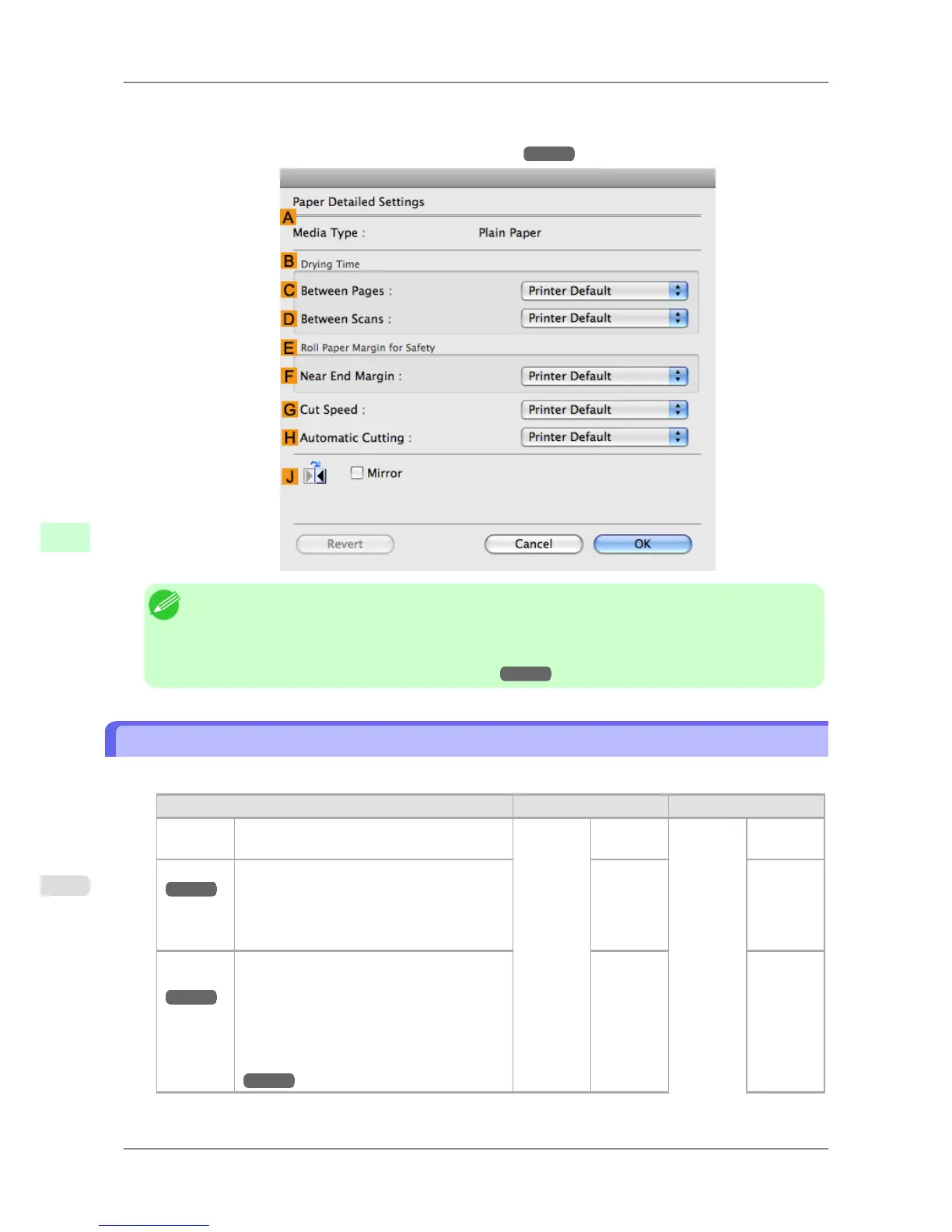
3. In
the Paper Detailed Settings dialog box displayed next, select the desired settings values in C Between Pa-
ges and DBetween Scans in B Drying Time, and then click OK.
(See "Paper Detailed Settings Dialog Box (Mac OS X).")
→P.415
Note
• By factory default, Drying Time is deactivated ( Off ) for all paper types.
• To have the printer wait for ink to dry immediately after printing without releasing paper, set Cutting
Mode to Eject in the printer menu.
(See "Specifying the Cutting Method for Rolls.") →P.606
Specifying the Cutting Method for Rolls
How a roll is cut after ejection varies depending on the printer settings.
Cutting Method Menu Settings Driver Setting
Automatic The roll is automatically cut by the Cutter
Unit following printer driver settings.
Cutting
Mode
Automat-
ic
Auto Cut Yes
Eject
→P.607
Choose this setting if you prefer not to have
documents dropped immediately after print-
ing, as when waiting for ink to dry.
To cut the roll using the Cutter Unit, hold
down the Stop button for a second or more.
Eject Yes
Man-
ual
→P.608
Choose this setting when using media that
cannot be cut using the Cutter Unit.
Cut each page from the roll using scissors. For
continuous printing (if you will cut each page
later), in Auto Cut, select Yes, or select Print
Cut Guideline.
(See "Cutting Roll Paper After Printing.")
→P.184
Manual No Yes
Print Cut
Guideline
Handling Paper
>
Handling rolls
>
Specifying the Cutting Method for Rolls iPF825
7
606














 To Next Page