Color settings Compatible models
Color (CAD) 4 HP Designjet 500/800
Color (CAD) 5 HP Designjet 1000
Color (CAD) 6 HP Designjet 4000/4500
Printing
This section describes how to execute a print job with the HDI driver.
Note
• The description below uses printing with the AutoCAD 2007 as an example.
1. Start AutoCAD and open the image file.
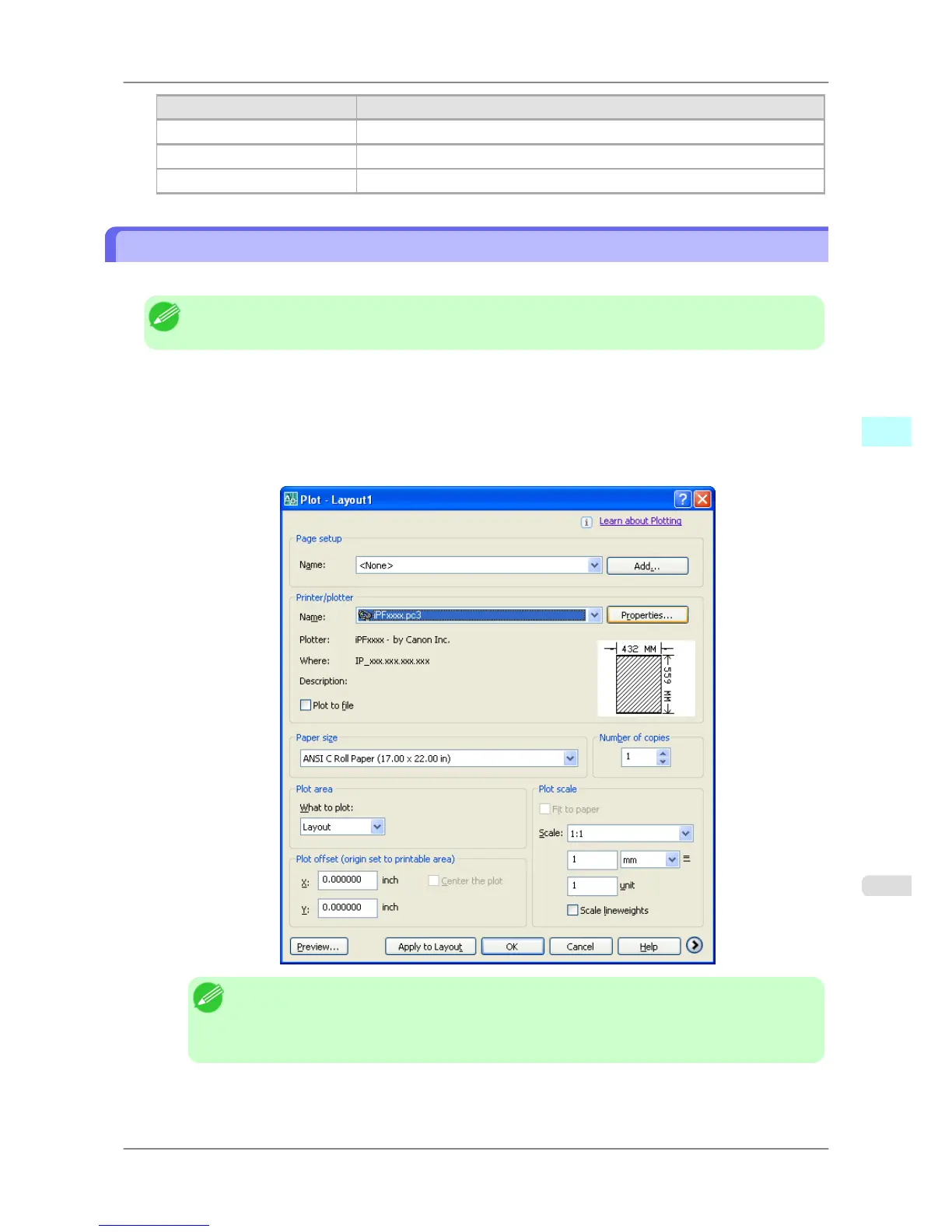
2. Select Plot from the File menu. The Plot dialog box opens.
Check
the Name setting under Printer/plotter and confirm that iPFxxxx.pc3 (the name of the printer you use)
is displayed.
Click the Properties button.
Note
• If
any other printer name is selected, select the name of the printer that you want to use from the
Name list.
• The names of the printers installed when the HDI driver was installed are in the Name list.
Windows Software
>
HDI Driver
>
iPF825 Printing
4
363














 To Next Page