Graphics Settings
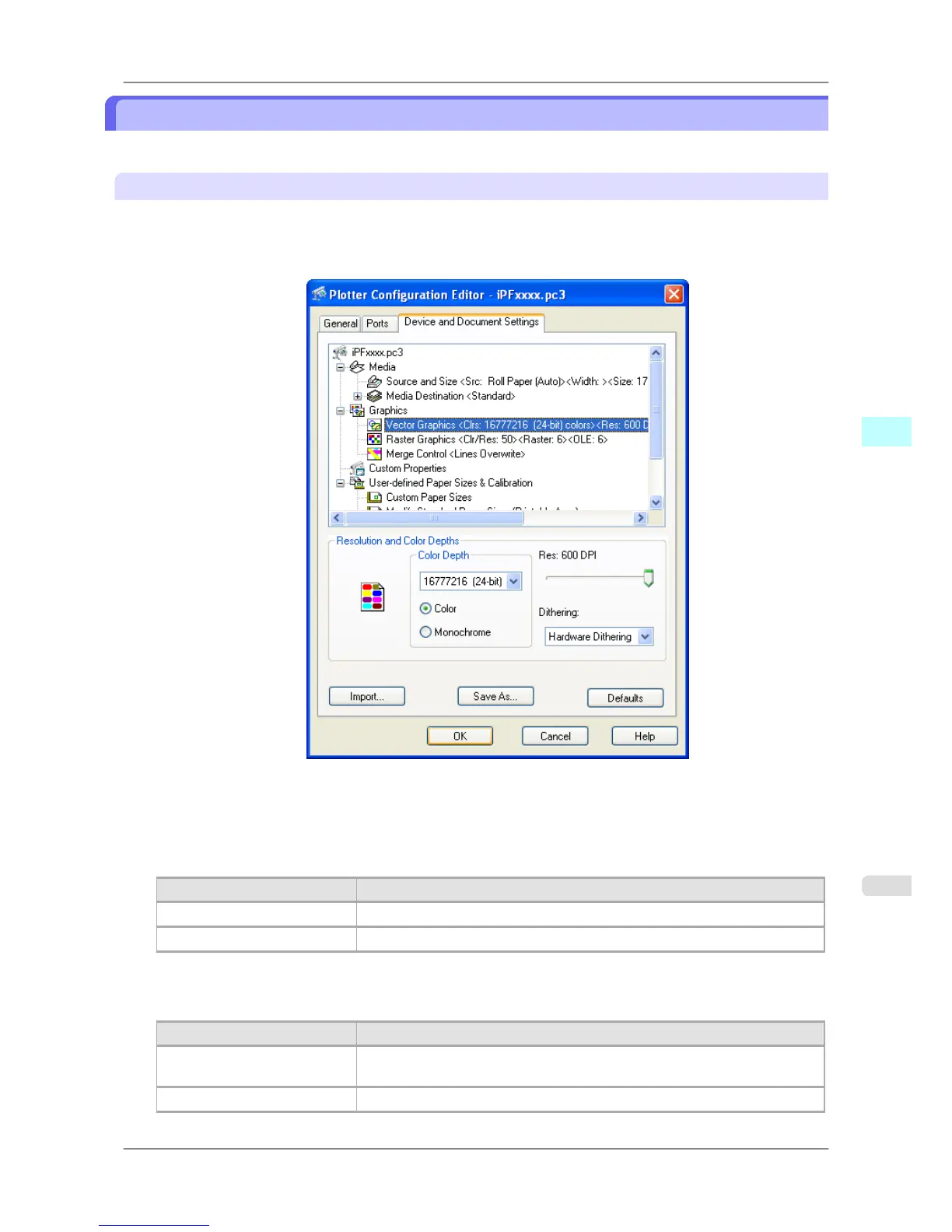
You can perform the graphics settings.
Vector Graphics settings
Use these settings to adjust the print mode and resolution.
1. Click the Vector Graphics below Graphics.
The Device and Document Settings sheet opens and switches to the Vector Graphics settings.
2. Select Color or Monochrome.
3. Select a setting for Color Depth from the list.
Color Depth presents the following items for selection.
Setting Details
Color 16777216(24-bit)colors
Monochrome 16777216-Level grayscale
4. Move the Res slider to adjust the settings.
Res presents the following items for selection.
Setting Details
300 DPI Due to this low resolution, the image will print faster but its texture will appear
rough.
600 DPI This high resolution will achieve the best results.
Windows Software
>
HDI Driver
>
iPF825 Graphics Settings
4
353














 To Next Page