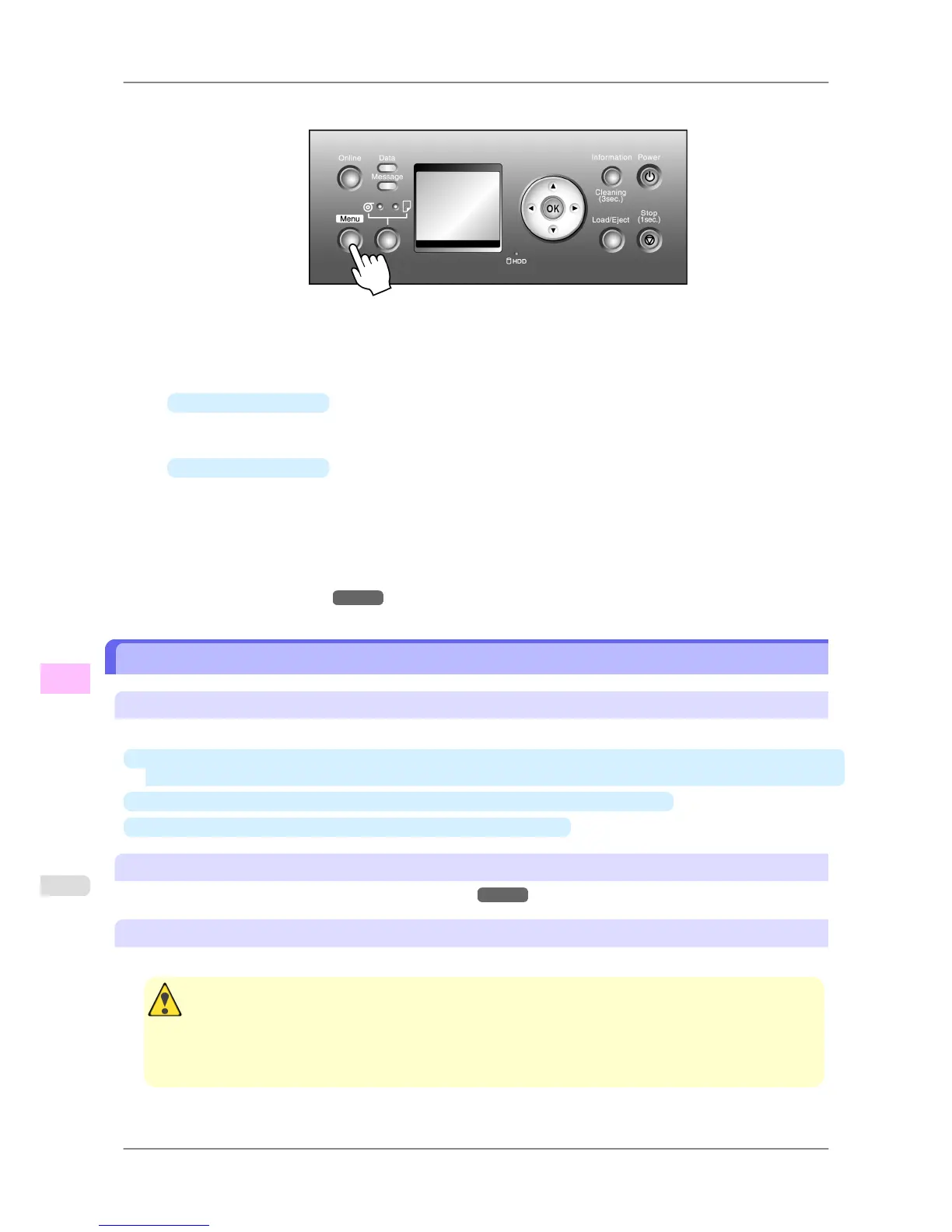
1. Press the Menu button to display MAIN MENU.
2. Press ▲ or ▼ to select Head Cleaning, and then press the ▶ button.
3. Press ▲ or ▼ to select the type of cleaning, and then press the OK button.
•
Head Cleaning A
Use Head Cleaning A
if printing is faint or contains foreign substances. This method of cleaning consumes
the least amount of ink. It takes about three minutes to complete.
•
Head Cleaning B
Use Head
Cleaning B if no ink comes out of the printhead, or if Head Cleaning A does not solve the
problem. It takes about four minutes to complete.
The printhead is cleaned, and the printer goes online.
4. Print a test pattern to check the nozzles, and determine whether cleaning has cleared the nozzles. (See "Check-
ing for Nozzle Clogging.")
→P.754
Replacing the Printhead
When to replace the Printhead
Replace the Printhead in the following situations.
•
If the printing quality does not improve even after one or two cycles of Head Cleaning
B from the printer
menu
•
If the Display Screen indicates "Open top cover and replace the printhead."
•
If your Canon dealer has advised you to replace the Printhead
Compatible printheads
For information on compatible printheads, see "Printhead."
→P.754
Precautions when handling the Printhead
Take the following precautions when handling the Printhead.
Caution
• For safety, keep the Printhead out of the reach of children.
• If ink is accidentally ingested, contact a physician immediately.
• Do
not touch the Printhead immediately after printing. The Printhead becomes extremely hot, and there
is a risk of burns.
Maintenance
>
Printheads
>
Replacing the Printhead iPF825
11
756














 To Next Page