Printheads
Printhead ................................................................................................................................................... 754
Checking for Nozzle Clogging ................................................................................................................... 754
Cleaning the Printhead .............................................................................................................................. 755
Replacing the Printhead ............................................................................................................................ 756
Printhead
This is a replacement Printhead for the printer.
• Printhead PF-03
Note
• For instructions on replacing the Printhead, see "Replacing the Printhead." →P.756
Checking for Nozzle Clogging
If printing is faint or streaked in different colors, make sure the Printhead nozzles are clear by printing a test pattern to
check the nozzles.
Note
• You
can specify a number of pages in the printer's Noz. Check Freq. menu for automatic nozzle check-
ing every time you finish printing that quantity. (See "Main Menu Settings.")
→P.679
1. Load unused paper.
• Attaching the Roll Holder to Rolls
→P.584
• Loading Rolls in the Printer →P.588
• Loading Sheets in the Printer →P.616
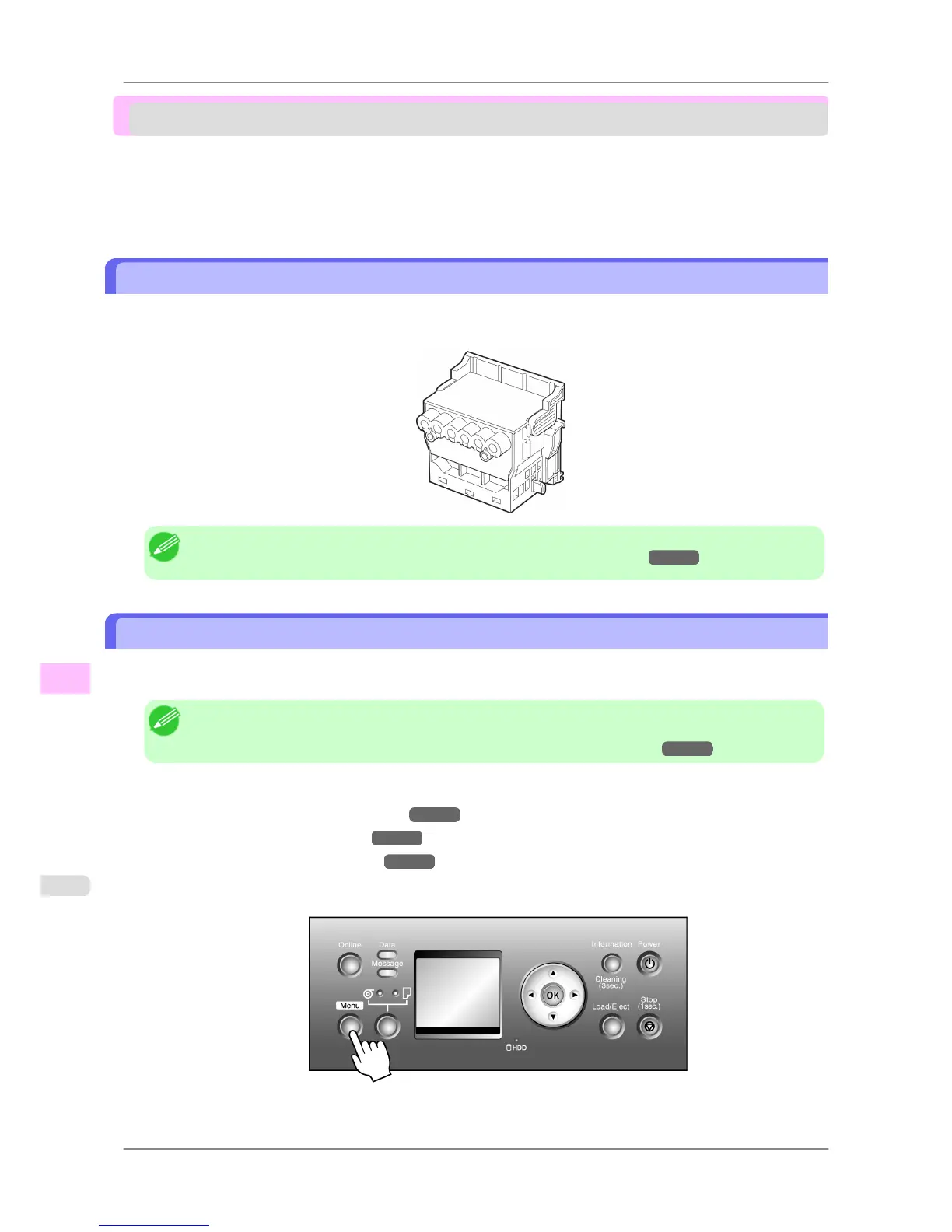
2. Press the Menu button to display MAIN MENU.
3. Press ▲ or ▼ to select Test Print, and then press the ▶ button.
Maintenance
>
Printheads
>
Printhead iPF825
11
754














 To Next Page