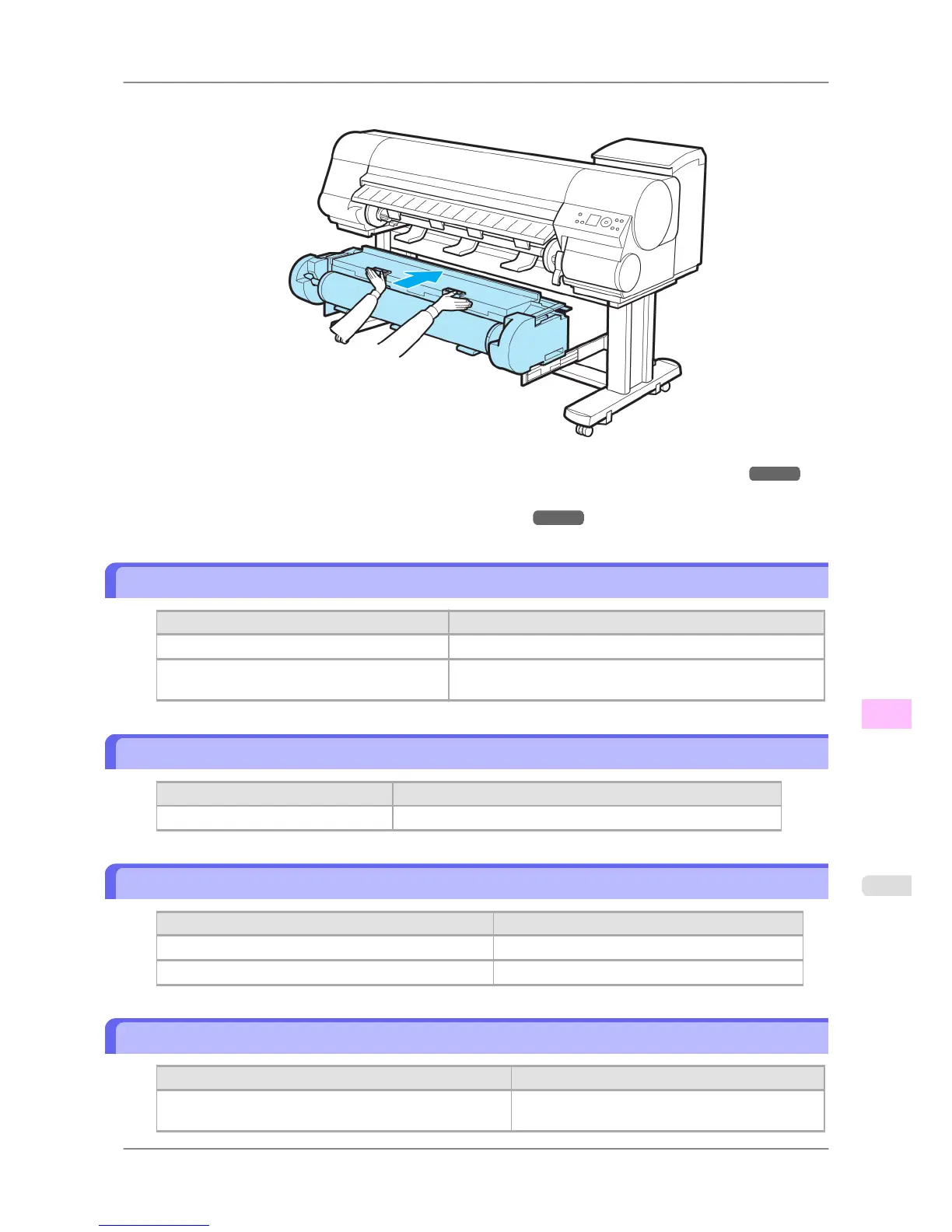
8. In a crouching position, push the Roll Unit in.
9. Position the Wheeled Output Stacker by the printer. (See "Using the Wheeled Output Stacker.") →P.623
10. Turn the printer on. (See "Turning the Printer On and Off.") →P.652
Roll Paper Cannot be Inserted into the Paper Feed Slot
Cause Corrective Action
The roll paper is warped. Straighten out curls and reload the roll.
If paper cannot be advanced from Roll 2 (Low-
er), the Roll Unit Cable is disconnected.
Connect the Roll Unit Cable firmly to the Roll Unit Power Sup-
ply Inlet and the inlet on the roll unit.
Cannot Load Sheets
Cause Corrective Action
The paper source selection is incorrect. Press the Feeder Selection button to activate the Cut Sheet lamp.
Paper is not cut straight
Cause Corrective Action
The paper is bent or curled at the cut position. Straighten out any curling by the edges of the paper.
Paper rises by the ends of the cut position before it is cut. Reload the paper correctly.
Paper is not cut
Cause Corrective Action
In the printer driver, No or Print Cut Guideline is specified
in Auto Cut.
Specify Yes in Auto Cut in the printer driver.
Troubleshooting
>
Problems Regarding Paper
>
iPF825 Roll Paper Cannot be Inserted into the Paper Feed Slot
12
795














 To Next Page