The paper will drop to the floor or to the lower part of the printer.
Note
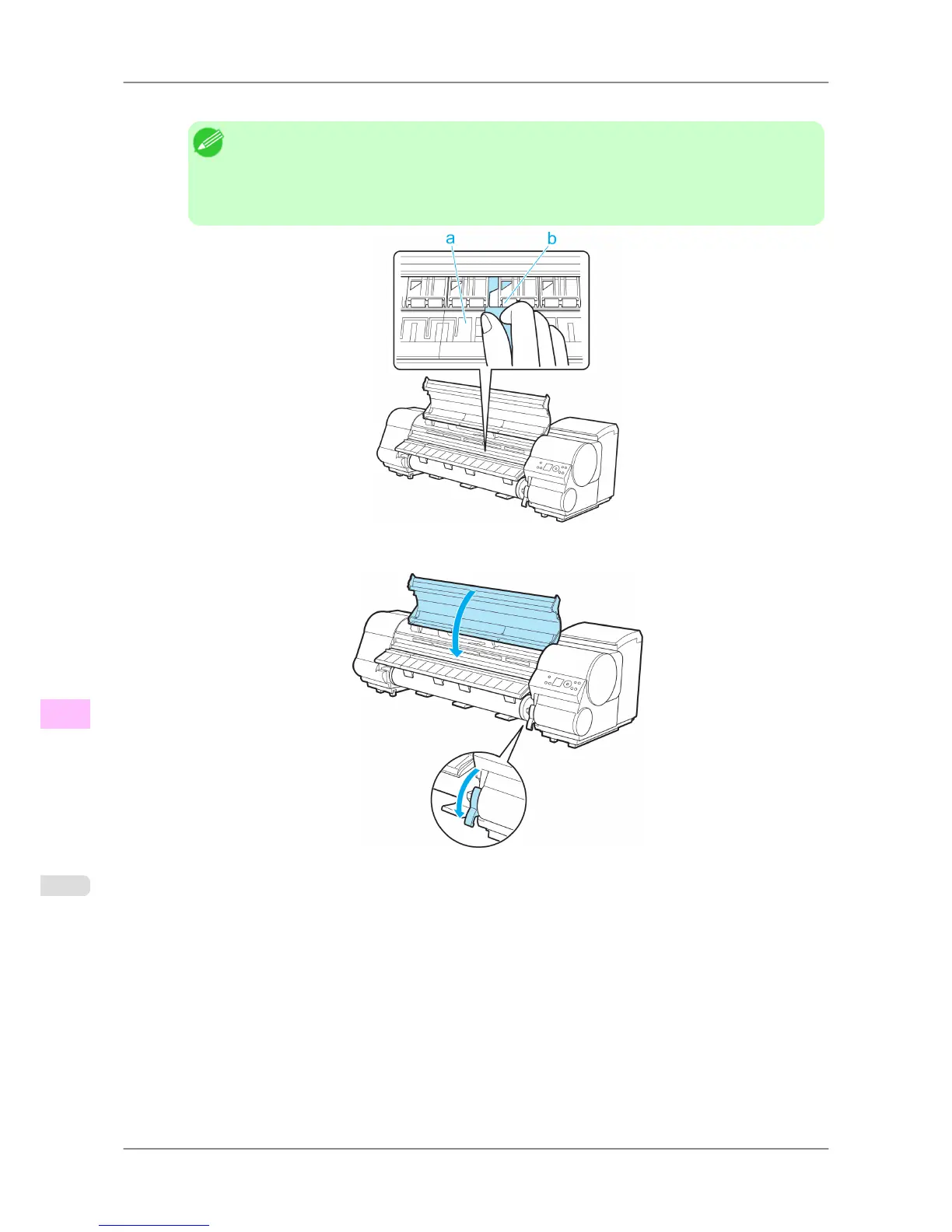
• If paper remains in the lower part of the printer, push it to the floor with your fingers.
• If
the paper does not drop to the floor or to the lower part of the printer, fold an A4 sheet three
times, insert it through the gap of the Platen (a) and the Paper Retainer (b), and push the jammed
paper out.
7. Lower the Release Lever and close the Top Cover.
Troubleshooting
>
Problems Regarding Paper
>
Troubleshooting When Paper Jams are not Found iPF825
12
794














 To Next Page