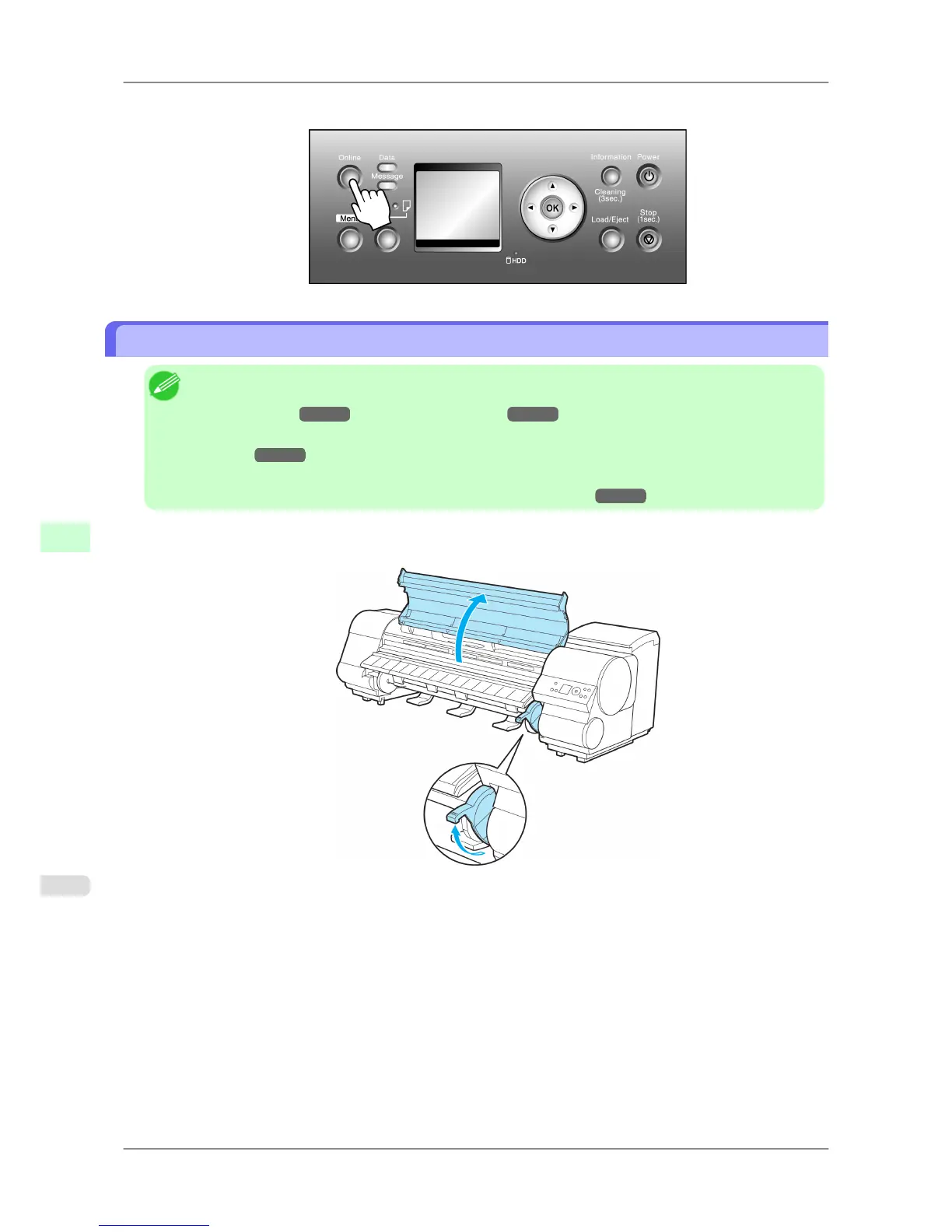
5. Press the Online button to bring the printer online.
Loading Sheets in the Printer
Note
• For
details on supported types and sizes of paper, see Paper Sizes or the Paper Reference Guide. (See
"Paper Sizes.")
→P.581 (See "Types of Paper.") →P.578
• If
the Platen is dirty, clean inside the Top Cover before loading paper. (See "Cleaning Inside the Top
Cover.")
→P.772
• After
pressing the Load/Eject button, you can refer to instructions on the Display Screen as you load the
paper. (See "Checking Instructions During Printer Operations.")
→P.698
1. If
you send a print job from a computer beforehand, the type and size of paper are shown on the Display Screen.
Lift the Release Lever and open the Top Cover.
Handling Paper
>
Handling sheets
>
Loading Sheets in the Printer iPF825
7
616














 To Next Page