You can specify the page size of the original, borderless printing, enlargement or reduction, the orientation, the
paper size and source, and automatic cutting.
• Utility Pane →P.425
You can specify settings related to maintenance for the Printhead and feed amount, as well as settings for Color
imageRUNNER Enlargement Copy.
• Additional Settings Pane →P.426
You can specify settings for how print jobs are sent to the printer.
• Support Pane →P.427
You can view support information and the user's manual.
With the imagePROGRAF Free Layout feature, you can arrange originals from various source applications on a sin-
gle page before printing. For details, see Free Layout →P.454 .
With the imagePROGRAF Preview feature, you can check the layout before printing and adjust layout or size settings
while viewing a preview screen. For details, see Preview →P.428 .
With the Color imageRUNNER Enlargement Copy feature, you can automatically enlarge and print scanned originals
from a Color imageRUNNER. For details, see Color imageRUNNER Enlargement Copy →P.485 .
Specifying Paper in the Printer Driver
If you have replaced the paper, you must complete the following settings in the printer driver.
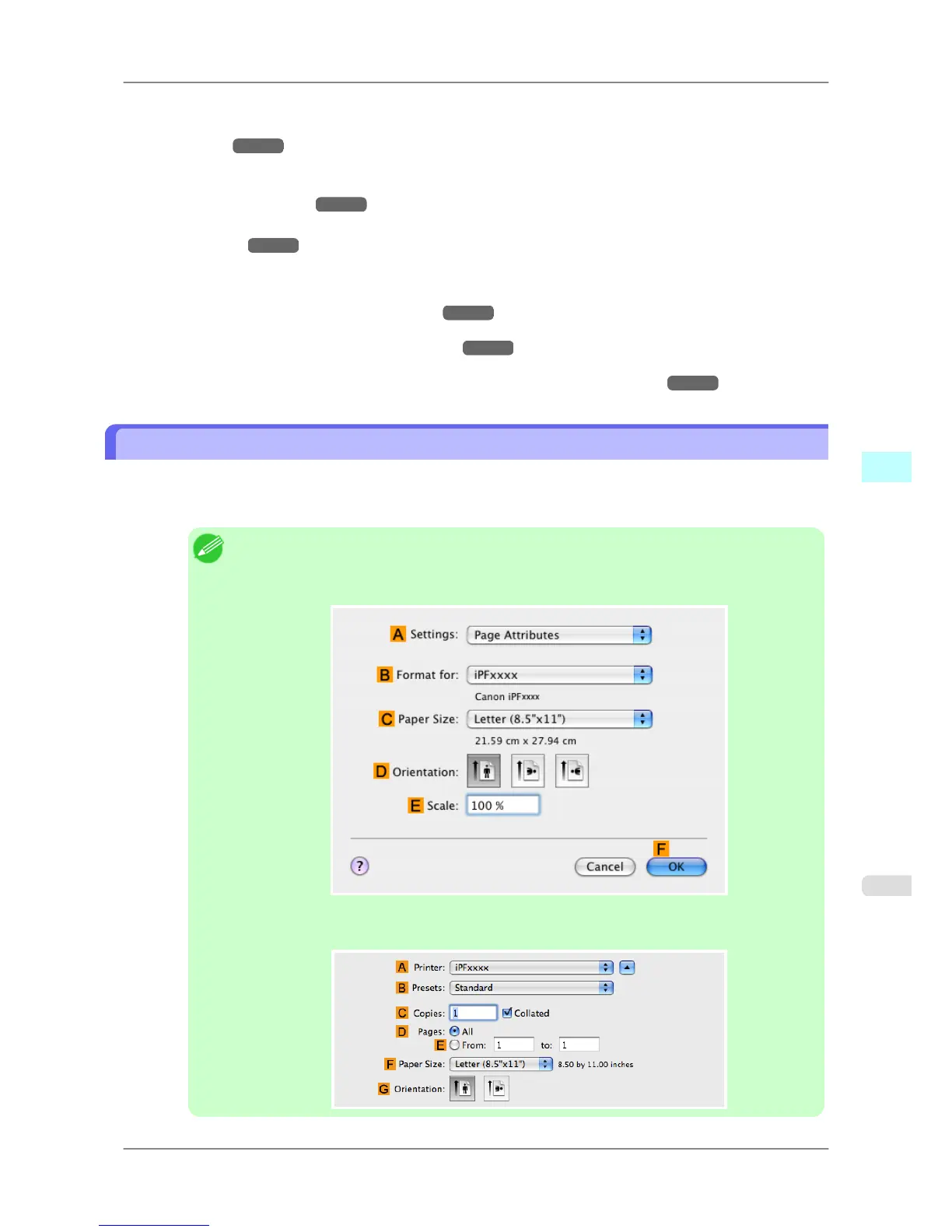
1. This sets the BFormat for and C Paper Size.
Note
• The configuration method varies depending on the OS and application software you are using.
If Page
Setup is displayed in the application menu, the settings are configured by opening the
Page Attributes dialog box from Page Setup.
If it is not displayed, the settings are configured in the upper part of the printer driver displayed
when you select Print from the application software menu.
Mac OS X Software
>
Printer Driver
>
iPF825 Specifying Paper in the Printer Driver
5
405














 To Next Page