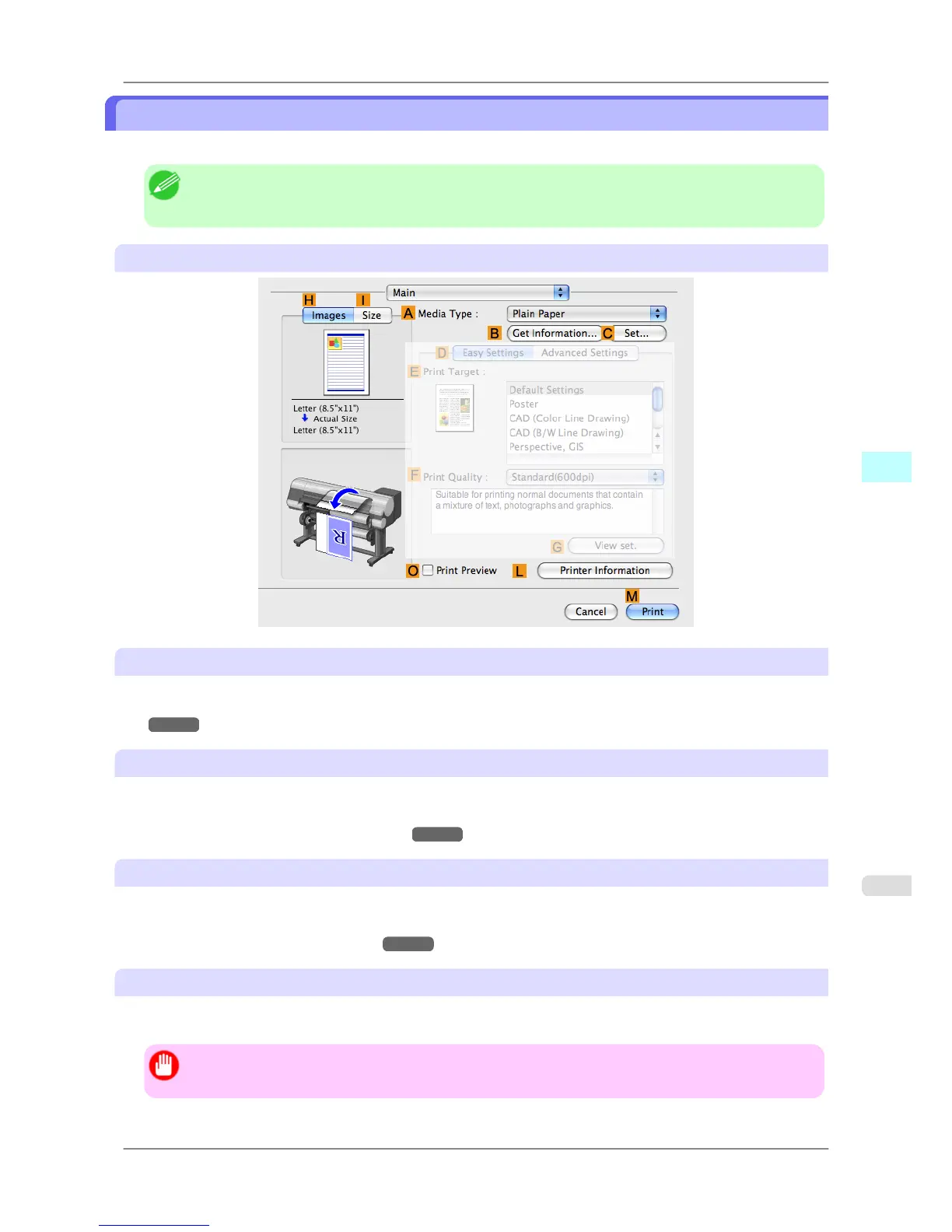
Main Pane
The following settings are available on the Main pane. For details on settings items, refer to the printer driver help.
Note
• On
the Main pane, choose Easy Settings to specify basic print settings based on the print target, or
switch to Advanced Settings to complete more detailed settings as desired.
Common Items
A Media Type
Select the paper type.
For information on the types of paper the printer supports, refer to the Paper Reference Guide.(See "Types of Pa-
per →P.578 ")
B Get Information
Displays Paper Information on Printer. You can update the printer driver settings for the feed source, media type, and
roll width by selecting the feed source.
• Paper Information on Printer Dialog Box
→P.414
C Set
Displays Paper Detailed Settings. You can configure the printing settings to match the type of media, such as the ink
drying time.
• Paper Detailed Settings Dialog Box →P.415
O Print Preview
If you turn this on, imagePROGRAF Preview starts before printing.
This allows you to check on-screen previews of documents before printing.
Important
• This cannot be selected if Free Layout is enabled in the Page Setup panel.
Mac OS X Software
>
Printer Driver
>
iPF825 Main Pane
5
411














 To Next Page