4. Press ▲ or ▼ to select Manual Head Adj, and then press the ▶ button.
5. Press ▲ or ▼ to select Yes, and then press the OK button.
A test pattern is printed for printhead adjustment.
6. Press ▲ or ▼ to select D, and then press the ▶ button.
7. Press ▲ or ▼ to select D-1, and then press the ▶ button.
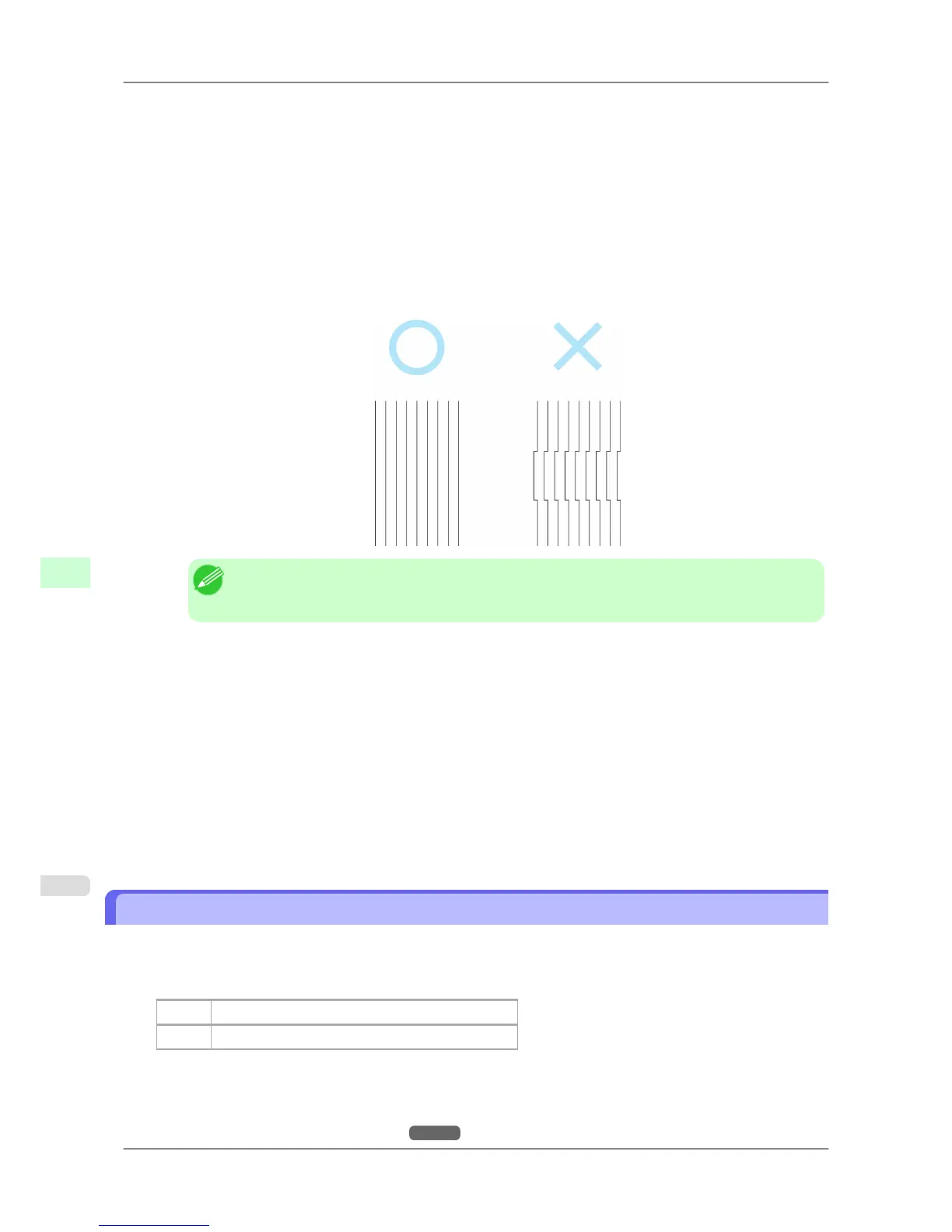
8. Examine test pattern D-1 for printhead adjustment and determine the number of the pattern with straight lines.
Note
• If
lines seem straightest in two patterns but you cannot decide which one is better, choose an in-
termediate value. For example, choose 11 if you cannot decide whether pattern 10 or 12 is better.
9. Press ▲ or ▼ to select the pattern number, and then press the OK button.
10. Repeat steps 7 and 9 to specify the adjustment value for D-2 to D-5 and D-7 to D-11.
11. Press the ◀ button.
12. Press ▲ or ▼ to select Register Setting, and then press the ▶ button.
13. Press ▲ or ▼ to select Yes, and then press the OK button.
The adjustment value is now registered, and adjustment is complete.
Adjusting Line Misalignment (Head Inc. Adj.)
If printed lines are misaligned, try adjusting the angle of the Printhead. Even slight misalignment can be corrected. Ad-
just the Printhead orientation by printing and reading a test pattern.
Paper to Prepare
Rolls An unused roll at least 10 inches wide
Sheets One sheet of unused paper of at least A4/Letter size
Execute Head Inc. Adj. as follows.
1. Load the paper.
• Attaching the Roll Holder to Rolls →P.584
Adjustments for Better Print Quality
>
Adjusting the Printhead
>
Adjusting Line Misalignment (Head Inc. Adj.) iPF825
8
630














 To Next Page