• Loading Rolls in the Printer →P.588
• Loading Sheets in the Printer →P.616
Note
• When
loading paper, specify the type of paper correctly. Using paper that you have not specified
on the printer may cause feeding problems and affect the printing quality.
• We recommend loading a type of paper that you use often.
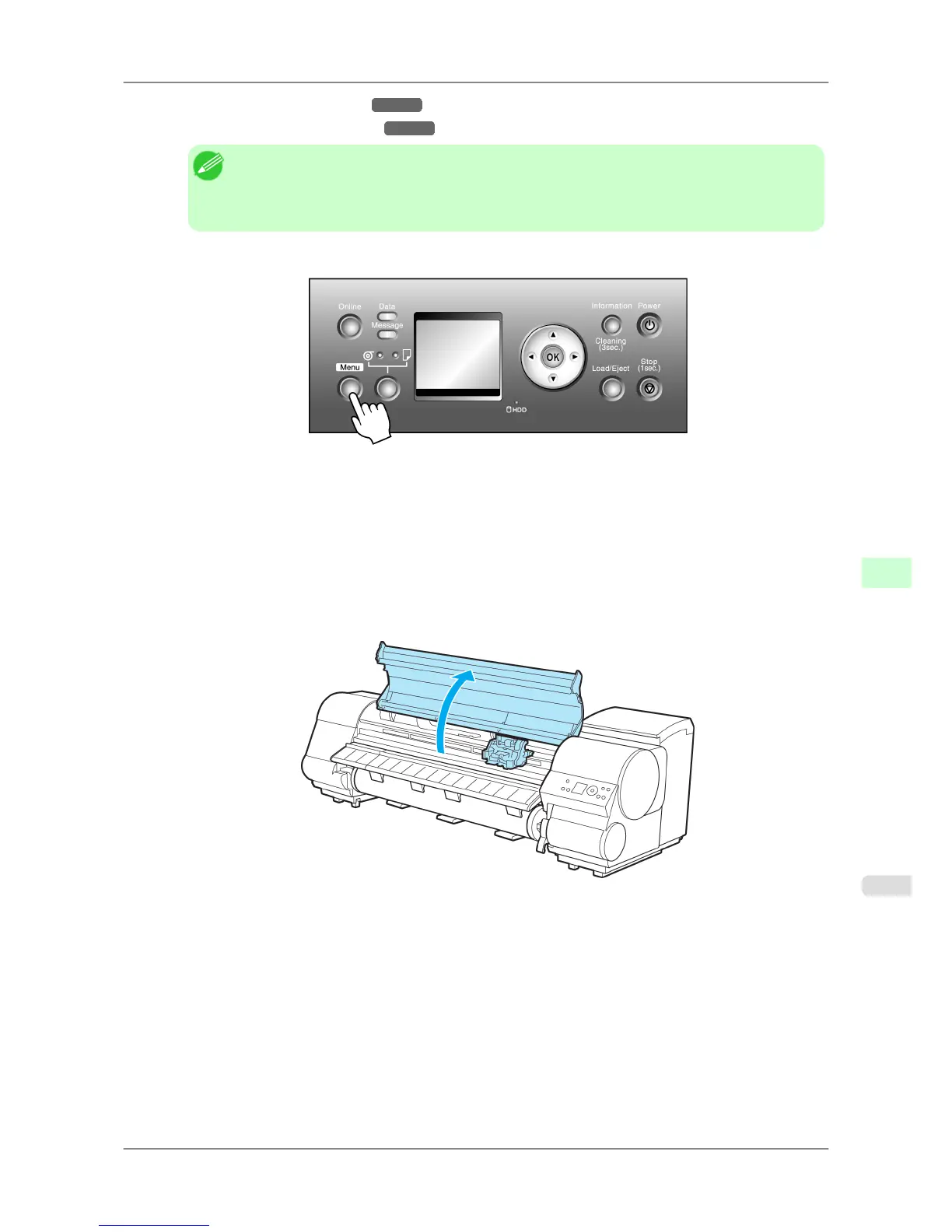
2. Press the Menu button to display MAIN MENU.
3. Press ▲ or ▼ to select Adjust Printer, and then press the ▶ button.
4. Press ▲ or ▼ to select Head Inc. Adj., and then press the ▶ button.
5. Press ▲ or ▼ to select Yes, and then press the OK button.
After the Printhead is moved, a message is displayed requesting you to open the Top Cover.
6. Open the Top Cover.
Adjustments for Better Print Quality
>
Adjusting the Printhead
>
iPF825 Adjusting Line Misalignment (Head Inc. Adj.)
8
631














 To Next Page