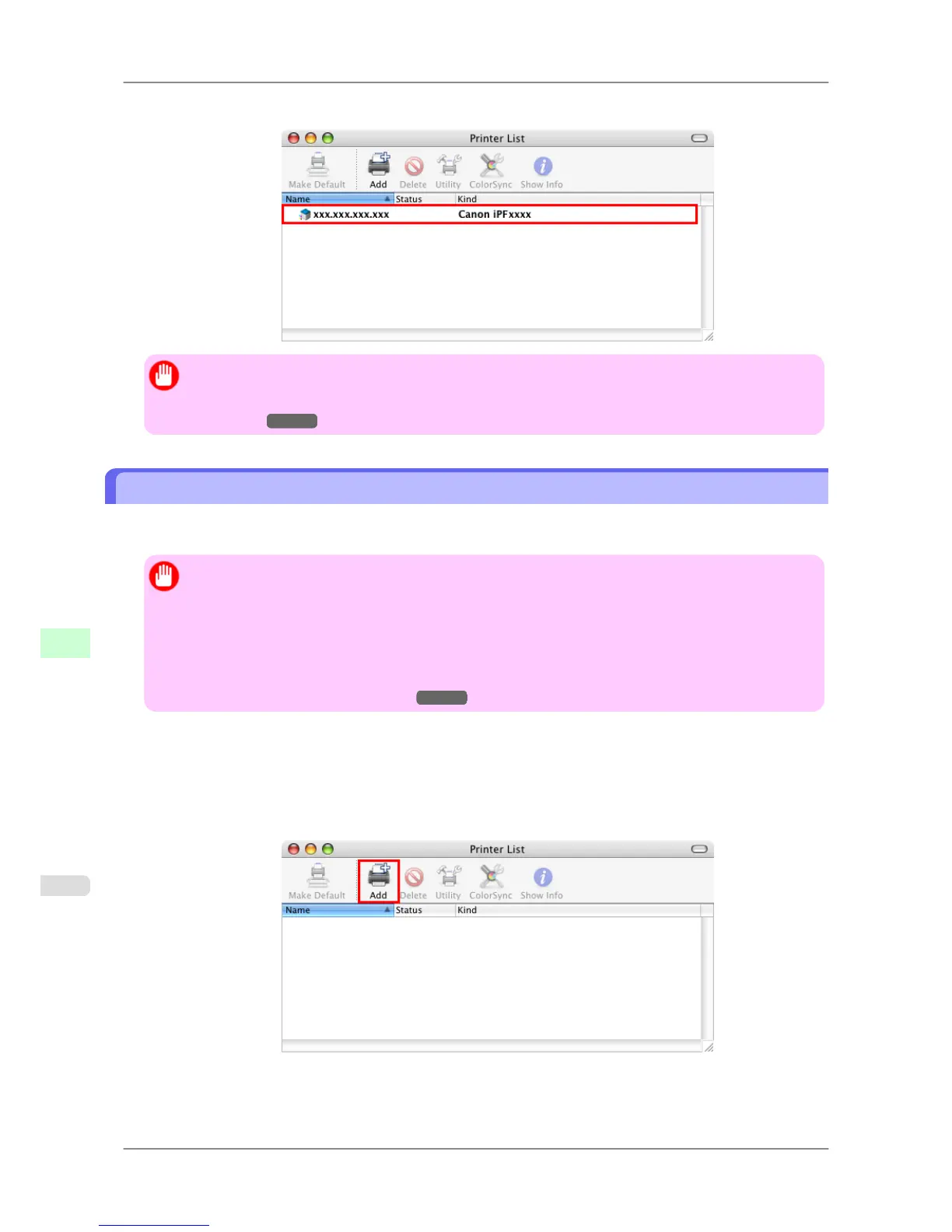
7. Make sure the printer has been added, and then close the Printer List window.
Important
• If imagePROGRAF
Generic is indicated in Kind, the printer information is not properly acquired.
Make sure the printer is on and connected to the network. (See "Cannot connect the printer to the
network.")
→P.809
Configuring the Destination for Bonjour Network
In Mac OS X 10.2.8 and later, use Bonjour functions to easily connect the printer to the network. Follow the steps be-
low to configure the destination if you use the printer on TCP/IP network.
Important
• Bonjour
and IP Print (Auto) do not support printing to a printer on other network groups that require a
router for connection. Make sure the computer and printer are on the same network. For information
about network settings, ask your network administrator.
• By default, Bonjour is activated on the printer. The printer name as displayed in Printer Setup Utility
(or Print Center ) in Mac OS X is predefined as the Multicast DNS Service Name. You can activate or
deactivate the Bonjour function or change the printer name by using RemoteUI. For instructions on
changing it, see "Using RemoteUI."
→P.717
1. Choose Utilities (or Applications ) in the Go menu of Finder.
2. Click Printer Setup Utility (or Print Center ) in the Utilities folder.
3. If the printer name is not displayed in Printer List, click Add.
Network Setting
>
Network Setting (Mac OS X)
>
Configuring the Destination for Bonjour Network iPF825
10
738














 To Next Page