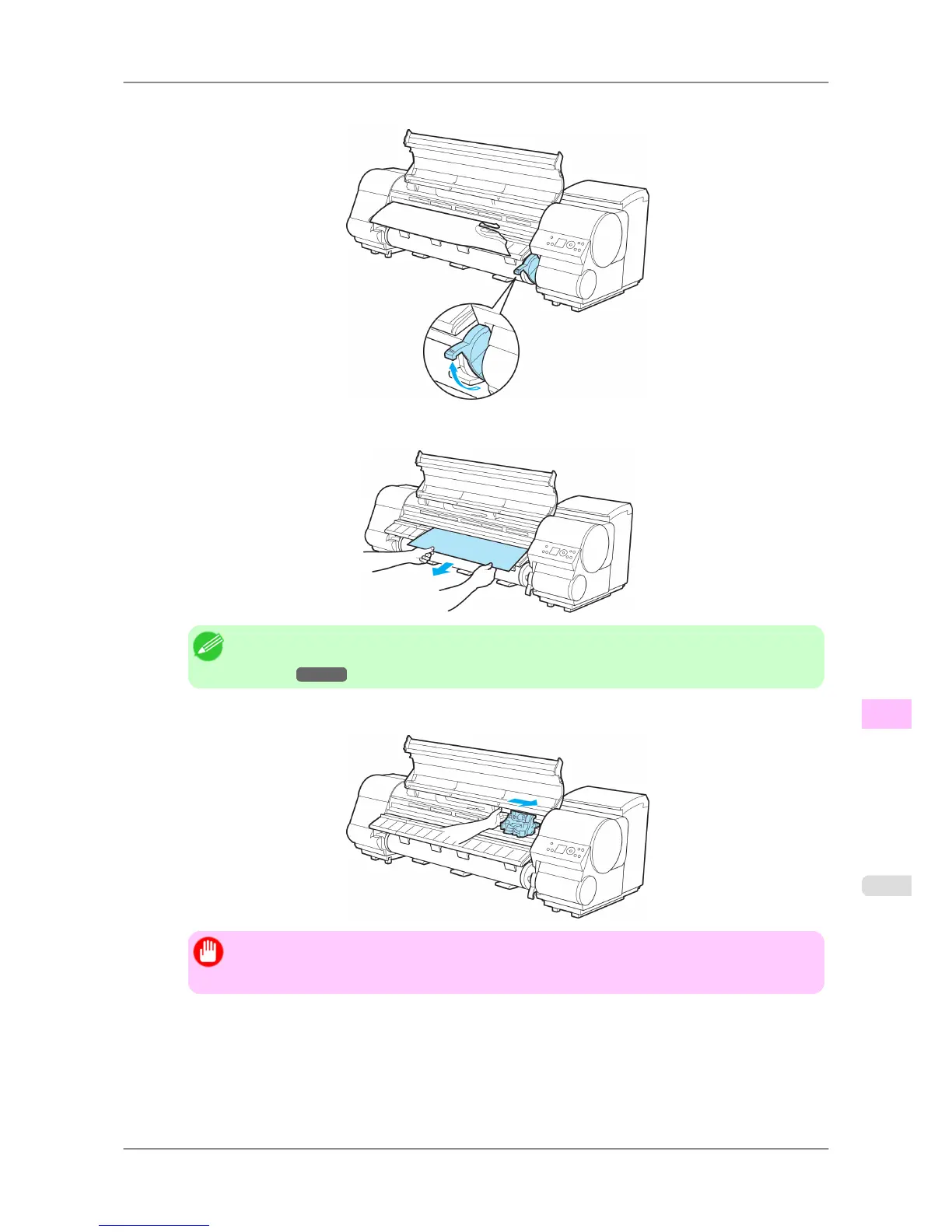
4. Lift the Release Lever.
5. Hold the paper and pull it out, toward the front.
Note
• If
you do not find any scraps or jams, see "Troubleshooting When Paper Jams are not
Found."
→P.792
6. If the Carriage is on the left, move the Carriage to the right until it stops.
Important
• Always
move the Carriage to the right side. If the Carriage is on the left, a Carriage error may
occur when you turn on the printer.
Troubleshooting
>
Problems Regarding Paper
>
iPF825 Clearing a Jammed Sheet
12
791














 To Next Page