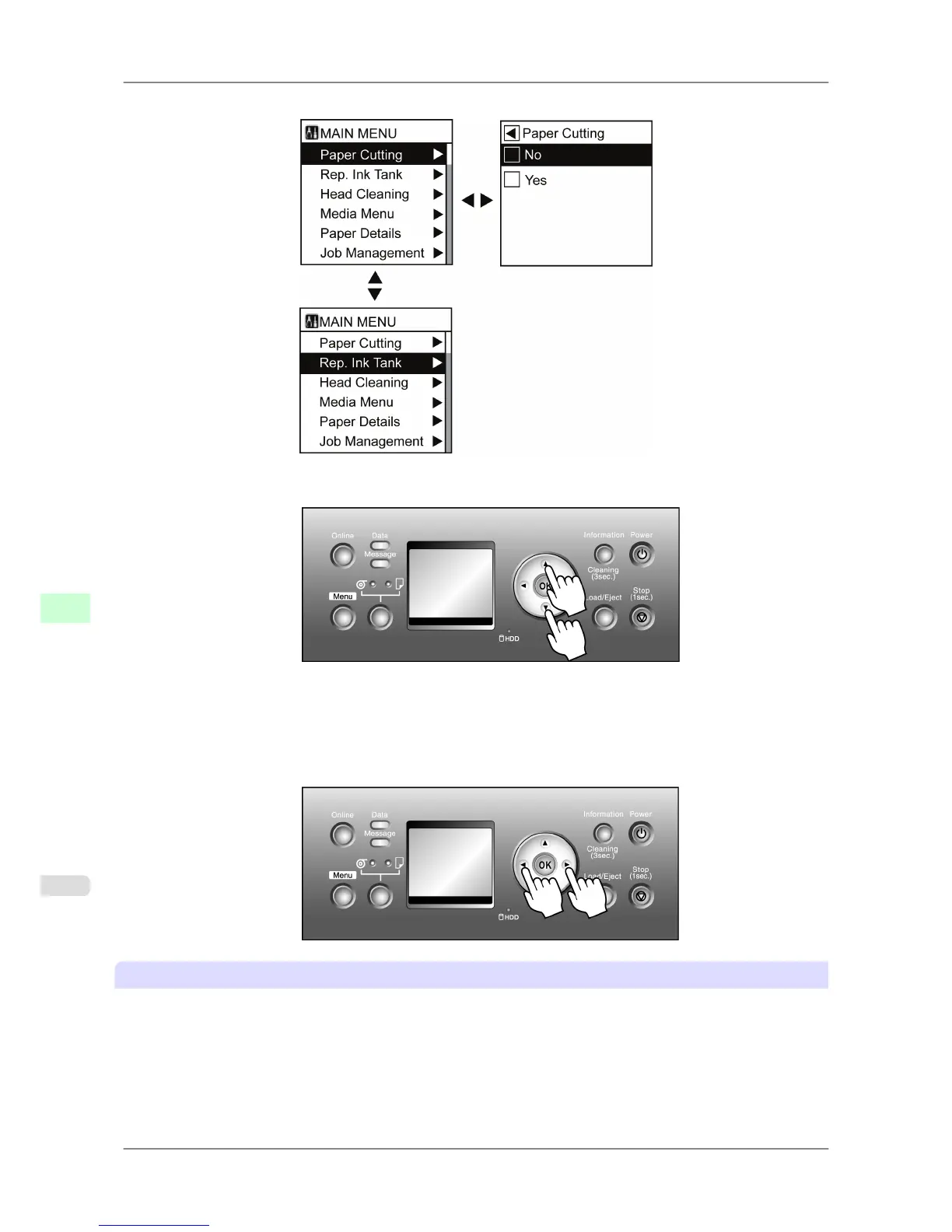
Menus are displayed with the upper line selected. Use the buttons on the Control Panel to access each menu.
• Press ▲ to
access a higher level menu on the same screen, and press ▼ to access a lower one. If not all menus can
be displayed on the screen at once, press ▲ and ▼ to scroll the menu. Items you select are highlighted.
The scroll bar at right indicates the current position in the overall menu.
• Lower
level menus are available if ▶ is displayed at right. To access these lower level menus, select a menu and
press ▶.
• Upper level menus are available if ◀ is displayed at left in the top line. To access these upper level menus, press
◀.
Specifying menu items
Follow these steps to specify menu items.
1. Press ▲ or ▼ to select a menu, and then press the ▶ button.
Repeat these steps until the desired menu options are displayed.
Printer Parts
>
Control Panel
>
Main Menu Operations iPF825
9
664














 To Next Page