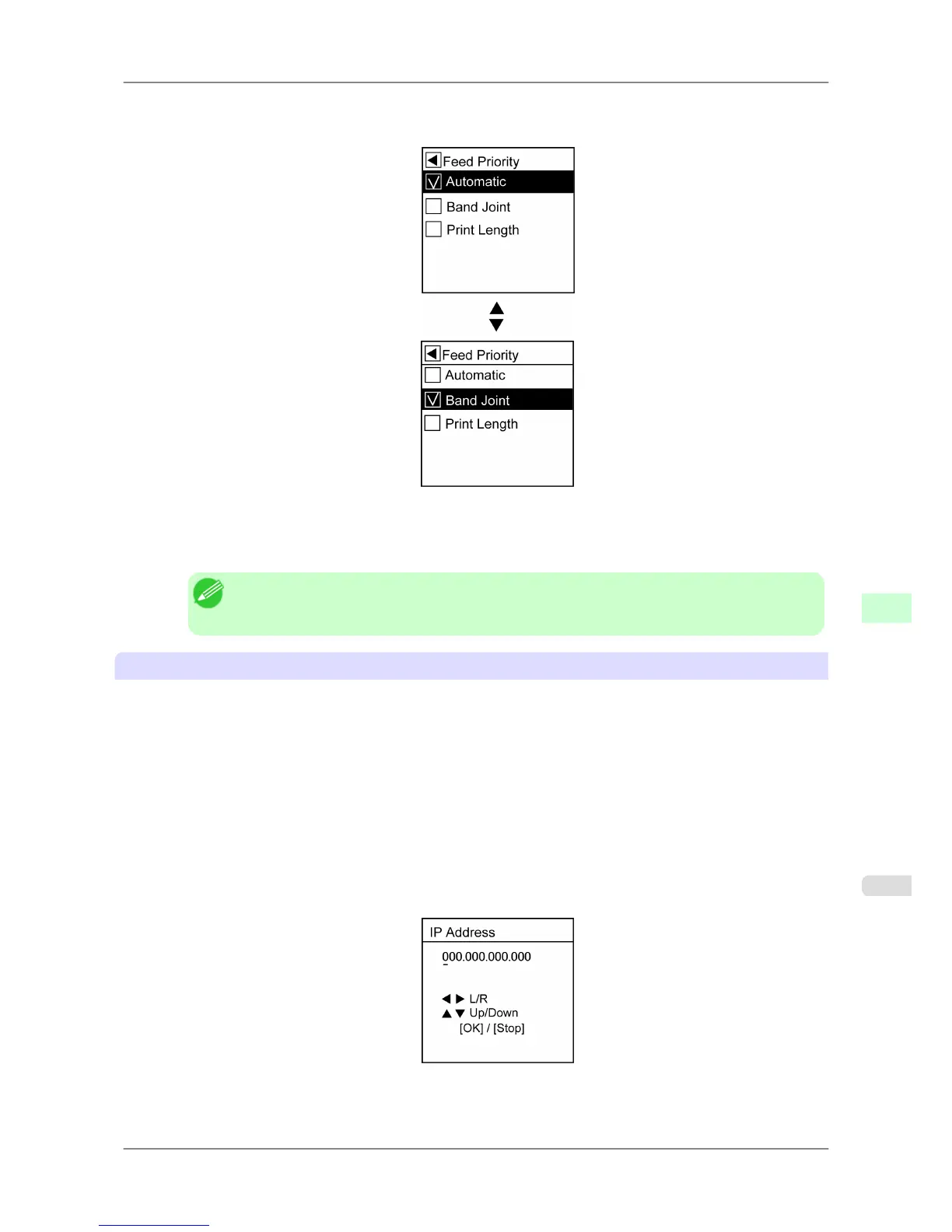
2. Press ▲ or ▼ to select a setting item to complete, and then press the OK button.
The check box at left is selected, and the setting is confirmed.
After two seconds, the display reverts to the upper level menu.
3. Press the Online button to bring the printer online.
Note
• If
a confirmation message is displayed regarding the setting you entered, press the OK button.
The setting is applied, and the printer goes online.
Specifying numerical values
Follow these steps to enter numbers. In this example, network settings items are entered.
1. Press ▲ or ▼ to select Interface
Setup, and then press the ▶ button.
2. Press ▲ or ▼ to select TCP/IP, and then press the ▶ button.
3. Press ▲ or ▼ to select IP Setting, and then press the ▶ button.
4. Press ▲ or ▼ to select IP Address, and then press the ▶ button.
5. Press ◀ or ▶ to move the cursor (_) to each field for entering numbers.
Printer Parts
>
Control Panel
>
iPF825 Main Menu Operations
9
665














 To Next Page