Important
• If you want to change the display to another file or application while the Large-Format Printing
Wizard is open, close the Large-Format Printing Wizard dialog box. Otherwise, you may not
be able to change displays or operate the toolbar/ribbon.
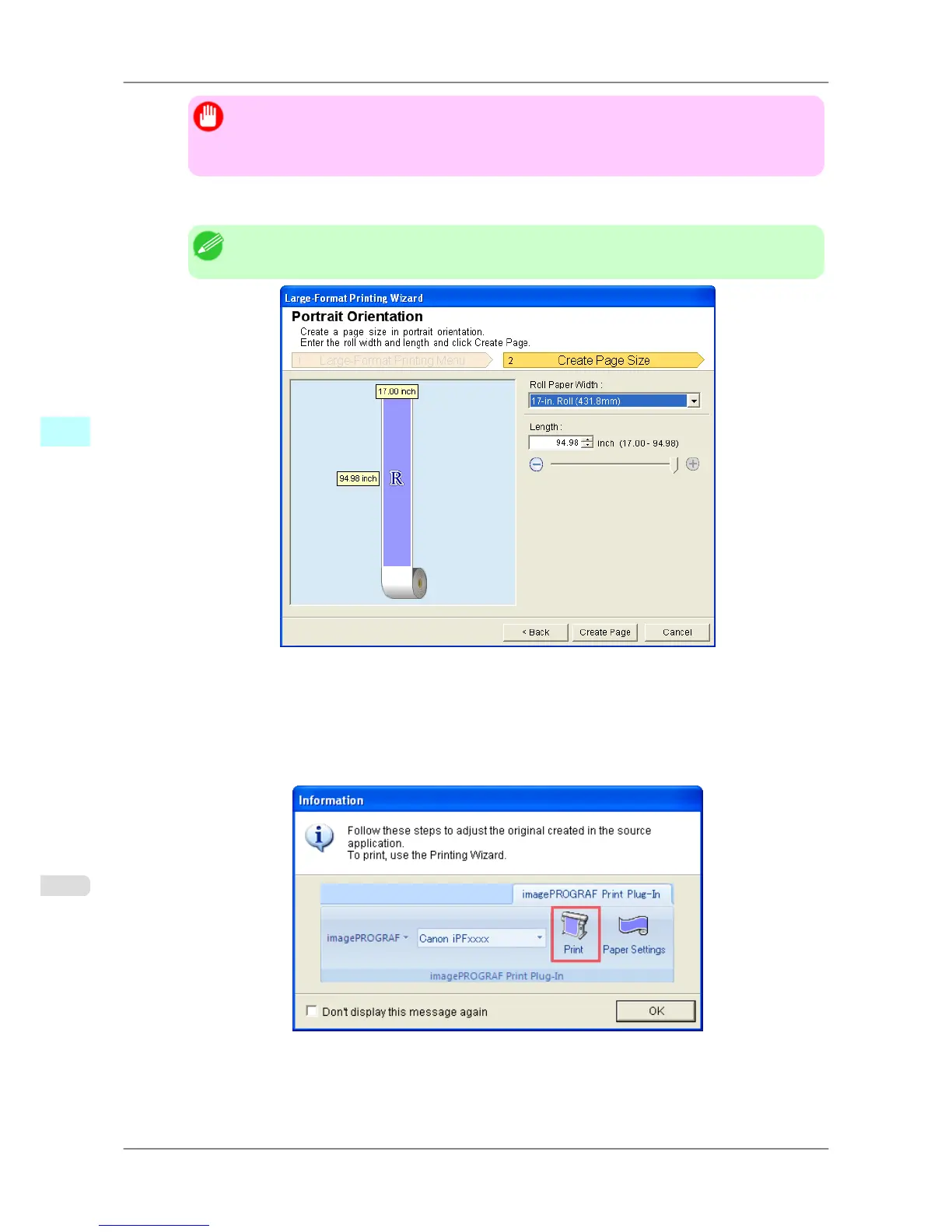
4. Click Portrait Orientation or Landscape Orientation.
Note
• The steps taken to create a Portrait Page Size will be used as an example to explain the procedure.
5. Adjust Length from the list-box or slide-bar.
6. Click the Create Page button.
7. Click OK if the message is displayed.
Windows Software
>
Print Plug-In for Office
>
Portrait Orientation / Landscape Orientation (PowerPoint) iPF825
4
322














 To Next Page