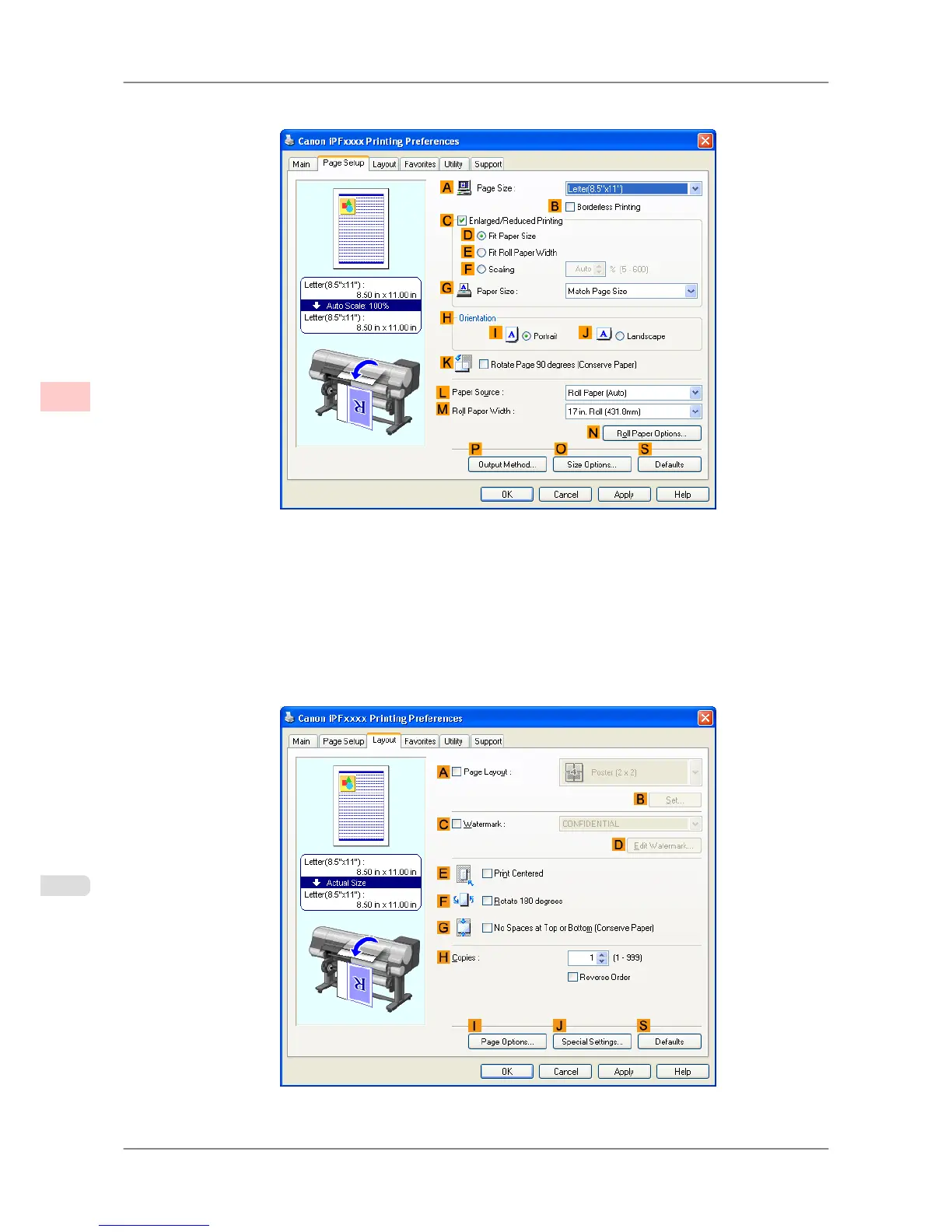
7. Click the Page Setup tab to display the Page Setup sheet.
8. In A Page Size,
click the size of the original as specified in the application software. In this case, click ISO A3
or Letter (8.5"x11").
9. Select and click a roll paper in the LPaper Source list.
10. Select the width of the loaded roll in the MRoll Paper Width list—in this case, ISO A2/A3 Roll (420.0mm).
11. Click the Layout tab to display the Layout sheet.
12. Select the APage Layout check box.
Enhanced Printing Options
>
Tiling and multiple pages per sheet
>
Printing Multiple Pages Per Sheet (Windows) iPF825
3
138














 To Next Page