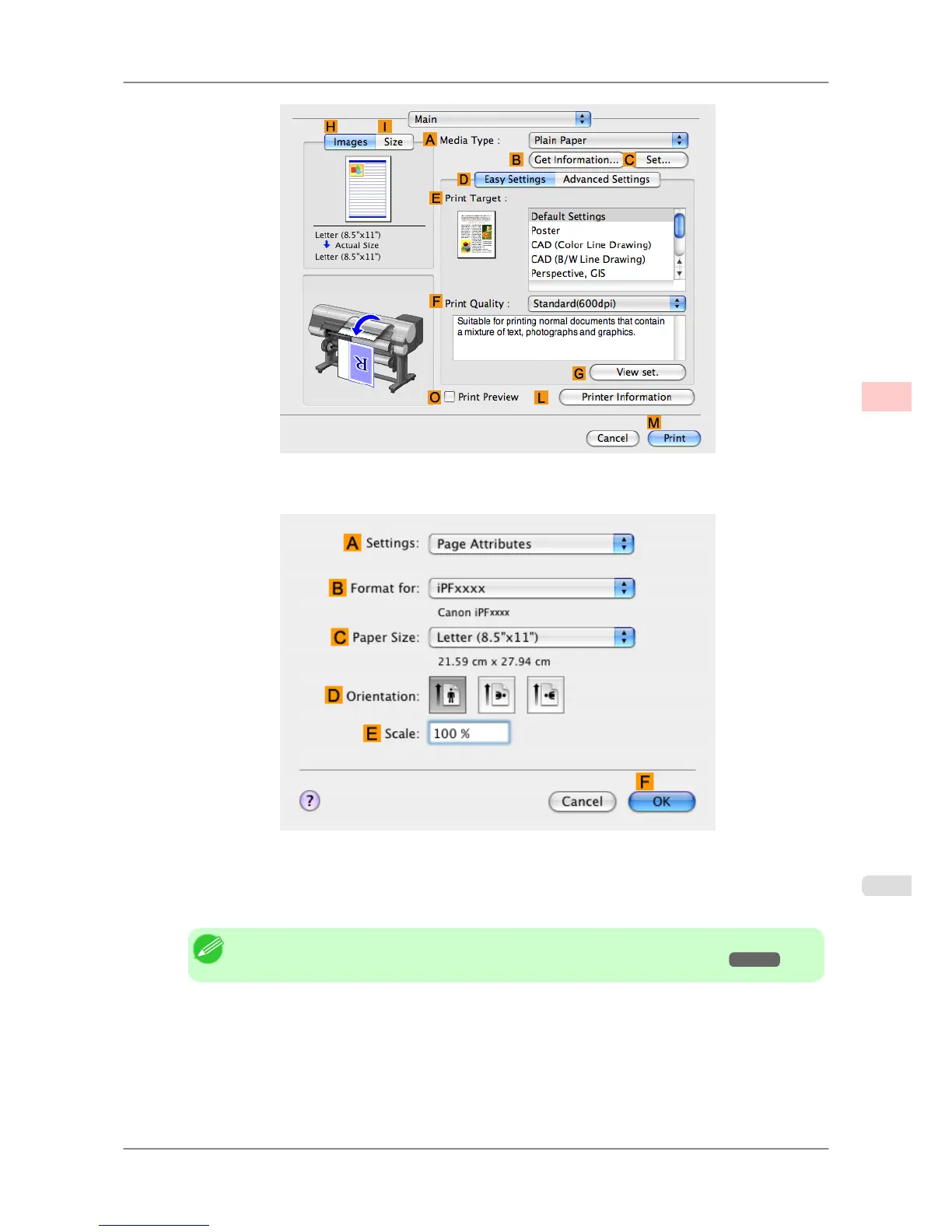
10. Make sure the C Page Size
setting matches the original size as selected in C Paper Size in the Page Attributes
dialog box—in this case, ISO A4.
11. Select the KNo Spaces at Top or Bottom check box.
12. Confirm the print settings, and then click MPrint to start printing.
Note
• For tips on confirming print settings, see "Confirming Print Settings (Mac OS X) →P.407 "
Enhanced Printing Options
>
Conserving roll paper
>
iPF825 Conserving Roll Paper by Printing Originals Without Top and Bottom Margins (Mac OS X)
3
169














 To Next Page