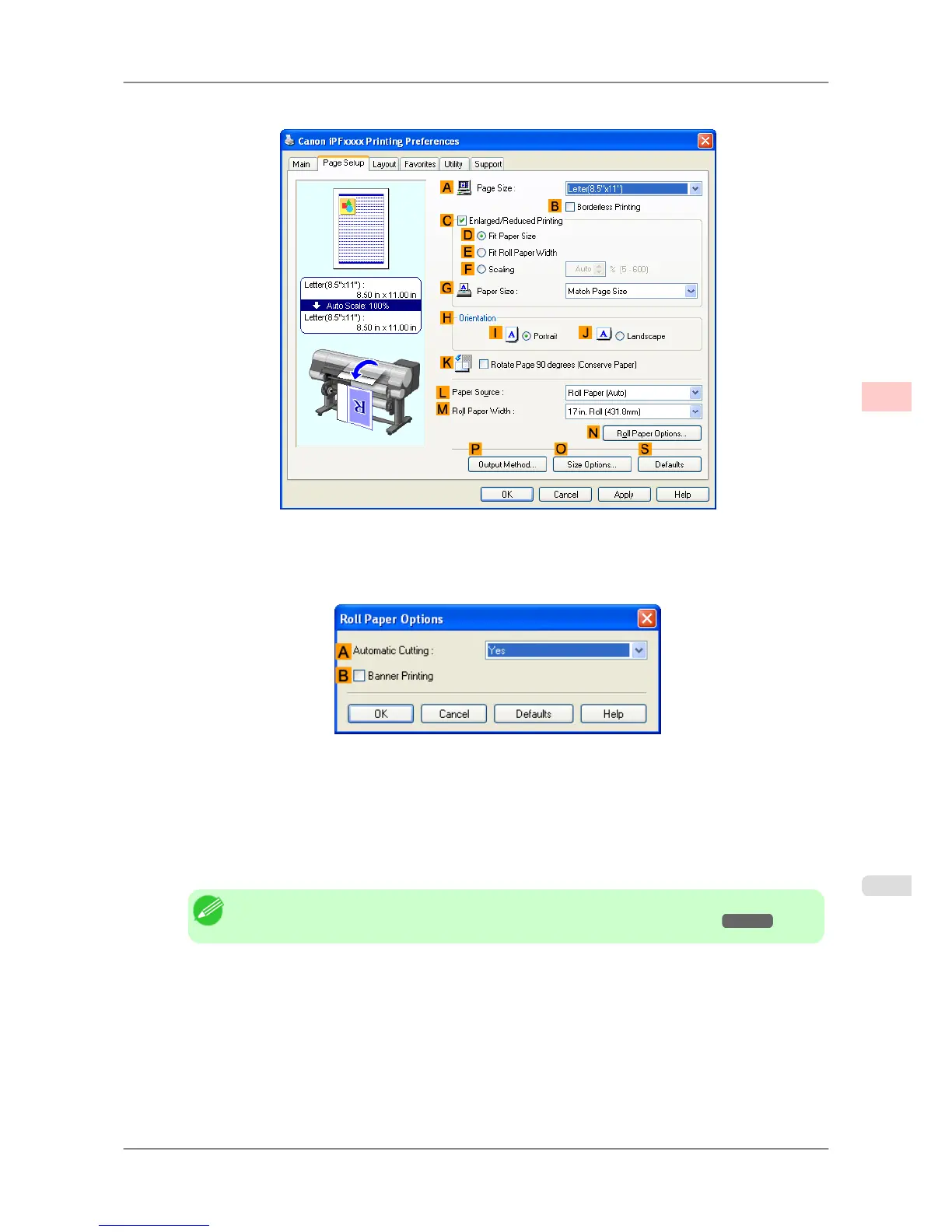
3. Click the Page Setup tab to display the Page Setup sheet.
4. Select and click a roll paper in the LPaper Source list.
5. Click NRoll Paper Options to display the Roll Paper Options dialog box.
6. To enable automatic cutting, click Yes in the A Automatic Cutting list. If you prefer to cut the paper later
yourself, click Print Cut Guideline.
7. Click OK to close the Roll Paper Options dialog box.
8. Confirm the print settings and print as desired.
Note
• For tips on confirming print settings, see "Confirming Print Settings (Windows)
→P.196 "
Roll paper will be automatically cut after printing.
Enhanced Printing Options
>
Other useful settings
>
iPF825 Cutting Roll Paper After Printing (Windows)
3
185














 To Next Page