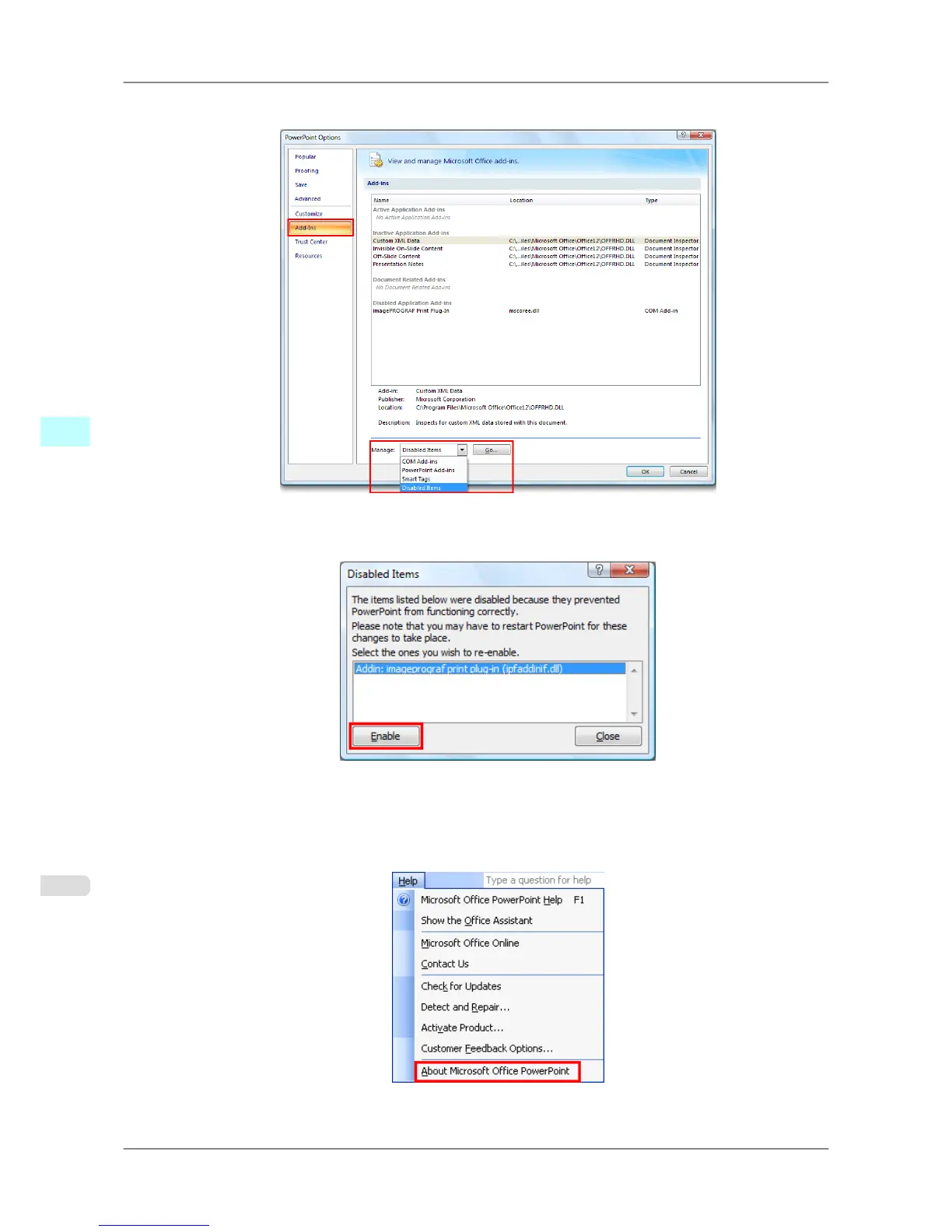
3. Select Disabled Items in the Manage combo box and click the Go button.
4. If Addin
imageprograf print plug-in (ipfaddinif.dll) is displayed in the Disabled Items dialog box, select it
and click the Enable button.
5. Close all the dialog boxes and restart the Office application.
For Microsoft Office 2003
1. Click About <application name> in the Help menu of application.
Windows Software
>
Print Plug-In for Office
>
When Print Plug-In for Office is not displayed iPF825
4
294














 To Next Page