Important
• To configure network settings, you must be logged in with administrative rights such as Administrator
account. We recommend that your network administrator configure the network settings.
• For instructions on installing imagePROGRAF Device Setup Utility, see "Installing imagePROGRAF
Device Setup Utility." →P.382 .
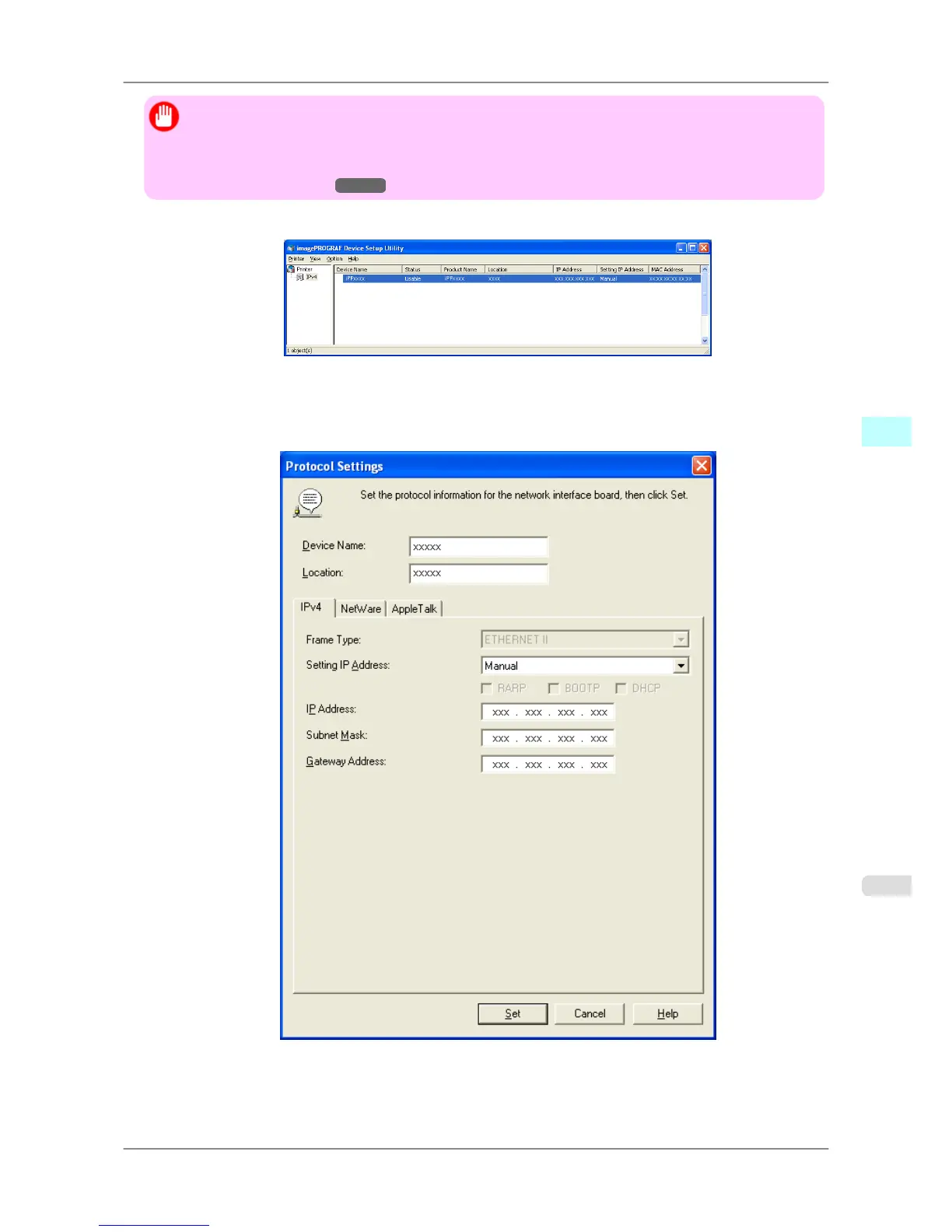
1. Start imagePROGRAF Device Setup Utility from the start menu.
2. In the Device Name list displayed, select the printer to configure.
3. Choose Protocol Settings from the Printer menu.
4. In the Setting IP Address list, choose Manual.
5. Enter the IP address assigned to the printer and click the Set button.
Windows Software
>
Device Setup Utility
>
iPF825 Configuring the IP Address Using imagePROGRAF Device Setup Utility
4
383














 To Next Page